> ## Documentation Index
> Fetch the complete documentation index at: https://help.maestra.io/llms.txt
> Use this file to discover all available pages before exploring further.
# How to check your own permissions
There are several ways to see which permissions you have on a project, and which ones are open to you depends on the permissions you already hold:
* View your own profile from **Profile** → **Edit profile**.
* View your own profile from **Settings** → **Security** → **Users**.
* View your own permissions from **Settings** → **Security** → **Users** by expanding your row.
* Find the permissions you need with a filter.
Here's each one, starting with the easiest.
## View your own profile from Profile → Edit profile
Available if you have the `Manage personal user profile` permission.
Click the user icon in the bottom-left corner → **Edit profile**.
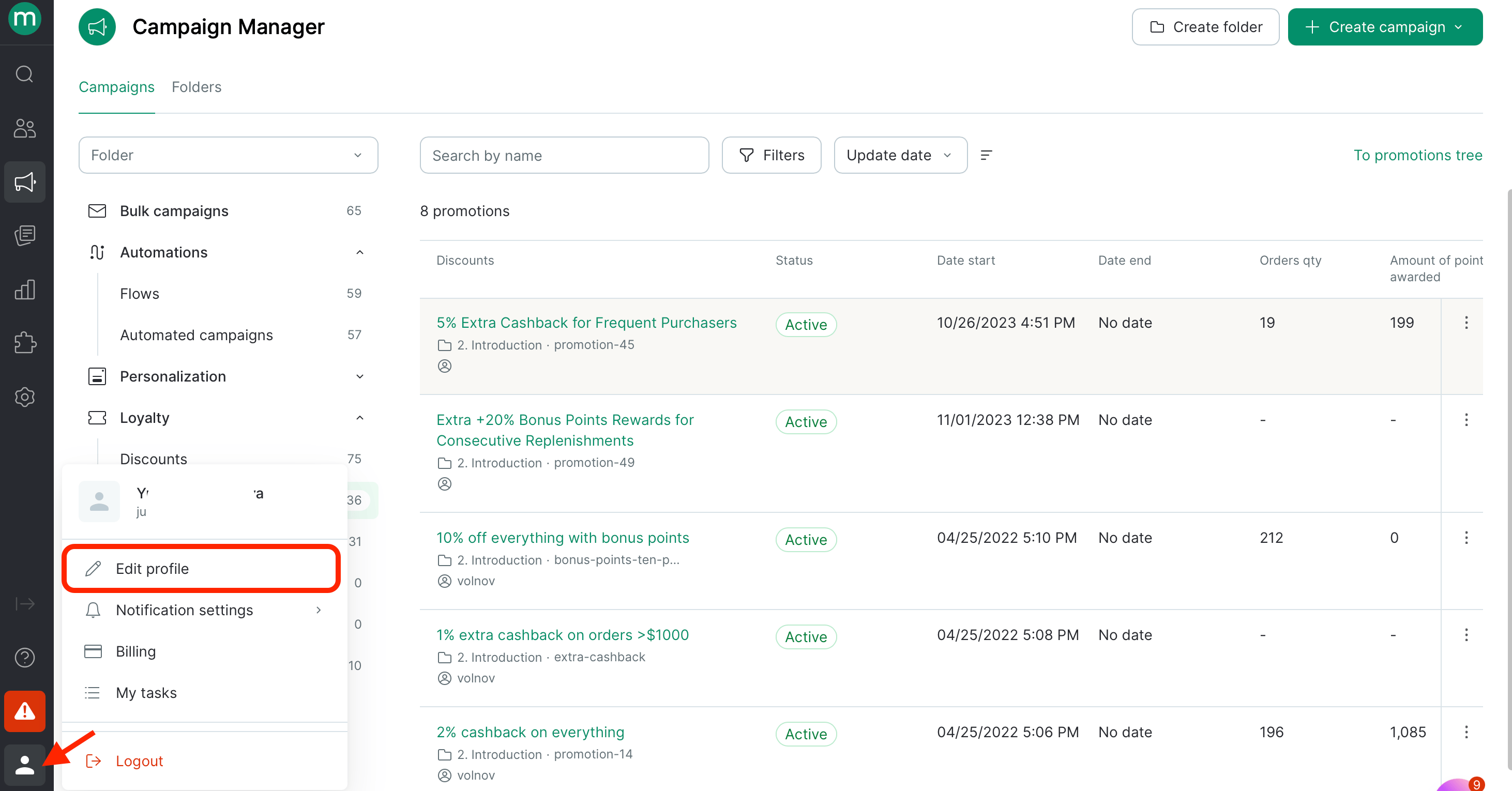 Your profile page opens. Scroll down to see all your groups and permissions.
## View your own profile from Settings → Security → Users
Available if you have the `View and export the users list` and `View users` permissions.
Go to **Settings** → **Security** → **Users**.
Your profile page opens. Scroll down to see all your groups and permissions.
## View your own profile from Settings → Security → Users
Available if you have the `View and export the users list` and `View users` permissions.
Go to **Settings** → **Security** → **Users**.
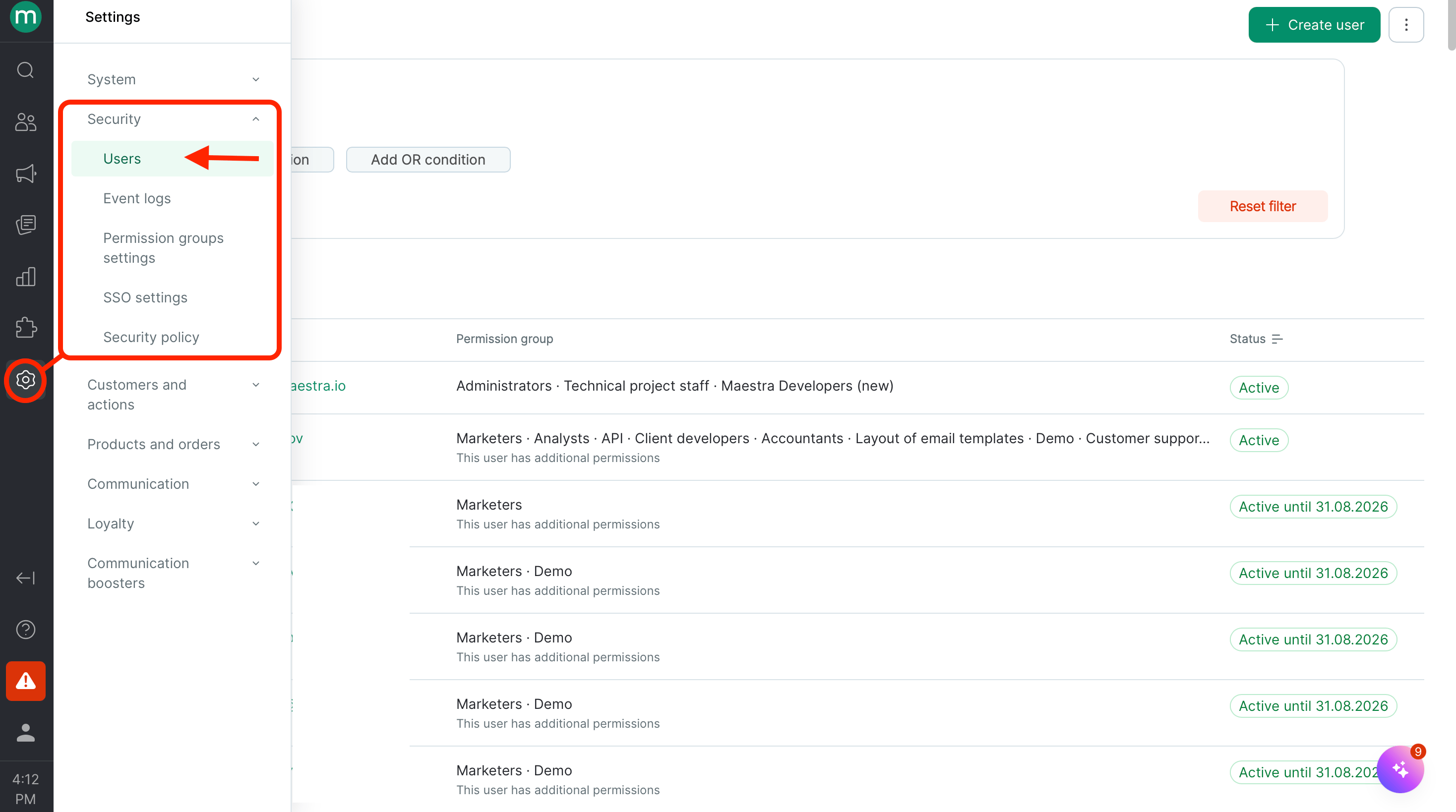 Find your own profile, and open it.
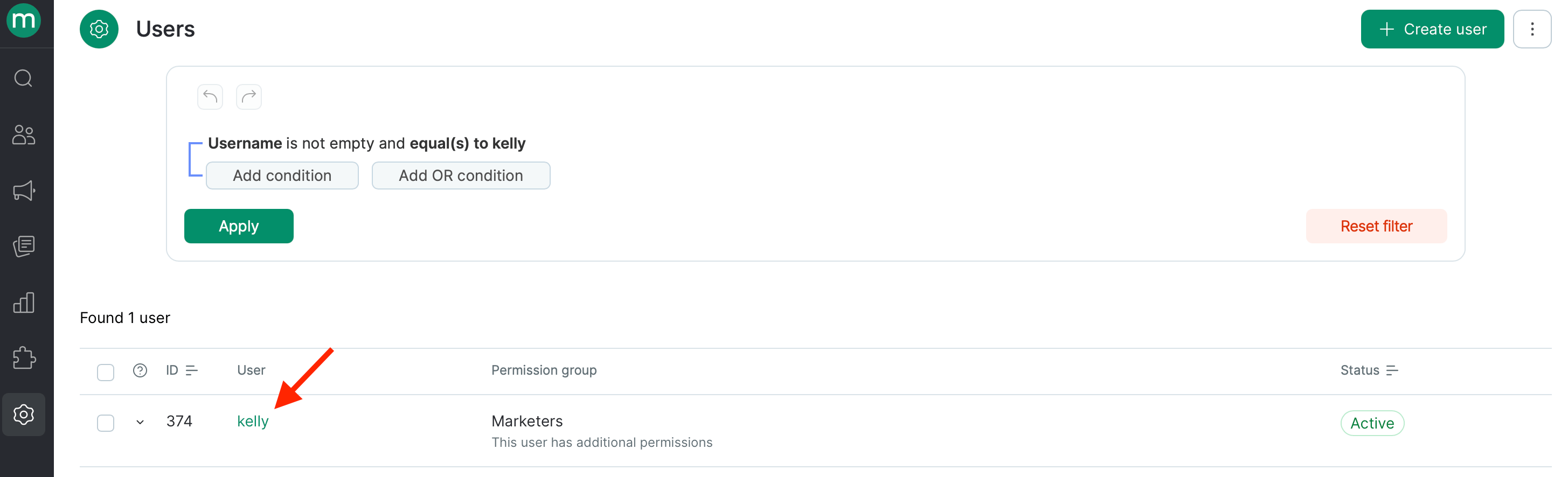 Your profile page opens. Scroll down to see all your groups and permissions.
## View your own permissions from Settings → Security → Users by expanding your row
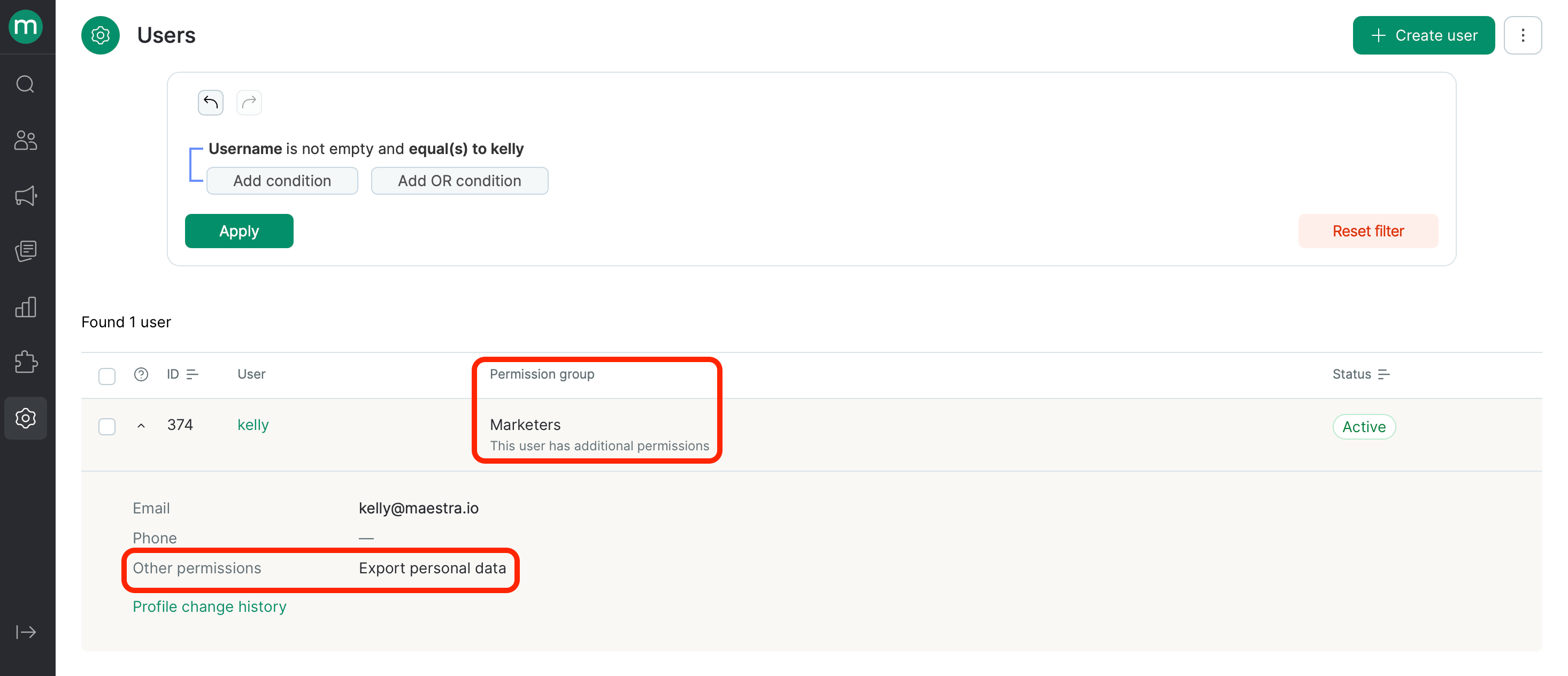
If you can open the users page but not individual profiles — meaning you only have the `View and export the users list` permission — click the row with your details. It expands to show your access, including your permissions.
Your profile page opens. Scroll down to see all your groups and permissions.
## View your own permissions from Settings → Security → Users by expanding your row
If you can open the users page but not individual profiles — meaning you only have the `View and export the users list` permission — click the row with your details. It expands to show your access, including your permissions.
 The permissions each standard group grants are listed in [Permission Groups](/administration/staff/what-security-groups-are-available).
## Find the permissions you need with a filter
Another option on the users page, so you don't have to work through group permissions — use filters.
Go to **Settings** → **Security** → **Users**.
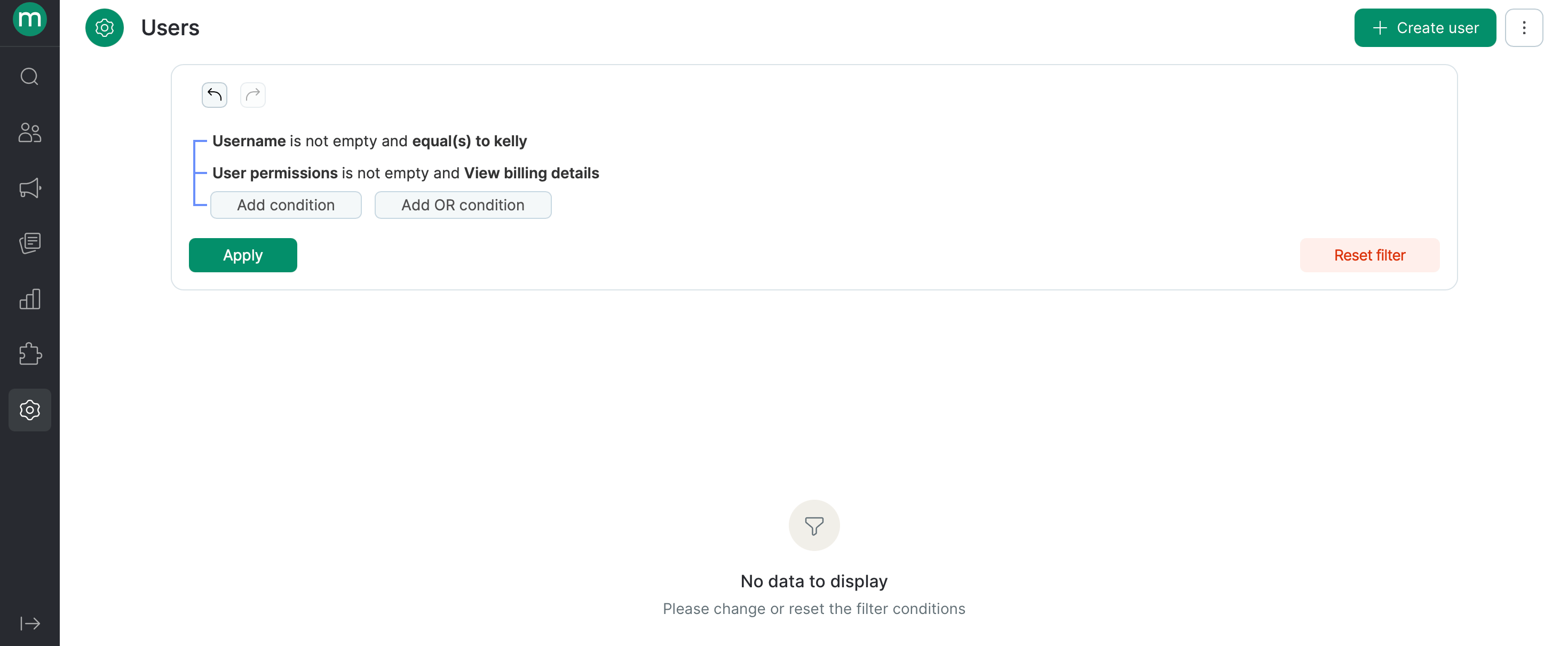
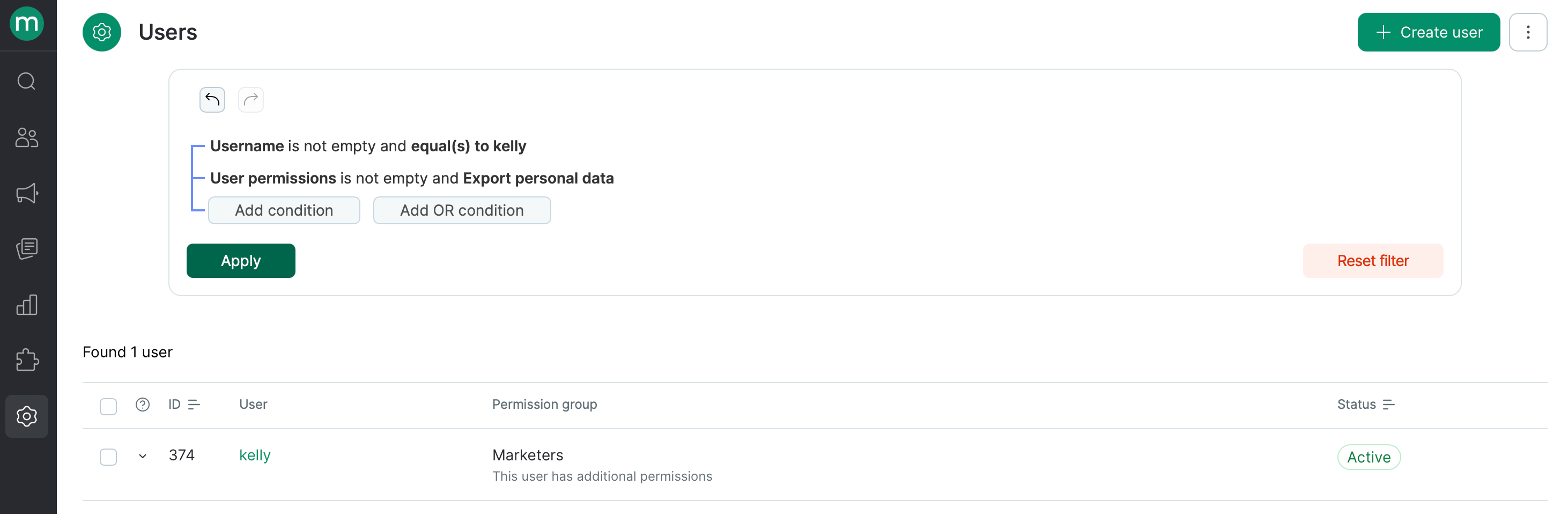
Filter your profile by username or email, then add a condition for the permission you're interested in. For example:
* The user can export personal data.
The permissions each standard group grants are listed in [Permission Groups](/administration/staff/what-security-groups-are-available).
## Find the permissions you need with a filter
Another option on the users page, so you don't have to work through group permissions — use filters.
Go to **Settings** → **Security** → **Users**.
Filter your profile by username or email, then add a condition for the permission you're interested in. For example:
* The user can export personal data.
 * The user can't view billing details.