> ## Documentation Index
> Fetch the complete documentation index at: https://help.maestra.io/llms.txt
> Use this file to discover all available pages before exploring further.
# What permissions are needed for different tasks
Every action in Maestra Platform requires a specific permission. Use this page as a lookup: pick a section of the platform, find the action you want to perform, and grant the listed permissions.
Use **Ctrl / ⌘ + F** to search this page for an action ("export customers") or a permission name ("Edit folders").
## Jump to a section
Permissions stack on top of a [permission group](/administration/staff/what-security-groups-are-available). You can [extend an individual user's access](/administration/staff/how-to-extend-staff-permissions) or build a [custom group](/administration/staff/how-to-create-a-security-group).
***
## Customer Data Platform
### Customers
**To open this page:** `View customer list` + `View customer`
 | To do this on the page | Add these permissions |
| ---------------------------------------- | ------------------------------------------------------------------------------------------------------------------------------------------------------------------------------------- |
| View or edit name, email, and phone | `View and edit customer personal details` |
| Add to a segment / Remove from a segment | `Edit customer segment`, `View segment groups` |
| Assign an action | `Add actions`, `View campaign manager` |
| Edit bonus balance | `Edit customer balances` |
| Merge customers | `Manual customer merging` |
| Issue a promo code | `View promo codes`, `Edit promo codes` |
| Delete customers | `Delete customers` |
| Add a customer | `Add customer` |
| Import customers | `Add customer`, `Edit customer`, `Add bulk tasks` |
| Edit the product list | `Add actions` |
| Import areas | `Edit order settings` |
| Export customers | `Export customers` + `Export personal data` (to include name, email, phone, DOB) + `View non-system tasks`*or*`View personal bulk tasks only` (to see the task and download the file) |
| **New export** button | `Export customers`, `Edit folders`, `View campaign manager` |
| Export areas | `Export areas` + `View non-system tasks`*or*`View personal bulk tasks only` |
| Export the blocklist | `Export customers` + `View non-system tasks`*or*`View personal bulk tasks only` |
| Create a segment | `View segment groups` |
| Edit a segment | `Edit segments` |
| Send bulk campaign | See the [Campaigns](#campaigns) section |
### Customer profile
**To open a profile:** `View customer list` + `View customer`
**To see customer actions in detail:** `View actions`
| To do this on the page | Add these permissions |
| ---------------------------------------- | ------------------------------------------------------------------------------------------------------------------------------------------------------------------------------------- |
| View or edit name, email, and phone | `View and edit customer personal details` |
| Add to a segment / Remove from a segment | `Edit customer segment`, `View segment groups` |
| Assign an action | `Add actions`, `View campaign manager` |
| Edit bonus balance | `Edit customer balances` |
| Merge customers | `Manual customer merging` |
| Issue a promo code | `View promo codes`, `Edit promo codes` |
| Delete customers | `Delete customers` |
| Add a customer | `Add customer` |
| Import customers | `Add customer`, `Edit customer`, `Add bulk tasks` |
| Edit the product list | `Add actions` |
| Import areas | `Edit order settings` |
| Export customers | `Export customers` + `Export personal data` (to include name, email, phone, DOB) + `View non-system tasks`*or*`View personal bulk tasks only` (to see the task and download the file) |
| **New export** button | `Export customers`, `Edit folders`, `View campaign manager` |
| Export areas | `Export areas` + `View non-system tasks`*or*`View personal bulk tasks only` |
| Export the blocklist | `Export customers` + `View non-system tasks`*or*`View personal bulk tasks only` |
| Create a segment | `View segment groups` |
| Edit a segment | `Edit segments` |
| Send bulk campaign | See the [Campaigns](#campaigns) section |
### Customer profile
**To open a profile:** `View customer list` + `View customer`
**To see customer actions in detail:** `View actions`
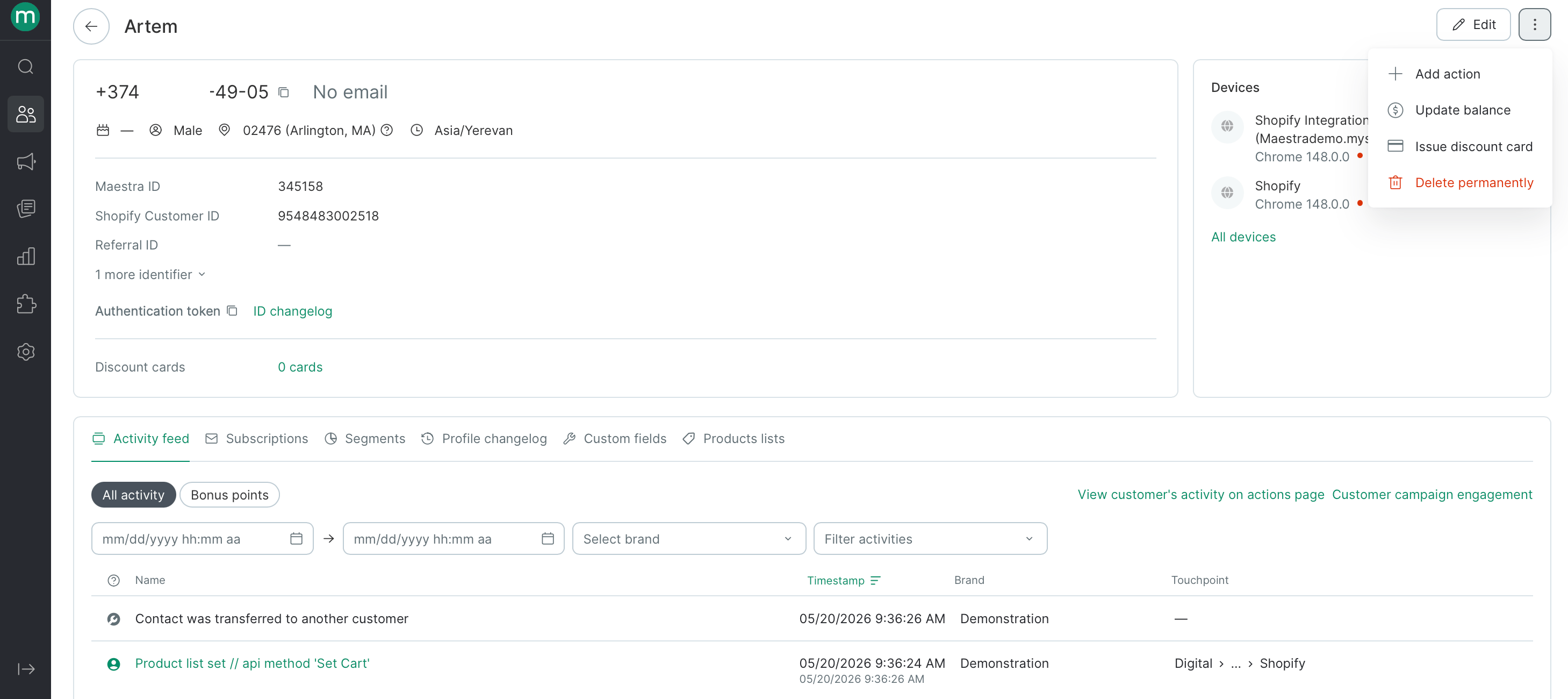 | To do this on the profile | Add these permissions |
| ----------------------------------------- | ----------------------------------------- |
| View or edit name, email, and phone | `View and edit customer personal details` |
| Edit the customer / Issue a discount card | `Edit customer` |
| Mark an email as valid | `Edit email validity` |
| Add an action | `Add actions`, `View campaign manager` |
| Cancel an order | `Order cancellation` |
| Update balance | `Edit customer balances` |
***
## Actions
### Actions page
**To open this page:** `View actions`
| To do this on the profile | Add these permissions |
| ----------------------------------------- | ----------------------------------------- |
| View or edit name, email, and phone | `View and edit customer personal details` |
| Edit the customer / Issue a discount card | `Edit customer` |
| Mark an email as valid | `Edit email validity` |
| Add an action | `Add actions`, `View campaign manager` |
| Cancel an order | `Order cancellation` |
| Update balance | `Edit customer balances` |
***
## Actions
### Actions page
**To open this page:** `View actions`
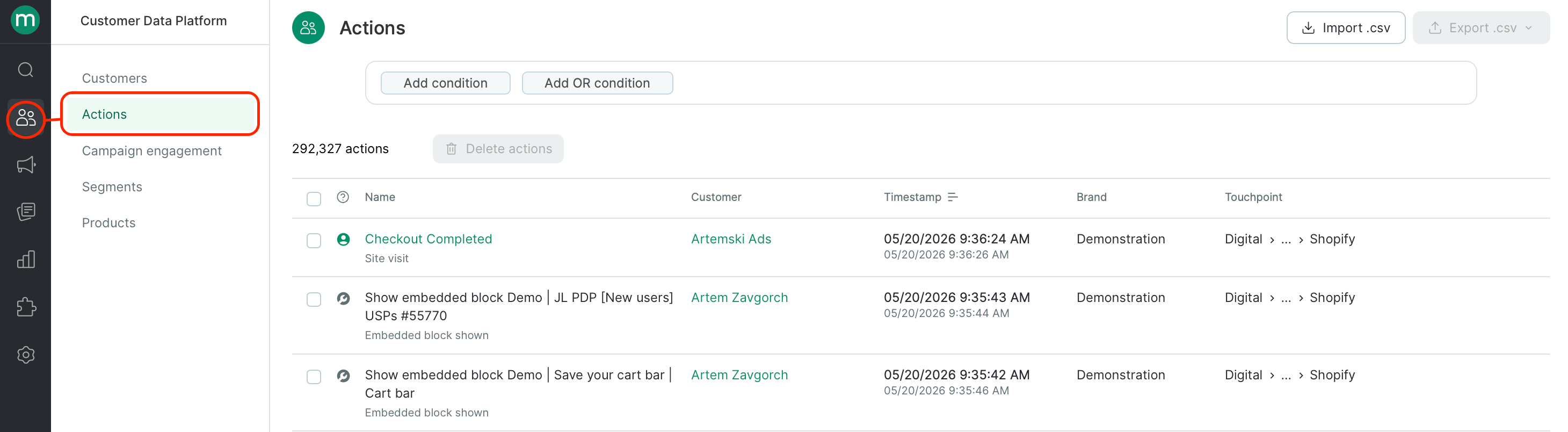 | To do this | Add these permissions |
| --------------- | ------------------------- |
| Import | `Actions bulk import` |
| Export | `Export actions` |
| Delete actions | `Delete customer actions` |
| Cancel an order | `Order cancellation` |
## Campaign Engagement page
**To open this page:** `View actions`
| To do this | Add these permissions |
| --------------- | ------------------------- |
| Import | `Actions bulk import` |
| Export | `Export actions` |
| Delete actions | `Delete customer actions` |
| Cancel an order | `Order cancellation` |
## Campaign Engagement page
**To open this page:** `View actions`
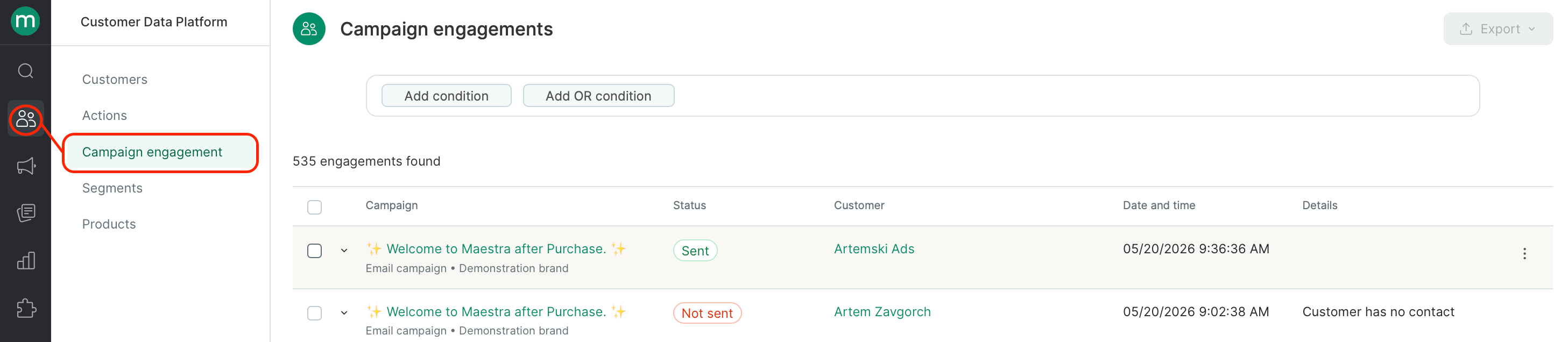 | To do this | Add these permissions |
| ---------- | --------------------- |
| Export | `Export messages` |
***
## Segments
**To open the section or a segment:** `View segment groups`
| To do this | Add these permissions |
| ---------- | --------------------- |
| Export | `Export messages` |
***
## Segments
**To open the section or a segment:** `View segment groups`
 | To do this | Add these permissions |
| ----------------------------------------- | ---------------------------------------- |
| Add / Edit / Delete / See where it's used | `Edit segments` |
| Import | `Add bulk tasks` |
| View the task (scheduled segments only) | `View system tasks` (Maestra staff only) |
***
## Products
**To open the section, add, edit, or delete a product:** `View products`
| To do this | Add these permissions |
| ----------------------------------------- | ---------------------------------------- |
| Add / Edit / Delete / See where it's used | `Edit segments` |
| Import | `Add bulk tasks` |
| View the task (scheduled segments only) | `View system tasks` (Maestra staff only) |
***
## Products
**To open the section, add, edit, or delete a product:** `View products`
 | To do this | Add these permissions |
| -------------------------------- | ------------------------------------------------------------------------------ |
| Import products or manufacturers | `Add bulk tasks` |
| YML import settings | `Edit third-party system connectors`, `Edit product list` |
| Export | `Export products` + `View non-system tasks`*or*`View personal bulk tasks only` |
***
## Campaign Manager
**To open the Campaign Manager:** `View campaign manager`
| To do this | Add these permissions |
| -------------------------------- | ------------------------------------------------------------------------------ |
| Import products or manufacturers | `Add bulk tasks` |
| YML import settings | `Edit third-party system connectors`, `Edit product list` |
| Export | `Export products` + `View non-system tasks`*or*`View personal bulk tasks only` |
***
## Campaign Manager
**To open the Campaign Manager:** `View campaign manager`
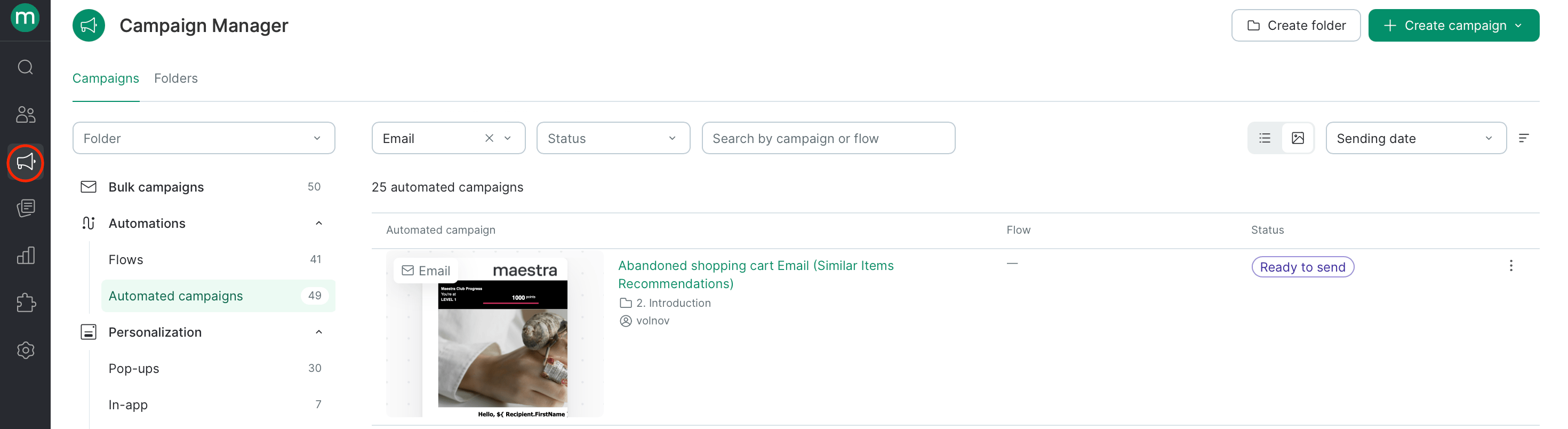 If a user's folder access is restricted, they'll only see the allowed folders in the list.
| To do this | Add these permissions |
| ---------------------------- | ------------------------------------------------------------------------------------------------------- |
| Add / Edit / Delete a folder | `Edit folders` +`Limit campaigns to segments`*(if you need to restrict users to specific folders only)* |
To view or add an asset to a folder, you need permissions specific to each asset type — see the sections below.
Surveys, Promo code pools, and API methods are visible by default.
### Messaging channels (Email, SMS, Mobile push, Web push, Viber)
If a user's folder access is restricted, they'll only see the allowed folders in the list.
| To do this | Add these permissions |
| ---------------------------- | ------------------------------------------------------------------------------------------------------- |
| Add / Edit / Delete a folder | `Edit folders` +`Limit campaigns to segments`*(if you need to restrict users to specific folders only)* |
To view or add an asset to a folder, you need permissions specific to each asset type — see the sections below.
Surveys, Promo code pools, and API methods are visible by default.
### Messaging channels (Email, SMS, Mobile push, Web push, Viber)
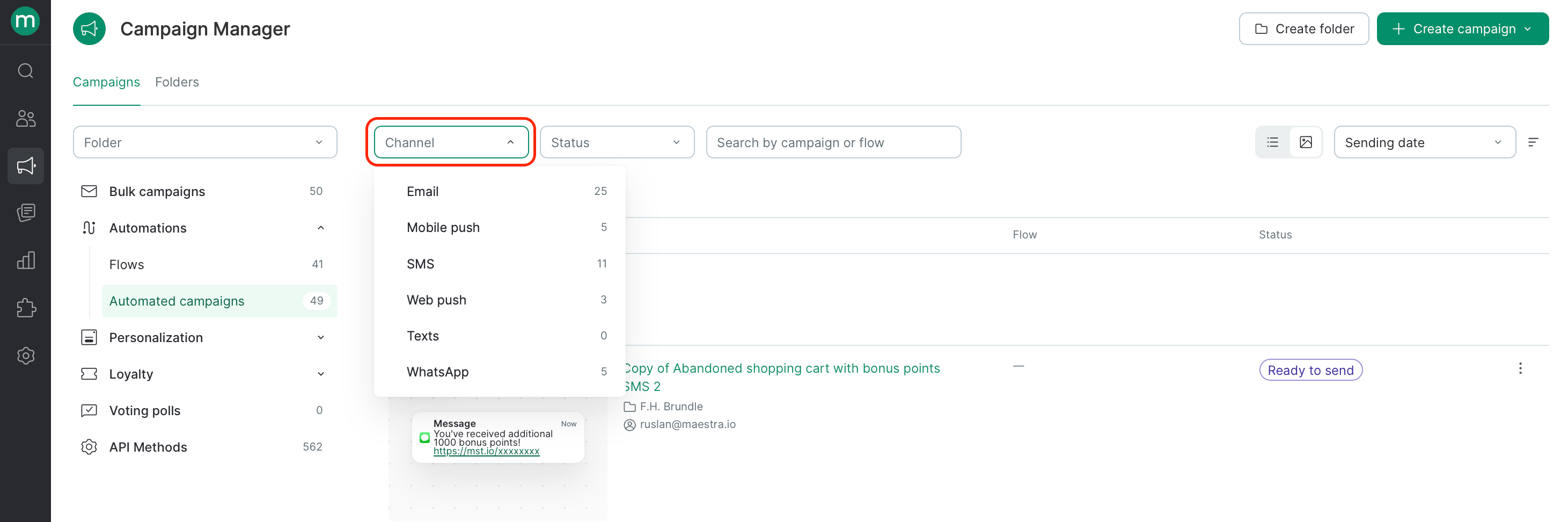 All five channels follow the same permission pattern. Just swap in the channel-specific permission for **Channel messages permission** in the table below.
| Channel | Channel messages permission |
| ----------- | -------------------------------------- |
| Email | `View and edit email messages` |
| SMS | `View and edit SMS messages` |
| Mobile push | `View and edit mobile push messages` |
| Web push | `View and edit web push notifications` |
| Viber | `View and edit Viber messages` |
**To open the channel section:** `View campaign manager` + the channel's messages permission. **To open a specific campaign:** the channel's messages permission.
| To do this | Add these permissions |
| ----------------------------------------------------------------------- | --------------------------------------------------------- |
| Add a campaign | `View brands` (multibrand projects only) |
| Start / Schedule / Stop / Cancel / Finish editing an automated campaign | `Campaign sending` |
| Send a test message | `Send test messages` |
| Copy / Delete / Run test mode | None — the channel's messages permission is enough |
| Save or edit a template version in the email builder *(Email only)* | `Create, edit and delete blocks in the email constructor` |
### API methods
**To open the section or view the spec:** `View campaign manager`
All five channels follow the same permission pattern. Just swap in the channel-specific permission for **Channel messages permission** in the table below.
| Channel | Channel messages permission |
| ----------- | -------------------------------------- |
| Email | `View and edit email messages` |
| SMS | `View and edit SMS messages` |
| Mobile push | `View and edit mobile push messages` |
| Web push | `View and edit web push notifications` |
| Viber | `View and edit Viber messages` |
**To open the channel section:** `View campaign manager` + the channel's messages permission. **To open a specific campaign:** the channel's messages permission.
| To do this | Add these permissions |
| ----------------------------------------------------------------------- | --------------------------------------------------------- |
| Add a campaign | `View brands` (multibrand projects only) |
| Start / Schedule / Stop / Cancel / Finish editing an automated campaign | `Campaign sending` |
| Send a test message | `Send test messages` |
| Copy / Delete / Run test mode | None — the channel's messages permission is enough |
| Save or edit a template version in the email builder *(Email only)* | `Create, edit and delete blocks in the email constructor` |
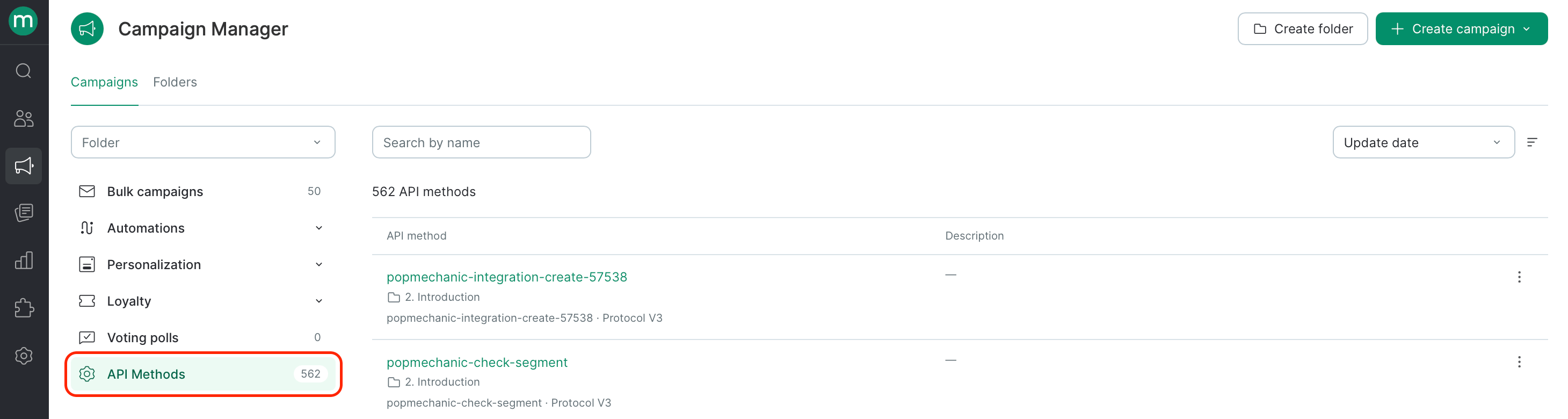
### API methods
**To open the section or view the spec:** `View campaign manager`
 | To do this | Add these permissions |
| ------------------- | ------------------------------------------------------------------------------------------------------------------------------ |
| Add / Edit / Delete | `Edit folders` + `Export event log` (to add an "Export event log" step) + `Export dashboards` (to add an "Export report" step) |
***
## Personalization
### Recommendation widgets
**To open the section:** `View campaign manager` + `View and edit website personalization forms`
| To do this | Add these permissions |
| --------------------- | ---------------------------------------------------------------------------------------------------------------------------------------------------------------------------------- |
| Add | `View integrations`, `Edit external systems`, `View product recommendation algorithms` |
| Edit | `View integrations` (if changing the integration), `Edit external systems` (if changing the external system), `View product recommendation algorithms` (if changing the algorithm) |
| Start / Stop / Delete | None — `View and edit website personalization forms` is enough |
### Pop-ups, Embedded blocks
**To open either section:** `View campaign manager` + `View and edit website personalization forms`
| To do this | Add these permissions |
| --------------------- | -------------------------------------------------------------- |
| Add | `View integrations` |
| Edit | `View integrations` (only if changing the integration) |
| Start / Stop / Delete | None — `View and edit website personalization forms` is enough |
### In-app
**To open the section:** `View campaign manager` + `View in-apps`
| To do this | Add these permissions |
| ------------- | ------------------------------------------------------------------------------------------------------ |
| Add | `Run and edit In-apps`, `View integrations`, `View segment groups` (if refining the targeting segment) |
| Edit / Delete | `View integrations`, `View segment groups` (if changing the targeting segment) |
| Start / Stop | `Run and edit In-apps`*or*`View integrations` |
### Surveys
**To open the section:** `View campaign manager`
| To do this | Add these permissions |
| ------------------- | ------------------------------------------------------------------------------------------------------------------------------ |
| Add / Edit / Delete | `Edit folders` + `Export event log` (to add an "Export event log" step) + `Export dashboards` (to add an "Export report" step) |
***
## Personalization
### Recommendation widgets
**To open the section:** `View campaign manager` + `View and edit website personalization forms`
| To do this | Add these permissions |
| --------------------- | ---------------------------------------------------------------------------------------------------------------------------------------------------------------------------------- |
| Add | `View integrations`, `Edit external systems`, `View product recommendation algorithms` |
| Edit | `View integrations` (if changing the integration), `Edit external systems` (if changing the external system), `View product recommendation algorithms` (if changing the algorithm) |
| Start / Stop / Delete | None — `View and edit website personalization forms` is enough |
### Pop-ups, Embedded blocks
**To open either section:** `View campaign manager` + `View and edit website personalization forms`
| To do this | Add these permissions |
| --------------------- | -------------------------------------------------------------- |
| Add | `View integrations` |
| Edit | `View integrations` (only if changing the integration) |
| Start / Stop / Delete | None — `View and edit website personalization forms` is enough |
### In-app
**To open the section:** `View campaign manager` + `View in-apps`
| To do this | Add these permissions |
| ------------- | ------------------------------------------------------------------------------------------------------ |
| Add | `Run and edit In-apps`, `View integrations`, `View segment groups` (if refining the targeting segment) |
| Edit / Delete | `View integrations`, `View segment groups` (if changing the targeting segment) |
| Start / Stop | `Run and edit In-apps`*or*`View integrations` |
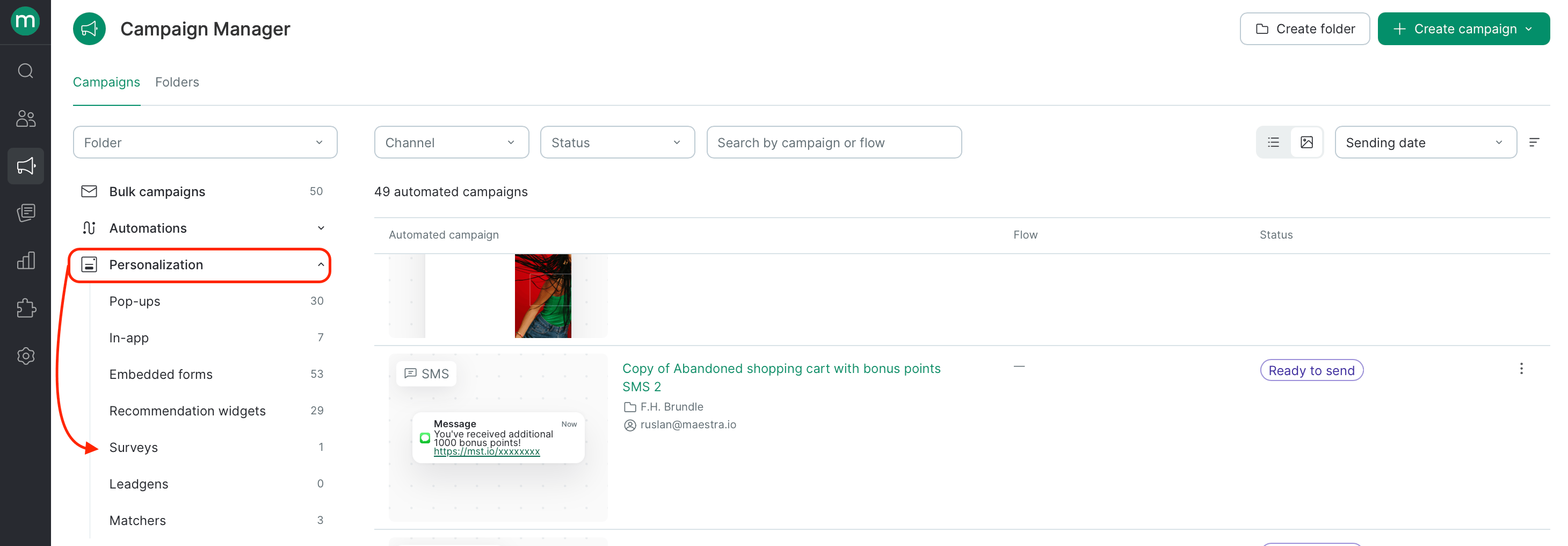
### Surveys
**To open the section:** `View campaign manager`
 | To do this | Add these permissions |
| :------------------ | :-------------------- |
| Add / Edit / Delete | `Edit folders` |
### Product recommendations
**Required permission:** `View product recommendation algorithms`
### Communication boosters → Popup frequency control
**Required permission:** `View and edit website personalization forms`
## Automations
### Flows
**To open the section:** `View campaign manager` + `View flows`
| To do this | Add these permissions |
| -------------------------------- | --------------------------------------------------------------------------- |
| Open a flow | `View flows` |
| Add a flow | `Edit flows`, `View integrations`, `View brands` (multibrand projects only) |
| Edit a flow | `Edit flows` |
| Start / Stop / Delete a flow | `Edit flows` |
| Export customers from flow steps | `Export customers from scenario execution report` |
### Wallet / OSMICards / Telegram
**To open the section:** `View campaign manager`
| To do this | Add these permissions |
| ---------------------------------- | --------------------------------------------- |
| Add / Edit / Delete / Start / Stop | `View and edit "MMS and messengers" messages` |
You'll also need a provider connection set up before you can use this section. Reach out to your success manager.
***
## Loyalty
### Promotions
**To open the section:** `View promotions`, `View and edit promotions`, *or* `View and launch promotions`
| To do this | Add these permissions |
| ---------------------------------------------------- | ------------------------------------------------------------------------------------------------------------------------------------------------- |
| Change the promotion tree | `View promotions` (read-only), `View and edit promotions` (draft / completed / archived / stopped only), `View and launch promotions` (all types) |
| Add a promotion or group / Edit name and description | `View and edit promotions`*or*`View and launch promotions` |
| Start or stop a promotion | `View and launch promotions` |
| Archive | `View and launch promotions` |
| Open a promotion | `View promotions`, `View and edit promotions`or, `View and launch promotions` (all types) + `View promo codes` + `View campaign manager` |
| Edit a promotion | `View and edit promotions` |
### Gift cards
**To open the section, edit, or export:** `View gift cards`
| To do this | Add these permissions |
| ---------- | --------------------- |
| Import | `Add bulk tasks` |
### Promo code pools
**To open the section:** `View campaign manager` + `View promo code`
| To do this | Add these permissions |
| :------------------ | :-------------------- |
| Add / Edit / Delete | `Edit folders` |
### Product recommendations
**Required permission:** `View product recommendation algorithms`
### Communication boosters → Popup frequency control
**Required permission:** `View and edit website personalization forms`
## Automations
### Flows
**To open the section:** `View campaign manager` + `View flows`
| To do this | Add these permissions |
| -------------------------------- | --------------------------------------------------------------------------- |
| Open a flow | `View flows` |
| Add a flow | `Edit flows`, `View integrations`, `View brands` (multibrand projects only) |
| Edit a flow | `Edit flows` |
| Start / Stop / Delete a flow | `Edit flows` |
| Export customers from flow steps | `Export customers from scenario execution report` |
### Wallet / OSMICards / Telegram
**To open the section:** `View campaign manager`
| To do this | Add these permissions |
| ---------------------------------- | --------------------------------------------- |
| Add / Edit / Delete / Start / Stop | `View and edit "MMS and messengers" messages` |
You'll also need a provider connection set up before you can use this section. Reach out to your success manager.
***
## Loyalty
### Promotions
**To open the section:** `View promotions`, `View and edit promotions`, *or* `View and launch promotions`
| To do this | Add these permissions |
| ---------------------------------------------------- | ------------------------------------------------------------------------------------------------------------------------------------------------- |
| Change the promotion tree | `View promotions` (read-only), `View and edit promotions` (draft / completed / archived / stopped only), `View and launch promotions` (all types) |
| Add a promotion or group / Edit name and description | `View and edit promotions`*or*`View and launch promotions` |
| Start or stop a promotion | `View and launch promotions` |
| Archive | `View and launch promotions` |
| Open a promotion | `View promotions`, `View and edit promotions`or, `View and launch promotions` (all types) + `View promo codes` + `View campaign manager` |
| Edit a promotion | `View and edit promotions` |
### Gift cards
**To open the section, edit, or export:** `View gift cards`
| To do this | Add these permissions |
| ---------- | --------------------- |
| Import | `Add bulk tasks` |
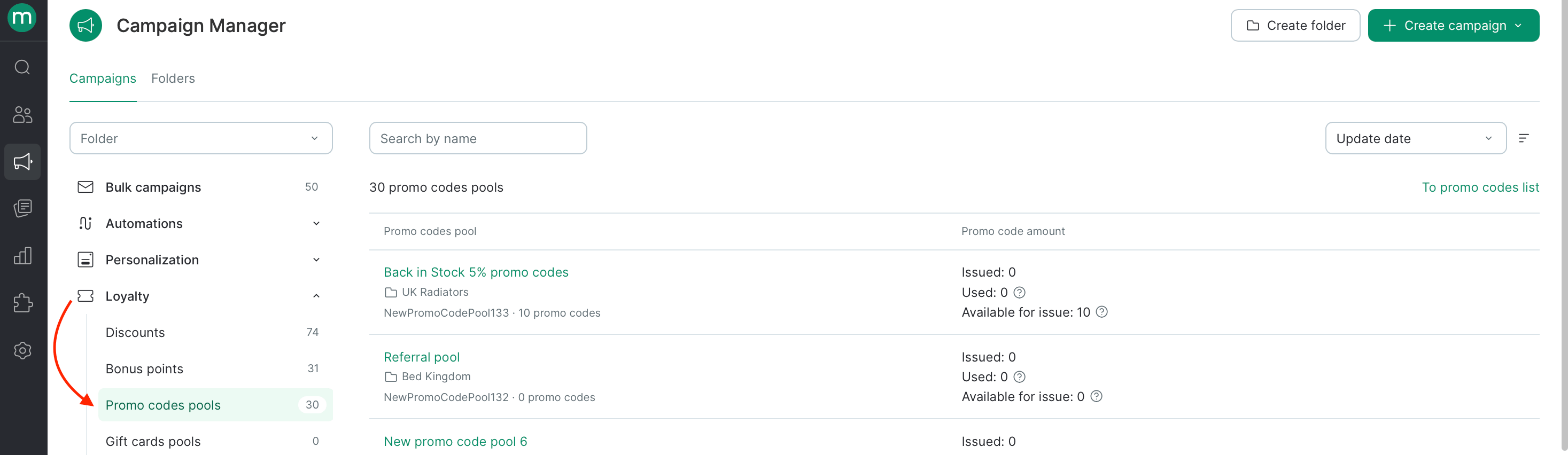
### Promo code pools
**To open the section:** `View campaign manager` + `View promo code`
 | To do this | Add these permissions |
| :------------------------- | :-------------------- |
| Add / Edit / Delete a pool | `Edit folders` |
| View promo codes | `View promo codes` |
| Import | `Add bulk tasks` |
| Export | `Export promo codes` |
| Edit / Delete promo codes | `Edit promo codes` |
***
## Analytics & A/B tests
### Analytics
**Required permission:** `View reports`
**Brand-restricted users** only see allowed brands in the **Revenue & Drivers** and **Subscribers** reports. **Folder-restricted users** only see allowed folders in the **Campaigns** report.
### A/B tests
**To open the section:** `View A/B tests`
| To do this | Add these permissions |
| --------------------- | ---------------------------------------------------------------------------------------- |
| Add | `Run and edit A/B tests`, `View segment groups` (to pick a participant segment) |
| Open an A/B test | `View segment groups` (to see the selected segment) |
| Start / Stop / Delete | `Run and edit A/B tests` |
| Edit | `Run and edit A/B tests`, `View segment groups` (optional, only if changing the segment) |
***
## Integrations
**To open the section or an integration:** `View integrations`
| To do this | Add these permissions |
| --------------------------------------- | --------------------------------------------------------------------------------------------------------------------------------------------------- |
| Add an integration | `Edit integrations` |
| Edit / View and create test secret keys | `Edit integrations` |
| View and copy any keys | `Manage secret keys` |
| Create any keys | `Edit integrations` + `Manage secret keys` |
| Set up FTP import | `Edit third-party system connectors` + `Manage secret keys` (to edit login/password) |
| Set up YML import | `Edit third-party system connectors` + `Edit product list` |
| Set up webhook integrations | `View webhook builder` + `Webhook builder access` (to send from static IPs) + `Manage secret keys` (to view static IPs, add or view secret headers) |
### Integration logs
| Action | Required permissions |
| --------------------------------- | ---------------------------------------------------------------------------- |
| API methods — open / get log link | `View integration logs` |
| API methods — export | `View integration logs` + `Export integration logs` |
| Webhooks — open / get log link | `View integration logs` + `View webhook builder` |
| Webhooks — export | `View integration logs` + `View webhook builder` + `Export integration logs` |
### Integration monitoring
Any project access is enough — no extra permissions required.
### Webhooks (builder)
**To open the section:** `View webhook builder`
| To do this | Add these permissions |
| --------------------------- | ------------------------------------------------------------------------ |
| Add / Delete / Edit / Clone | `Webhook builder access` + `Manage secret keys` (to view secret headers) |
### Media
**Required permission:** `View integrations`
### WebPush — integration verification
Any project access is enough.
### Customer token verifier
**Required permission:** `Customer token verification`
***
## Settings
### Settings — System
| To do this | Add these permissions |
| :------------------------- | :-------------------- |
| Add / Edit / Delete a pool | `Edit folders` |
| View promo codes | `View promo codes` |
| Import | `Add bulk tasks` |
| Export | `Export promo codes` |
| Edit / Delete promo codes | `Edit promo codes` |
***
## Analytics & A/B tests
### Analytics
**Required permission:** `View reports`
**Brand-restricted users** only see allowed brands in the **Revenue & Drivers** and **Subscribers** reports. **Folder-restricted users** only see allowed folders in the **Campaigns** report.
### A/B tests
**To open the section:** `View A/B tests`
| To do this | Add these permissions |
| --------------------- | ---------------------------------------------------------------------------------------- |
| Add | `Run and edit A/B tests`, `View segment groups` (to pick a participant segment) |
| Open an A/B test | `View segment groups` (to see the selected segment) |
| Start / Stop / Delete | `Run and edit A/B tests` |
| Edit | `Run and edit A/B tests`, `View segment groups` (optional, only if changing the segment) |
***
## Integrations
**To open the section or an integration:** `View integrations`
| To do this | Add these permissions |
| --------------------------------------- | --------------------------------------------------------------------------------------------------------------------------------------------------- |
| Add an integration | `Edit integrations` |
| Edit / View and create test secret keys | `Edit integrations` |
| View and copy any keys | `Manage secret keys` |
| Create any keys | `Edit integrations` + `Manage secret keys` |
| Set up FTP import | `Edit third-party system connectors` + `Manage secret keys` (to edit login/password) |
| Set up YML import | `Edit third-party system connectors` + `Edit product list` |
| Set up webhook integrations | `View webhook builder` + `Webhook builder access` (to send from static IPs) + `Manage secret keys` (to view static IPs, add or view secret headers) |
### Integration logs
| Action | Required permissions |
| --------------------------------- | ---------------------------------------------------------------------------- |
| API methods — open / get log link | `View integration logs` |
| API methods — export | `View integration logs` + `Export integration logs` |
| Webhooks — open / get log link | `View integration logs` + `View webhook builder` |
| Webhooks — export | `View integration logs` + `View webhook builder` + `Export integration logs` |
### Integration monitoring
Any project access is enough — no extra permissions required.
### Webhooks (builder)
**To open the section:** `View webhook builder`
| To do this | Add these permissions |
| --------------------------- | ------------------------------------------------------------------------ |
| Add / Delete / Edit / Clone | `Webhook builder access` + `Manage secret keys` (to view secret headers) |
### Media
**Required permission:** `View integrations`
### WebPush — integration verification
Any project access is enough.
### Customer token verifier
**Required permission:** `Customer token verification`
***
## Settings
### Settings — System
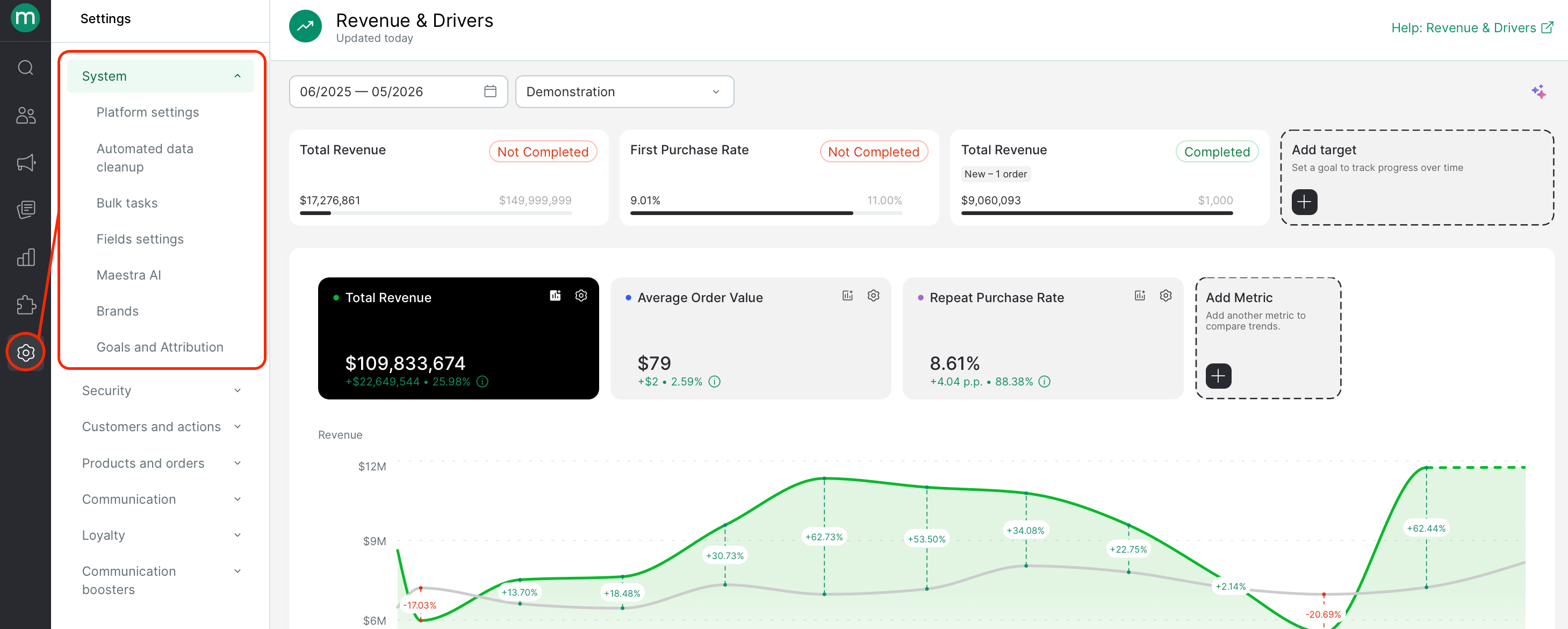 | Page | Required permissions |
| ------------------------------------------------- | ----------------------------- |
| Platform settings | `Edit project settings` |
| Automated data cleanup | `Edit auto-deletion settings` |
| Brands — open | `View brands` |
| Brands — add / edit | `Add and edit brands` |
| Fields Settings — open / see where used | `View custom fields` |
| Fields Settings — create / edit / delete / import | `Edit custom fields` |
#### Bulk Tasks
**To open the section:** `View personal bulk tasks only` (shows only non-system tasks created from the logged-in user's account)
**To expand what tasks are visible:**
* `View non-system tasks` — user tasks (auto-deletion, manual deletion, segment imports, report or export)
* `View all system tasks` *(Maestra staff only)* — technical tasks (segment recalcs, campaign sends)
**To access import source files:**
* `View personal bulk tasks only` — own tasks only
* `View imports input files` — download files from any task
**To access export files** (separate permission per data type):
| Export type | Permission |
| ----------------------------------------------------------------------------------------------- | ------------------------------------------------- |
| Customers, product lists, customer discount cards, blocklist contacts, customer segment changes | `Export customers` |
| Customer actions, orders, order line items, balance change history | `Export actions` |
| Products, product categories, product segment changes | `Export products` |
| Areas | `Export areas` |
| Campaigns | `Export messages` |
| Campaign statuses | `Export statuses` |
| Flows | `Export flows` |
| Customers from flow step executions | `Export customers from scenario execution report` |
| Operation and webhook logs | `Export integration logs` |
| Bulk and dynamic campaign reports | `Export dashboards` |
| Promotions | `Export promotions` |
| To do this on a task | Add these permissions |
| -------------------- | --------------------- |
| Stop / Resume a task | `Manage tasks` |
| Force a task | `Force tasks` |
### Settings — Security
| Page | Required permissions |
| -------------------------------------------------- | -------------------------------------------------------------------------------------------- |
| Users — open | `View and export the users list` |
| Users — add / import | `Edit users` |
| Users — block | `View users` + `Edit users` |
| Users — export | `View and export the users list` |
| Users — open a profile | `View users` |
| Users — edit | `View users` + `Edit users` + `Limit staff campaign access` (if restricting campaign access) |
| Permission groups — open | `View permission groups` |
| Permission groups — create / delete / open / edit | `Edit permission groups` |
| Security policy — open | `View security policy` |
| Security policy — edit alternative login user list | `View security policy` + `Manage security policy: partial access` |
| Security policy — edit any settings | `View security policy` + `Edit security policy` |
| Event logs | `View activity logs` |
To assign a permission group, you either need to belong to that group yourself or hold every permission it contains. Maestra internal groups can't be selected from the UI. You can only grant additional permissions that exist on your own profile.
System permission groups can't be edited or deleted. A group must have no users assigned before it can be deleted.
### Settings — Customers and actions
| Page | Required permissions |
| ------------------------------------------------------------------------------ | ------------------------------------ |
| Customer profile | `Edit third-party system connectors` |
| Discount cards — open | `View discount cards list` |
| Discount cards — import / export / detach / delete | `Discount card bulk tasks` |
| Discount card types | `Manage discount card types` |
| Action templates — open | `View action template list` |
| Action templates — create / tag / set category / delete / export / edit / copy | `Edit action template list` |
| Channels — open / export | `View touchpoint list` |
| Channels — add / delete / import / edit | `Edit touchpoint list` |
| Touchpoints — open / export | `View touchpoint list` |
| Touchpoints — add / delete / import / edit | `Edit touchpoint list` |
### Settings — Products and orders
| Page | Required permissions |
| ------------------------------------------ | ------------------------------------ |
| Order line statuses | `Edit order settings` |
| Payment methods | `Edit order settings` |
| External systems | `Edit external systems` |
| Customer product lists — open / add / edit | `Edit product list` |
| Customer product lists — generate methods | `Edit folders` + `Edit product list` |
| Attribution | `Edit order settings` |
### Settings — Communication
To open the **Campaign settings** area at all, you need `Edit subscription topics`.
| Page | Required permissions |
| ------------------------------------- | -------------------------------------------------------------------- |
| Email settings | `Edit subscription topics` + `Edit email settings` |
| Default UTM tags | `Edit subscription topics` + `Edit default UTM tags` |
| SMS settings | `Edit subscription topics` + `Edit SMS settings` |
| Subscription Topics | `Edit subscription topics` |
| Universal links | `Edit subscription topics` + `Edit email settings` |
| Global control group | `Edit subscription topics` + `Editing global control group settings` |
| SMS connections — open / add / edit | `Edit SMS settings` |
| SMS connections — delete | `Delete SMS connections` |
| Viber connections — open / add / edit | `Edit Viber settings` |
| Viber connections — delete | `Delete Viber connections` |
### Settings — Loyalty
| Page | Required permissions |
| ------------------------------------- | -------------------- |
| Loyalty program members | Any project access |
| Points balances — open | Any project access |
| Points balances — add / edit / delete | `Edit folders` |
| Personal offers list | Any project access |
***
## Help
| Page | Required permissions |
| ------------------------------------------------- | ----------------------------- |
| Platform settings | `Edit project settings` |
| Automated data cleanup | `Edit auto-deletion settings` |
| Brands — open | `View brands` |
| Brands — add / edit | `Add and edit brands` |
| Fields Settings — open / see where used | `View custom fields` |
| Fields Settings — create / edit / delete / import | `Edit custom fields` |
#### Bulk Tasks
**To open the section:** `View personal bulk tasks only` (shows only non-system tasks created from the logged-in user's account)
**To expand what tasks are visible:**
* `View non-system tasks` — user tasks (auto-deletion, manual deletion, segment imports, report or export)
* `View all system tasks` *(Maestra staff only)* — technical tasks (segment recalcs, campaign sends)
**To access import source files:**
* `View personal bulk tasks only` — own tasks only
* `View imports input files` — download files from any task
**To access export files** (separate permission per data type):
| Export type | Permission |
| ----------------------------------------------------------------------------------------------- | ------------------------------------------------- |
| Customers, product lists, customer discount cards, blocklist contacts, customer segment changes | `Export customers` |
| Customer actions, orders, order line items, balance change history | `Export actions` |
| Products, product categories, product segment changes | `Export products` |
| Areas | `Export areas` |
| Campaigns | `Export messages` |
| Campaign statuses | `Export statuses` |
| Flows | `Export flows` |
| Customers from flow step executions | `Export customers from scenario execution report` |
| Operation and webhook logs | `Export integration logs` |
| Bulk and dynamic campaign reports | `Export dashboards` |
| Promotions | `Export promotions` |
| To do this on a task | Add these permissions |
| -------------------- | --------------------- |
| Stop / Resume a task | `Manage tasks` |
| Force a task | `Force tasks` |
### Settings — Security
| Page | Required permissions |
| -------------------------------------------------- | -------------------------------------------------------------------------------------------- |
| Users — open | `View and export the users list` |
| Users — add / import | `Edit users` |
| Users — block | `View users` + `Edit users` |
| Users — export | `View and export the users list` |
| Users — open a profile | `View users` |
| Users — edit | `View users` + `Edit users` + `Limit staff campaign access` (if restricting campaign access) |
| Permission groups — open | `View permission groups` |
| Permission groups — create / delete / open / edit | `Edit permission groups` |
| Security policy — open | `View security policy` |
| Security policy — edit alternative login user list | `View security policy` + `Manage security policy: partial access` |
| Security policy — edit any settings | `View security policy` + `Edit security policy` |
| Event logs | `View activity logs` |
To assign a permission group, you either need to belong to that group yourself or hold every permission it contains. Maestra internal groups can't be selected from the UI. You can only grant additional permissions that exist on your own profile.
System permission groups can't be edited or deleted. A group must have no users assigned before it can be deleted.
### Settings — Customers and actions
| Page | Required permissions |
| ------------------------------------------------------------------------------ | ------------------------------------ |
| Customer profile | `Edit third-party system connectors` |
| Discount cards — open | `View discount cards list` |
| Discount cards — import / export / detach / delete | `Discount card bulk tasks` |
| Discount card types | `Manage discount card types` |
| Action templates — open | `View action template list` |
| Action templates — create / tag / set category / delete / export / edit / copy | `Edit action template list` |
| Channels — open / export | `View touchpoint list` |
| Channels — add / delete / import / edit | `Edit touchpoint list` |
| Touchpoints — open / export | `View touchpoint list` |
| Touchpoints — add / delete / import / edit | `Edit touchpoint list` |
### Settings — Products and orders
| Page | Required permissions |
| ------------------------------------------ | ------------------------------------ |
| Order line statuses | `Edit order settings` |
| Payment methods | `Edit order settings` |
| External systems | `Edit external systems` |
| Customer product lists — open / add / edit | `Edit product list` |
| Customer product lists — generate methods | `Edit folders` + `Edit product list` |
| Attribution | `Edit order settings` |
### Settings — Communication
To open the **Campaign settings** area at all, you need `Edit subscription topics`.
| Page | Required permissions |
| ------------------------------------- | -------------------------------------------------------------------- |
| Email settings | `Edit subscription topics` + `Edit email settings` |
| Default UTM tags | `Edit subscription topics` + `Edit default UTM tags` |
| SMS settings | `Edit subscription topics` + `Edit SMS settings` |
| Subscription Topics | `Edit subscription topics` |
| Universal links | `Edit subscription topics` + `Edit email settings` |
| Global control group | `Edit subscription topics` + `Editing global control group settings` |
| SMS connections — open / add / edit | `Edit SMS settings` |
| SMS connections — delete | `Delete SMS connections` |
| Viber connections — open / add / edit | `Edit Viber settings` |
| Viber connections — delete | `Delete Viber connections` |
### Settings — Loyalty
| Page | Required permissions |
| ------------------------------------- | -------------------- |
| Loyalty program members | Any project access |
| Points balances — open | Any project access |
| Points balances — add / edit / delete | `Edit folders` |
| Personal offers list | Any project access |
***
## Help
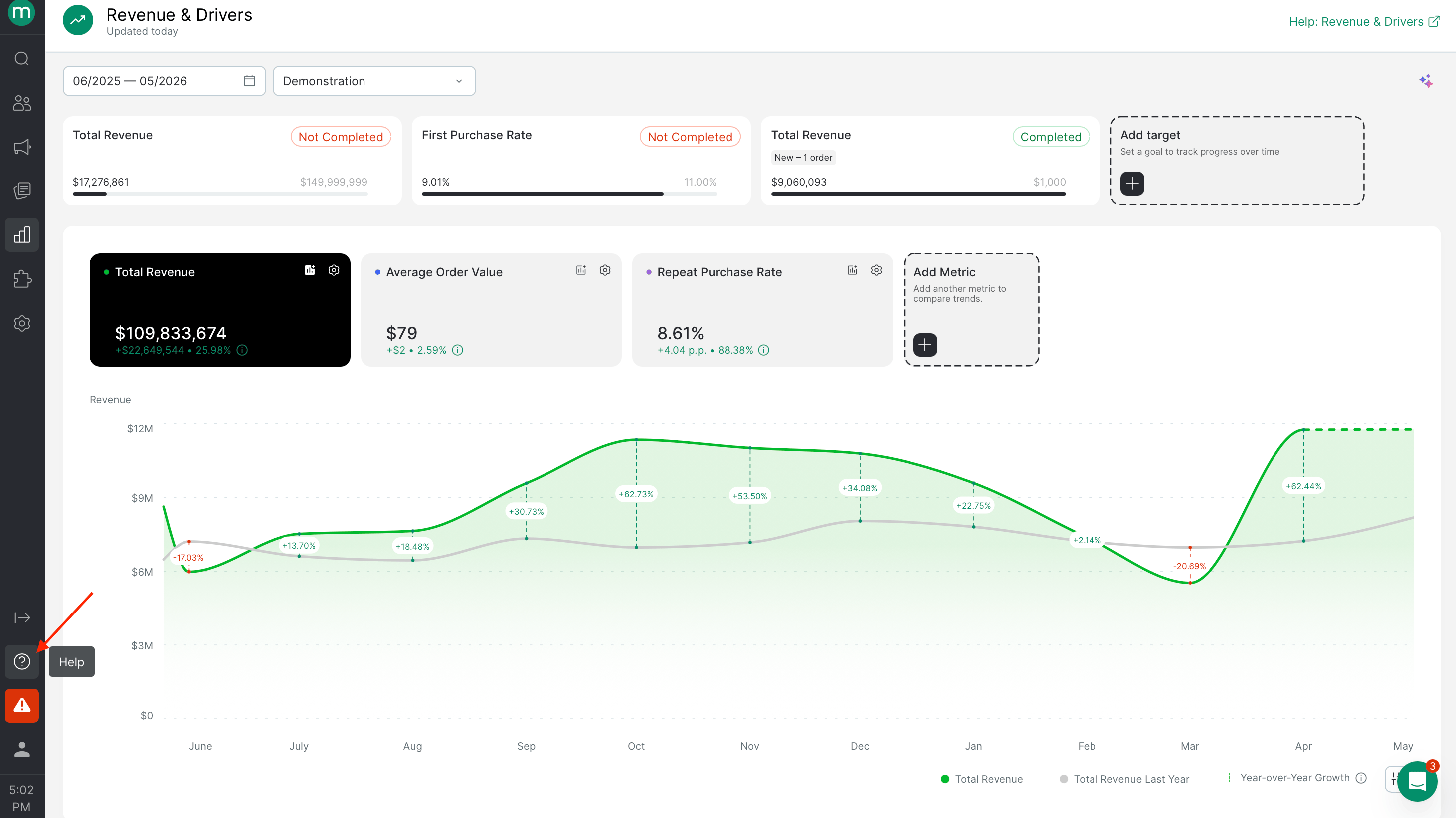 | Page | Required permissions |
| ------------------ | --------------------------------------- |
| Dynamic parameters | `View message template variables (tab)` |
***
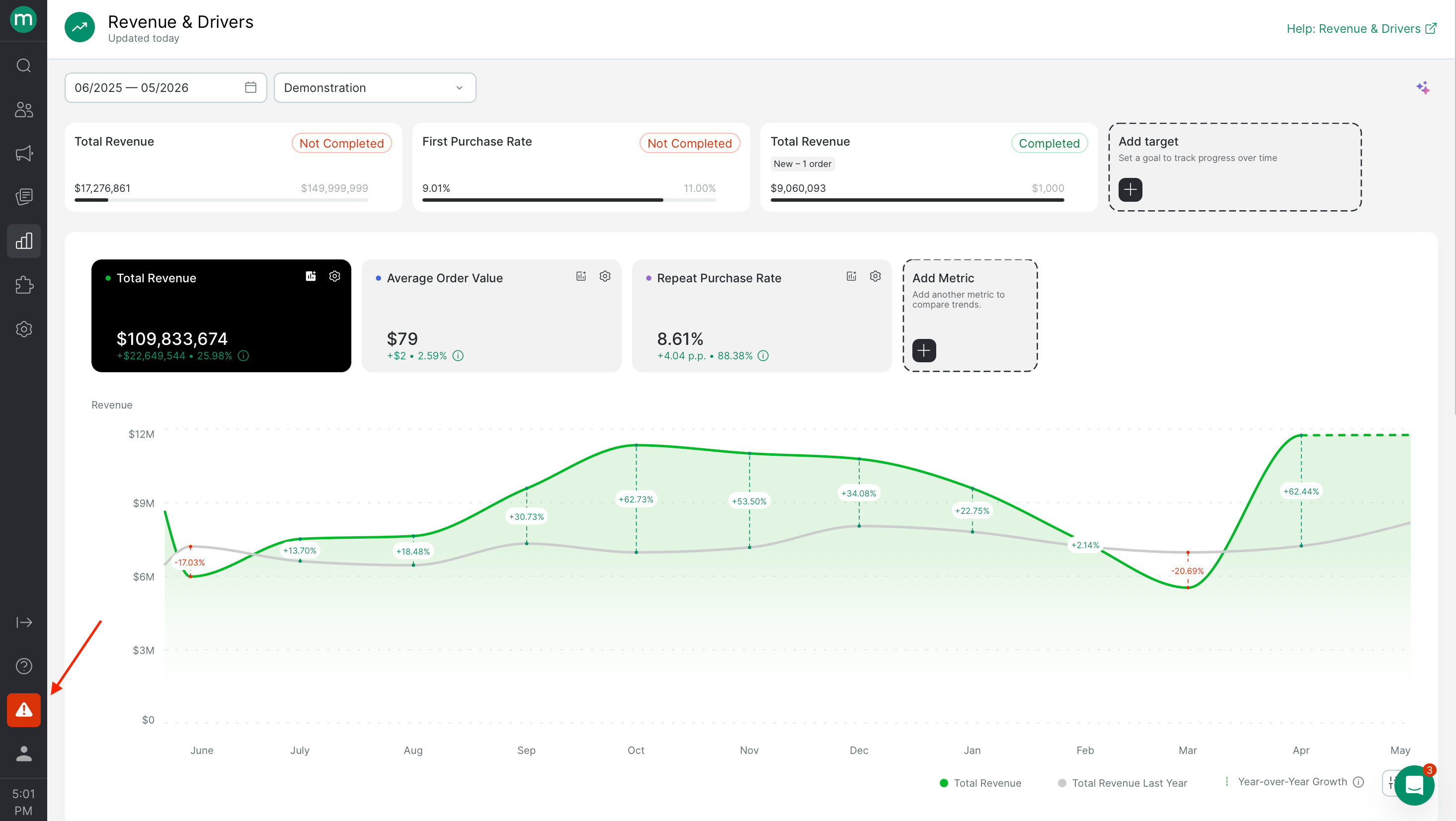
## Campaign & Data Monitoring
**To open the section:** `Project monitoring access`
| Page | Required permissions |
| ------------------ | --------------------------------------- |
| Dynamic parameters | `View message template variables (tab)` |
***
## Campaign & Data Monitoring
**To open the section:** `Project monitoring access`
 ***
## Profile
***
## Profile
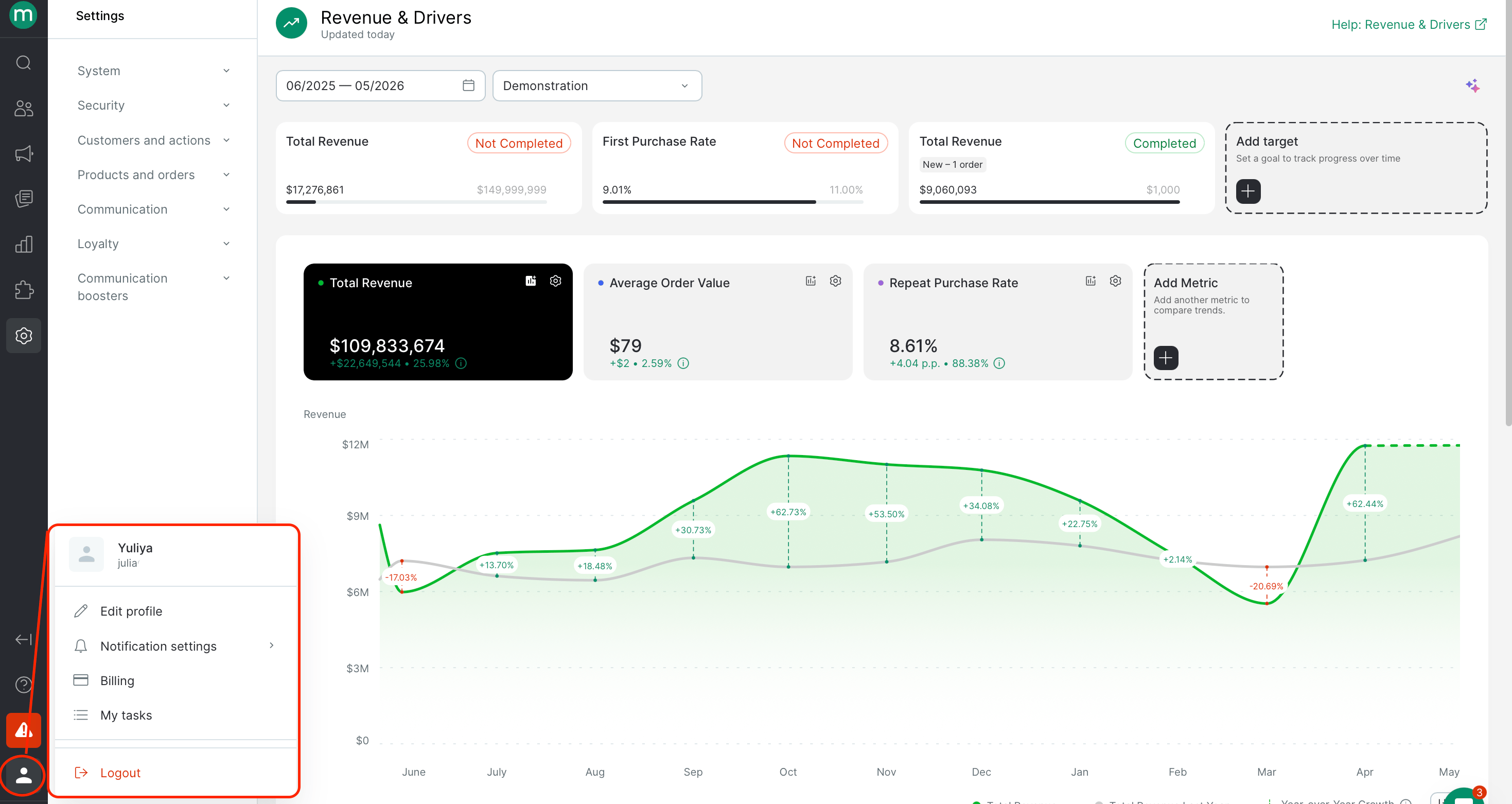 ### Manage Your Profile
| Page | Required permissions |
| -------------------------------------------- | ----------------------------------------------------------------- |
| Edit your profile | `Manage personal user profile` + `View and export the users list` |
| Edit the **Email** field in your own profile | Add `Edit users` |
### Notification Settings
**To open the section:** Any project access
| Page | Required permissions |
| --------------------- | -------------------- |
| Subscriptions | Any project access |
| Reports and downloads | Any project access |
### Billing
**To open the section:** `View billing detalization`
| To do this | Add these permissions |
| ------------------------------------------------------------------ | --------------------------- |
| Enable / Disable a module / Activate billing / Cancel subscription | `Ability to manage billing` |
### My tasks
Opens the **Bulk Tasks** section pre-filtered by user.
**To open the section:** `View personal bulk tasks only`
For broader task visibility, import-source-file access, and per-data-type export permissions, see [Bulk Tasks](#bulk-tasks) above.
| To do this | Add these permissions |
| -------------------- | --------------------- |
| Stop / Resume a task | `Manage tasks` |
| Force a task | `Force tasks` |
### Manage Your Profile
| Page | Required permissions |
| -------------------------------------------- | ----------------------------------------------------------------- |
| Edit your profile | `Manage personal user profile` + `View and export the users list` |
| Edit the **Email** field in your own profile | Add `Edit users` |
### Notification Settings
**To open the section:** Any project access
| Page | Required permissions |
| --------------------- | -------------------- |
| Subscriptions | Any project access |
| Reports and downloads | Any project access |
### Billing
**To open the section:** `View billing detalization`
| To do this | Add these permissions |
| ------------------------------------------------------------------ | --------------------------- |
| Enable / Disable a module / Activate billing / Cancel subscription | `Ability to manage billing` |
### My tasks
Opens the **Bulk Tasks** section pre-filtered by user.
**To open the section:** `View personal bulk tasks only`
For broader task visibility, import-source-file access, and per-data-type export permissions, see [Bulk Tasks](#bulk-tasks) above.
| To do this | Add these permissions |
| -------------------- | --------------------- |
| Stop / Resume a task | `Manage tasks` |
| Force a task | `Force tasks` |