> ## Documentation Index
> Fetch the complete documentation index at: https://help.maestra.io/llms.txt
> Use this file to discover all available pages before exploring further.
# Action Templates for Campaigns
Once you create a message, **action templates (AT)** that are linked to this message will be generated automatically in the project.
## When are action templates generated?
**Bulk campaign**: ATs are generated when a message is sent.
**Tailor-made flows**: ATs are generated once you finish editing and the status changes to **Automated campaign is ready**.
## What ATs are generated and when are they assigned to customers?
Let’s look at a **Double Opt-In** email as an example.
While it is being created, the ATs are generated automatically. You can find these listed in the screenshot below.
ATs are assigned to a customer once the customer’s status for the email changes:
 "**Message template**" — an email was composed. This does not mean it was sent.
"**Message template Sent**" — the email was sent to the mail server.
"**Message template Open**" — the email was opened.
"**Message template Click**" — a customer clicked on the link in the email.
"**Message template Unsubscribe request**" — a customer clicked on the Unsubscribe link in the email.
"**Message template Delivery failure**"— the email was sent but not delivered. Click on the **Action line** to find out why:
"**Message template**" — an email was composed. This does not mean it was sent.
"**Message template Sent**" — the email was sent to the mail server.
"**Message template Open**" — the email was opened.
"**Message template Click**" — a customer clicked on the link in the email.
"**Message template Unsubscribe request**" — a customer clicked on the Unsubscribe link in the email.
"**Message template Delivery failure**"— the email was sent but not delivered. Click on the **Action line** to find out why:
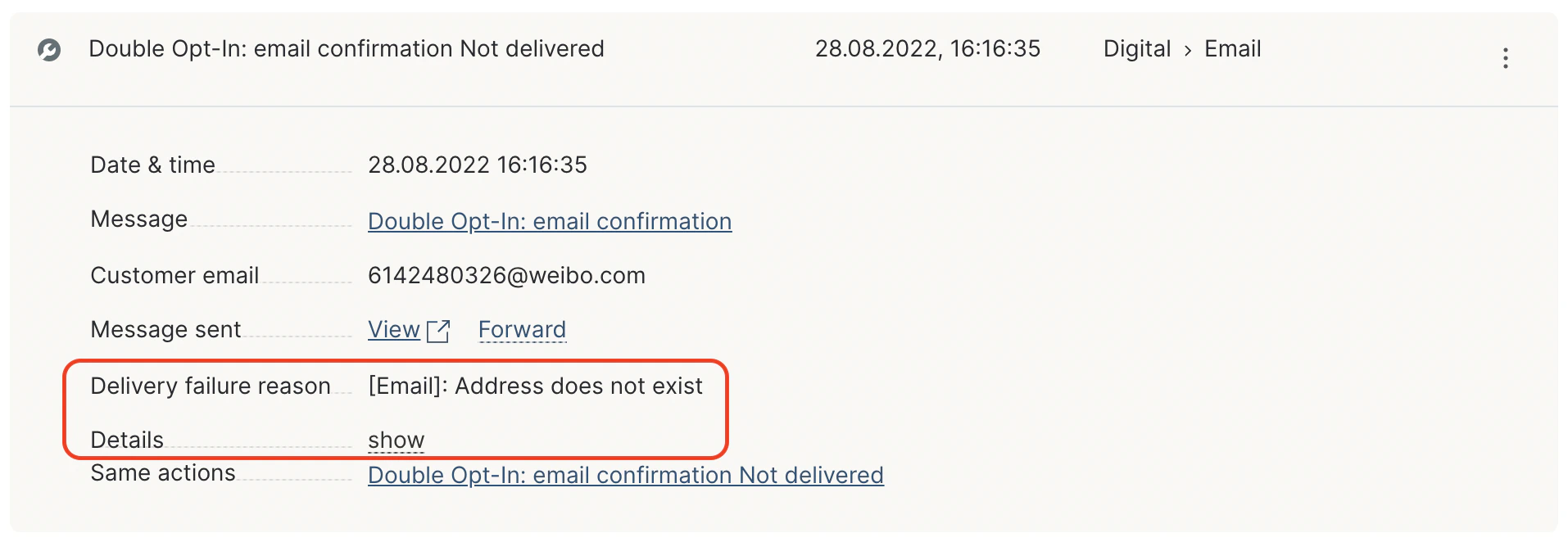 "**Message template Not sent**" — the email was not sent:
 ## How are ATs recorded in a customer’s profile?
A customer is assigned a relevant AT automatically every time the status changes for a message to the customer.
All the assigned actions are recorded in the customer’s profile along with the timestamp and touchpoint of the action.
For example, the customer has clicked a URL in a message.
If we look at their history of actions, we’ll see emails that were sent, as well as opens and clicks:
## How are ATs recorded in a customer’s profile?
A customer is assigned a relevant AT automatically every time the status changes for a message to the customer.
All the assigned actions are recorded in the customer’s profile along with the timestamp and touchpoint of the action.
For example, the customer has clicked a URL in a message.
If we look at their history of actions, we’ll see emails that were sent, as well as opens and clicks:
 Each action is clickable and allows you to view additional details:
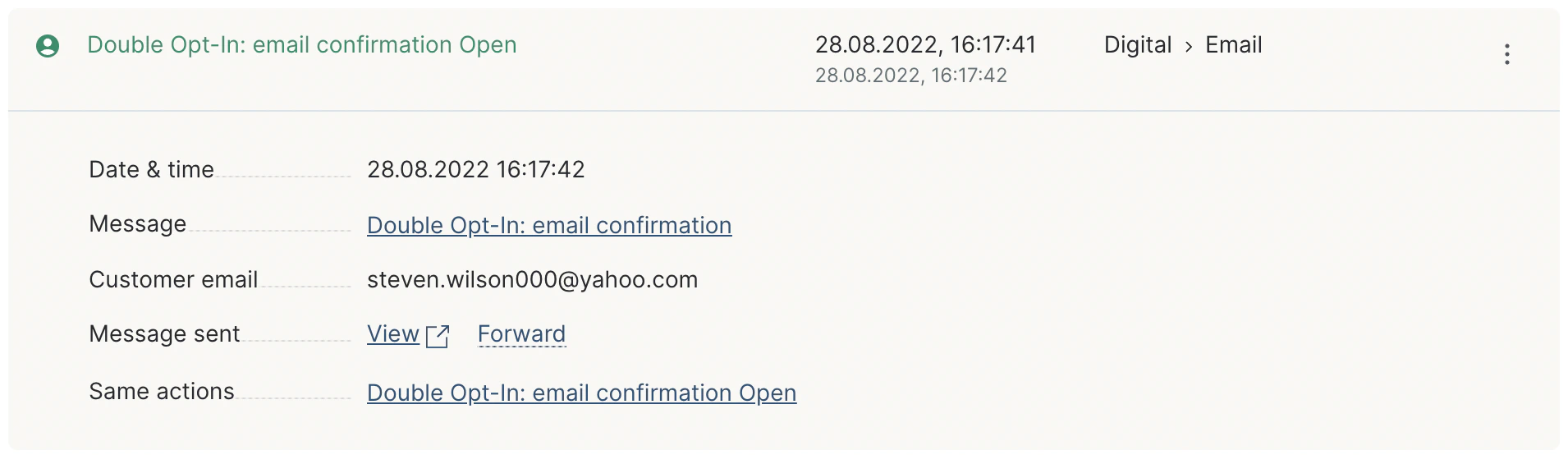 As you can see, you have a few links here:
* **Message**: this will take you to the page where you can edit the email template.
* **View**: click on this URL to view the personalized email that was sent to this specific customer.
* **Forward**: for email campaigns only. A customer will receive AT after sending.
* **Same actions**: all the events when this action template was assigned to any customer. If you click this link, you’ll be taken to the **Actions** page with this action applied in the filter.
## How to use message Action Templates:
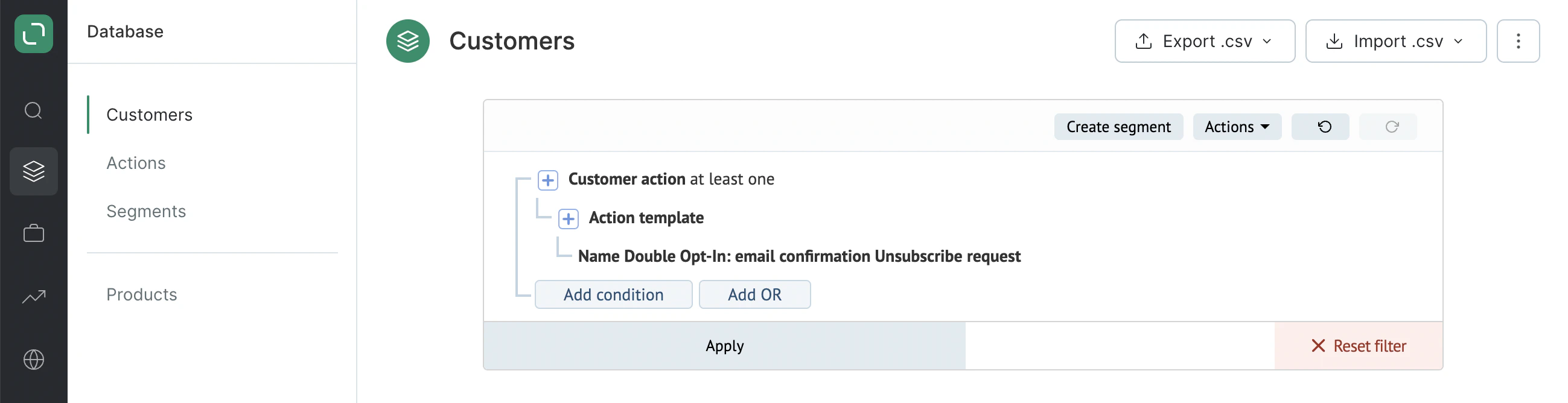
1. Use the filter to select the customers that the message was sent to:
As you can see, you have a few links here:
* **Message**: this will take you to the page where you can edit the email template.
* **View**: click on this URL to view the personalized email that was sent to this specific customer.
* **Forward**: for email campaigns only. A customer will receive AT after sending.
* **Same actions**: all the events when this action template was assigned to any customer. If you click this link, you’ll be taken to the **Actions** page with this action applied in the filter.
## How to use message Action Templates:
1. Use the filter to select the customers that the message was sent to:
 2. Select the customers that the message was delivered to.
There is no "Delivered" status available here. To find customers who the message was delivered to, add the following two conditions: that the message was sent + that the status is not "not delivered":
2. Select the customers that the message was delivered to.
There is no "Delivered" status available here. To find customers who the message was delivered to, add the following two conditions: that the message was sent + that the status is not "not delivered":
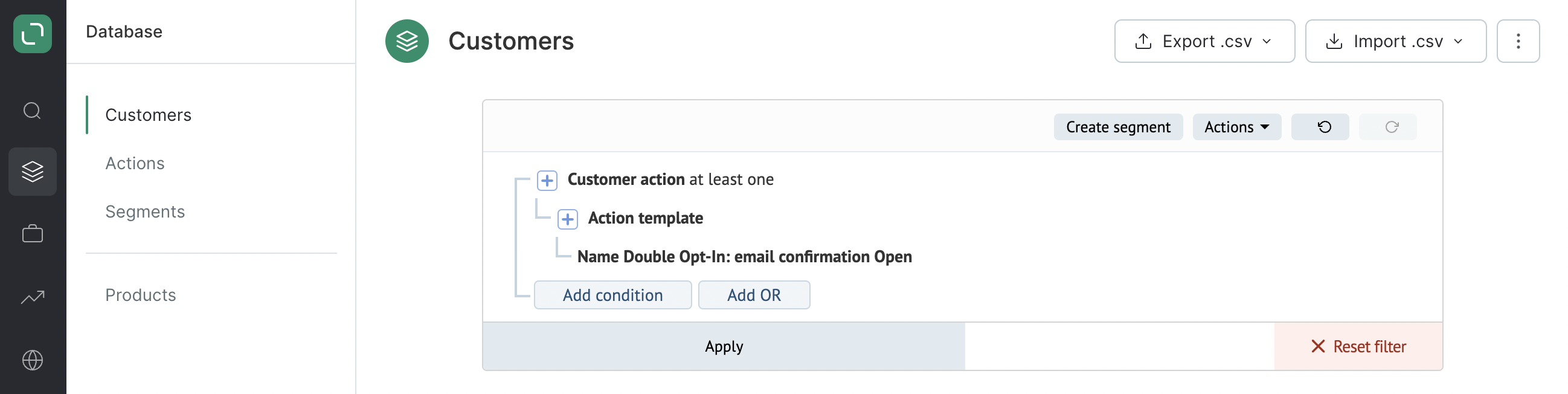
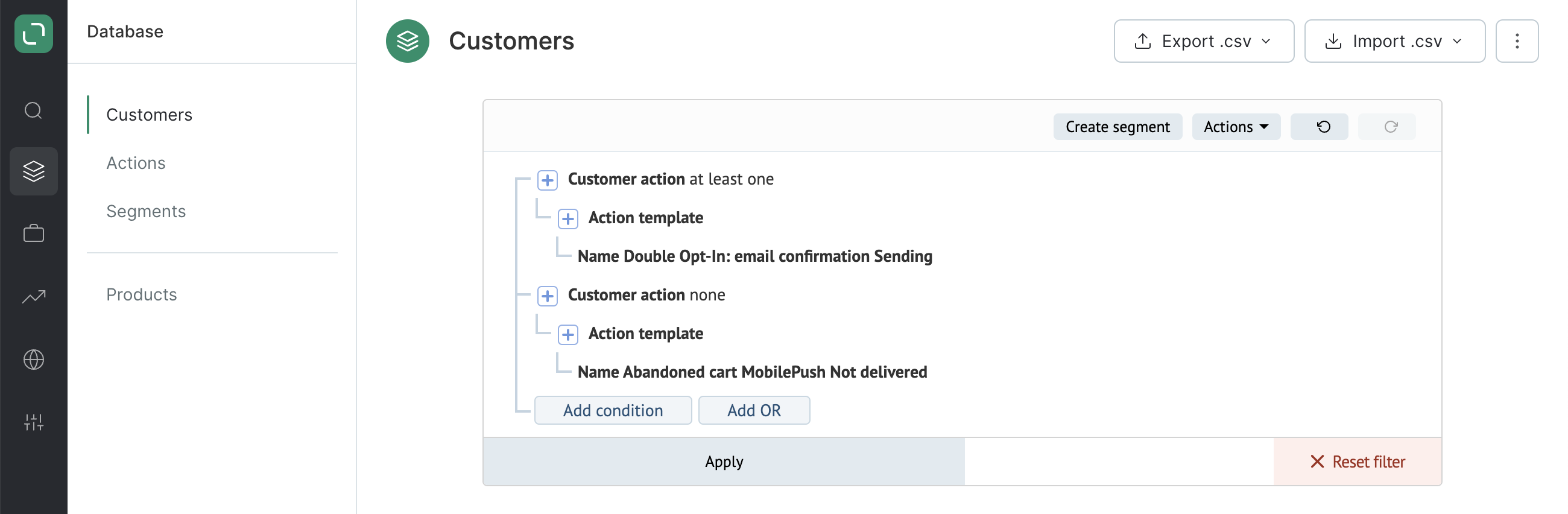 3. Filter the customers who have opened the message:
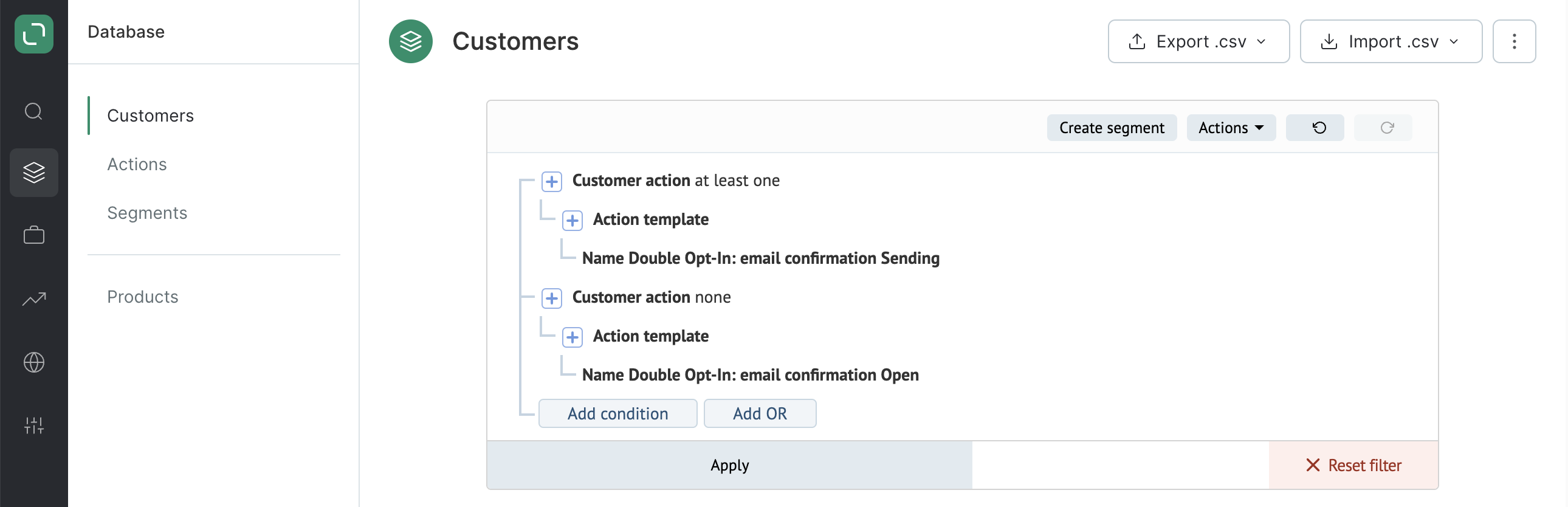
 4. Filter the customers who have **not** opened the message that was sent to them:
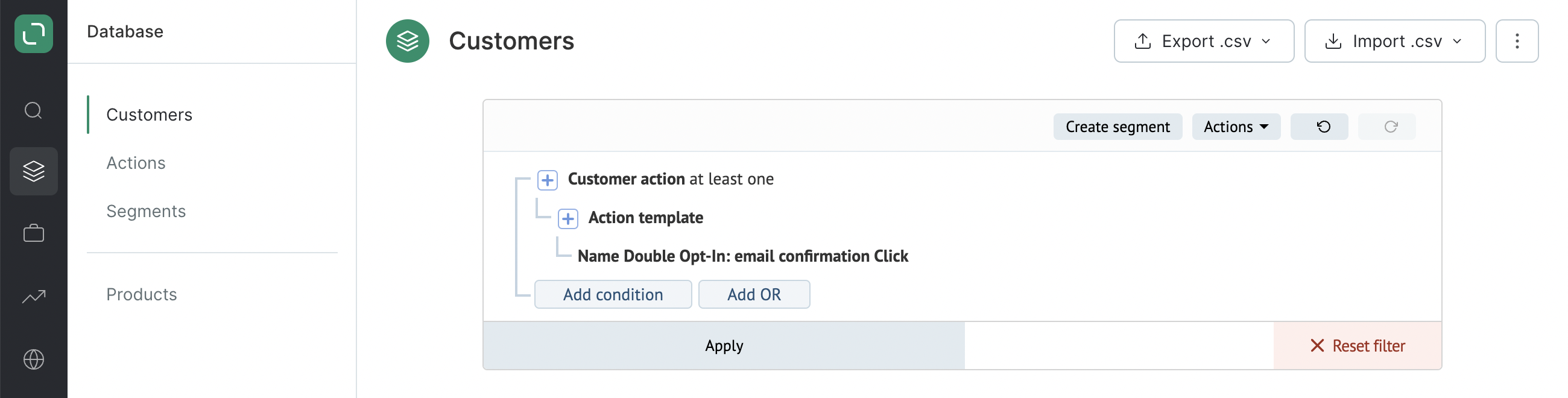
 5. Filter the customers who have clicked the URL in the message:
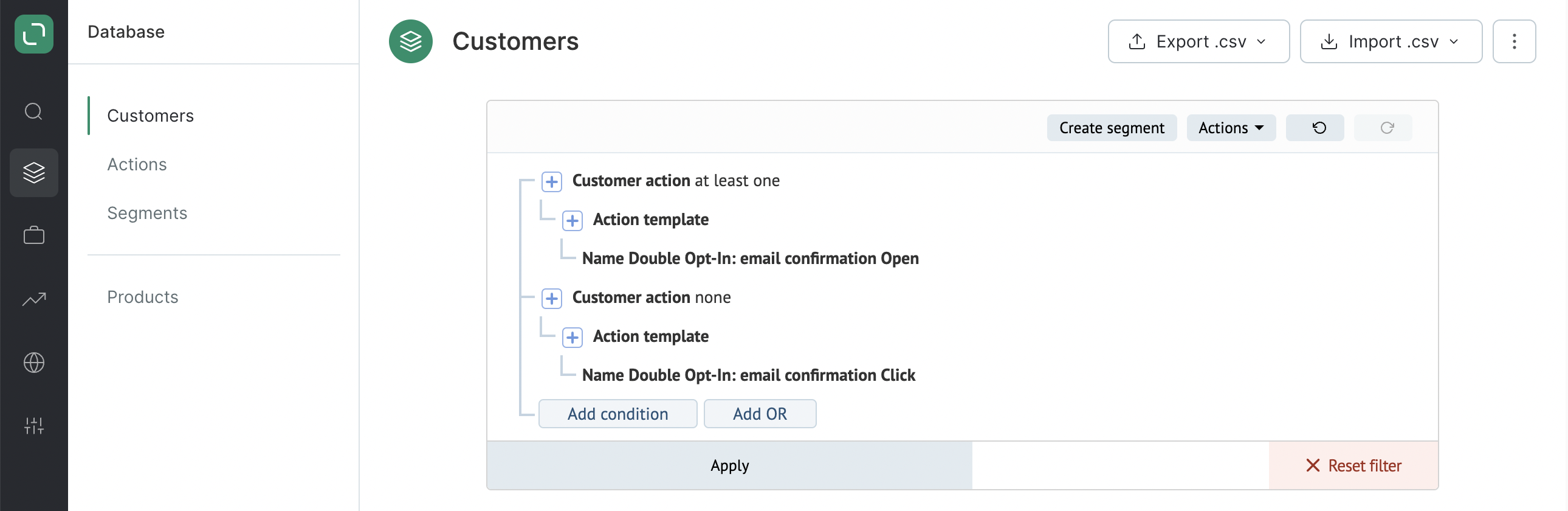
 6. Filter the customers who opened the message but did **not** click the URL:
 7. Filter the customers who have clicked on the unsubscribe link in the message: