> ## Documentation Index
> Fetch the complete documentation index at: https://help.maestra.io/llms.txt
> Use this file to discover all available pages before exploring further.
# Maestra IP List
When you send emails to corporate addresses, the organization's spam filters can block them. To fix this, the organization's IT team needs to add Maestra's IP addresses to their mail server's list of allowed IPs.
This only works when you can reach the IT team that manages the receiving mail server. Either you work at that organization, or someone who does can pass the IP list on to their IT team. You can't change spam filters on mail servers you have no access to, such as Gmail or Outlook.
## How to find the current IP list
Open [mxtoolbox.com](https://mxtoolbox.com).
Select the **SPF Record Lookup** mode.
Enter `spf.maestra.io` in the input field and press **Enter**.
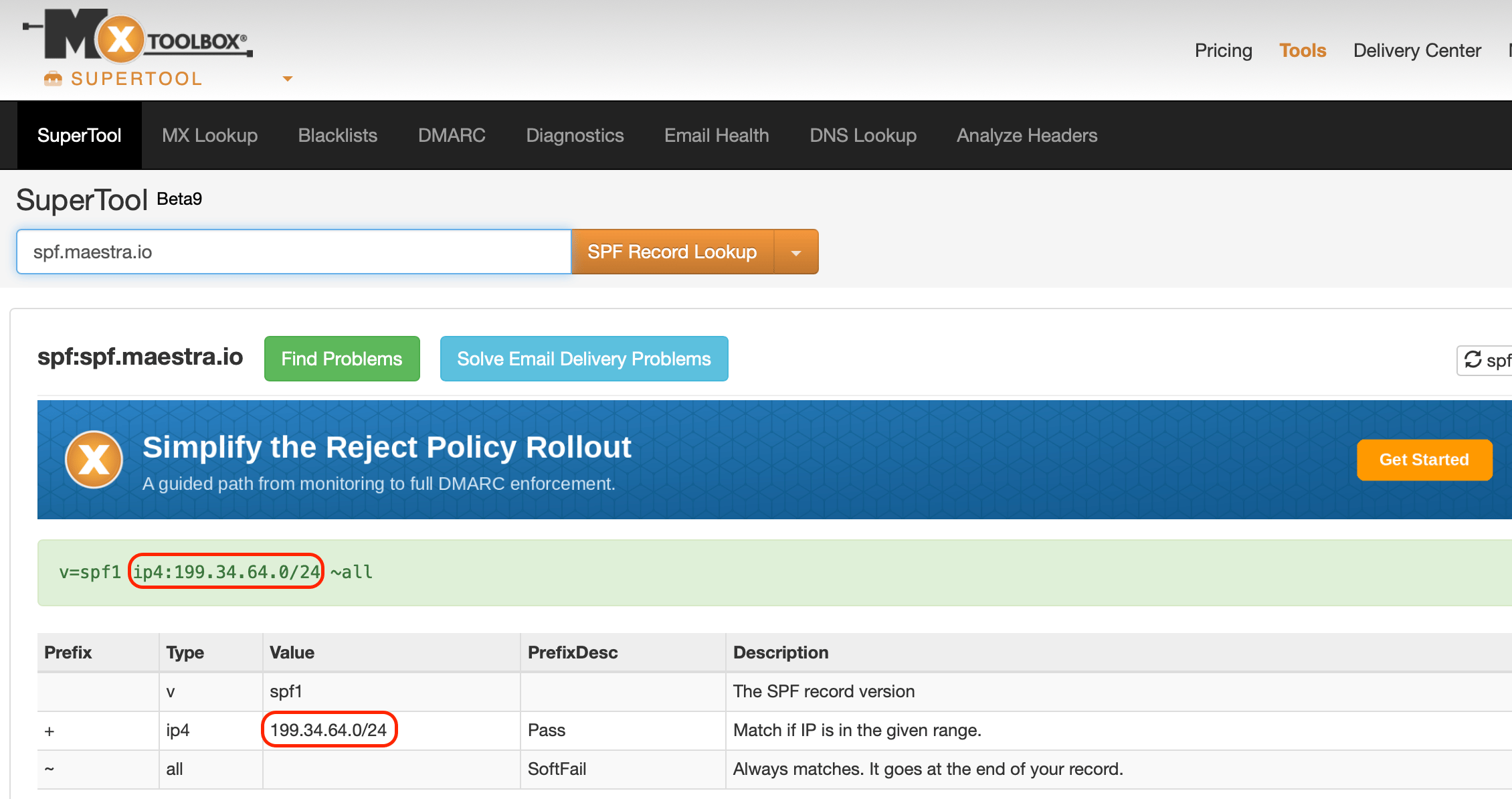 Share the IP addresses with your IT team and ask them to add them to the mail server's list of allowed IPs.
This documentation is built and hosted on [Mintlify](https://mintlify.com), a developer documentation platform.
Share the IP addresses with your IT team and ask them to add them to the mail server's list of allowed IPs.
This documentation is built and hosted on [Mintlify](https://mintlify.com), a developer documentation platform.