> ## Documentation Index
> Fetch the complete documentation index at: https://help.maestra.io/llms.txt
> Use this file to discover all available pages before exploring further.
# How to Create an Action Template
An action template is a name of a customer-related event.
Some good examples are when the customer visits your website, opens an email, is imported into the database, or tagged for mailings.
Action templates may be used in a wide range of situations. For example:
* To tag customers at import. This will then allow you to filter customers in order to segment them.
* To record an action resulting from running an API method on the web site. For example, a product view.
* To set up a flow.
## How to create an action template
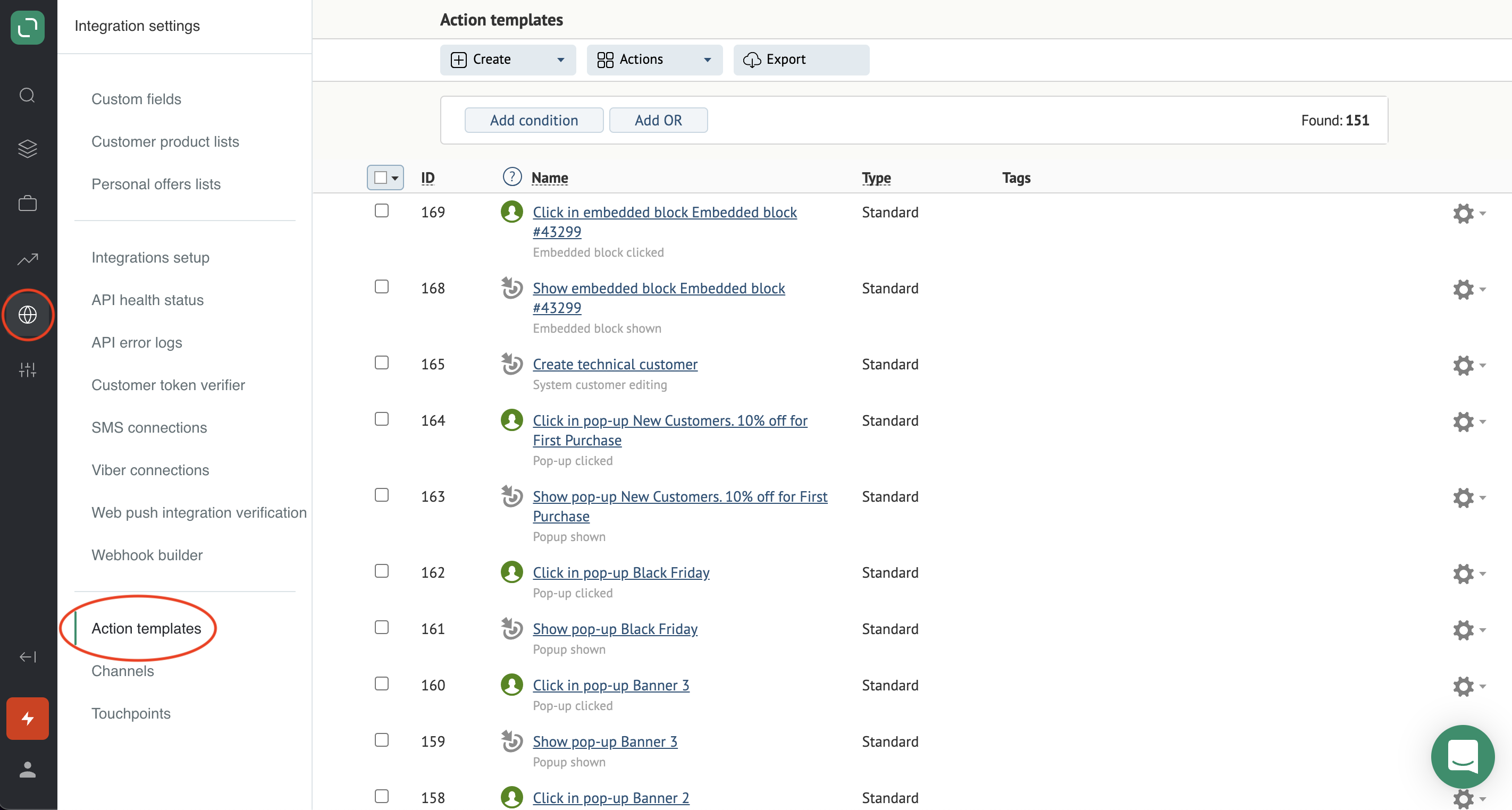
1. Go to **Integration settings** → **Action templates**:
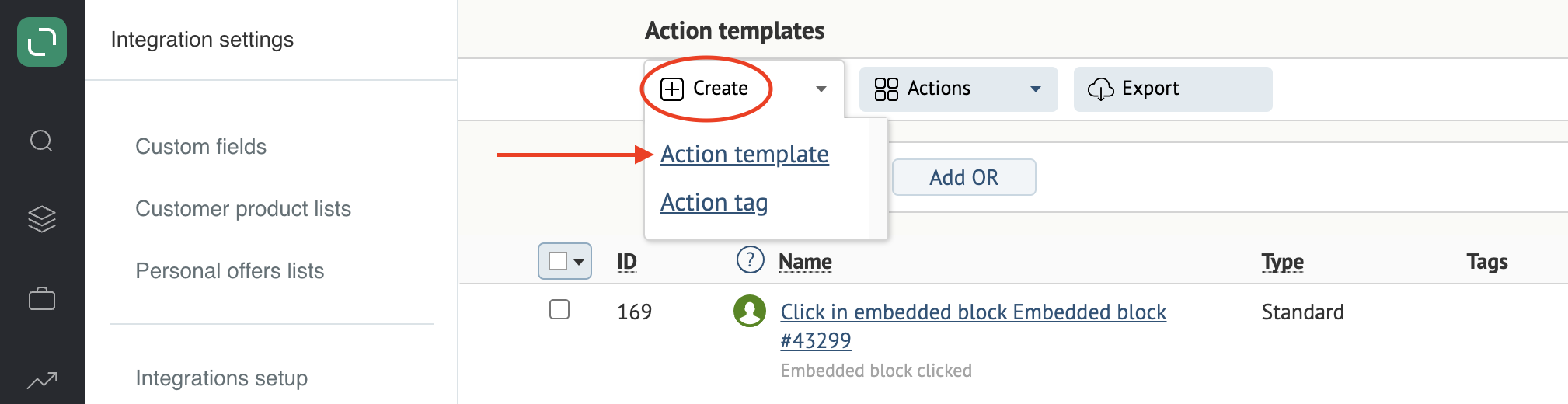
 2. Click **Create** and select **Action template**:
 3. Fill in the fields.
**Example of a completed template**:
3. Fill in the fields.
**Example of a completed template**:
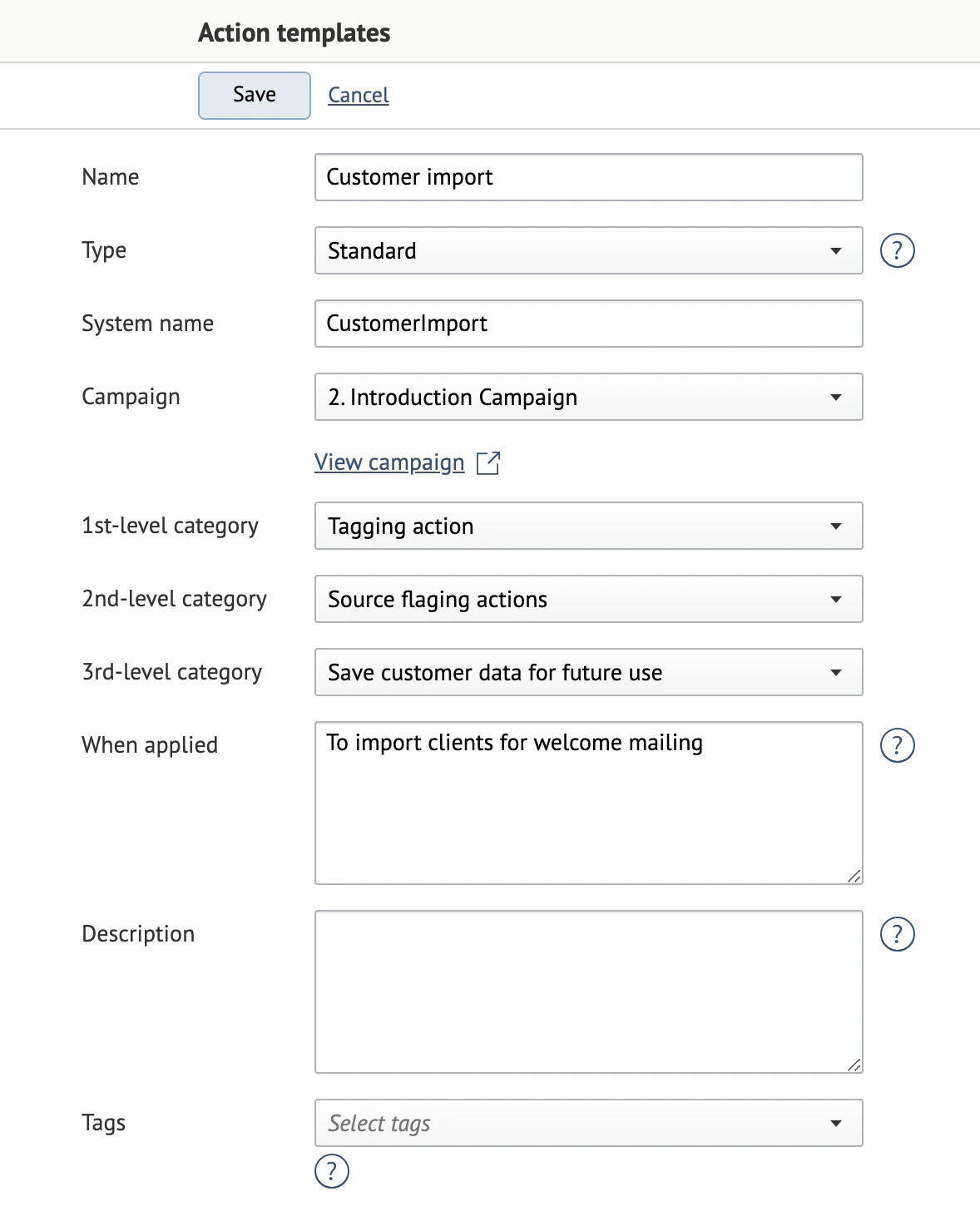 **Name**: the action name. This will be assigned to customers in the system.
**Type**: the action type. The "Standard" type is used in most cases. Other types are used in action templates that were created automatically.
**System name**: the name of the action template in the Maestra database. This is used for integrations. The system generates this name automatically.
**Campaign**: the campaign where this template will be used.
**Applied to brands**: the brand to apply the template to, provided that the project supports brands.
**Categories** should be filled in based on the tasks your action template solves. For examples of filled-in Categories, please refer to articles linked on this page.
1. **1st-level category** — the overarching category:
* Customer action: the actions that the customer performs;
* System action: the actions that we initiate in the system;
* Tagging action: for example, tagging customers.
2. **2nd-level category**: the drop-down list contents depend on what was chosen in the first-level category.
3. **3rd-level category**: the drop-down list contents depend on what was chosen in the second-level category.
**When applied** and **Description** are optional.
**Tags**: can be used to group the action templates.
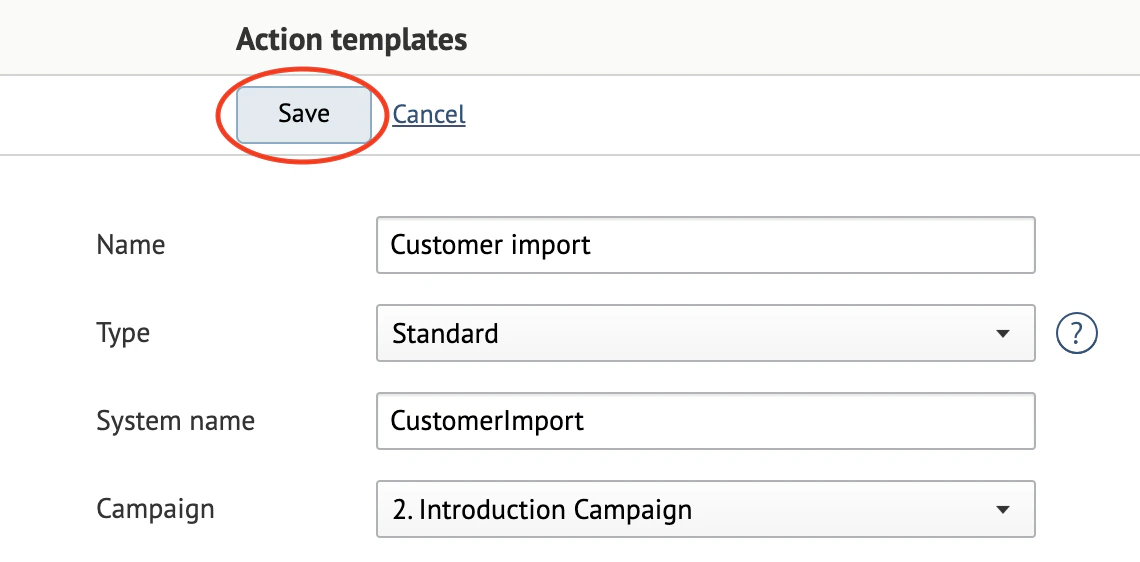
4. Save your action template:
**Name**: the action name. This will be assigned to customers in the system.
**Type**: the action type. The "Standard" type is used in most cases. Other types are used in action templates that were created automatically.
**System name**: the name of the action template in the Maestra database. This is used for integrations. The system generates this name automatically.
**Campaign**: the campaign where this template will be used.
**Applied to brands**: the brand to apply the template to, provided that the project supports brands.
**Categories** should be filled in based on the tasks your action template solves. For examples of filled-in Categories, please refer to articles linked on this page.
1. **1st-level category** — the overarching category:
* Customer action: the actions that the customer performs;
* System action: the actions that we initiate in the system;
* Tagging action: for example, tagging customers.
2. **2nd-level category**: the drop-down list contents depend on what was chosen in the first-level category.
3. **3rd-level category**: the drop-down list contents depend on what was chosen in the second-level category.
**When applied** and **Description** are optional.
**Tags**: can be used to group the action templates.
4. Save your action template: