> ## Documentation Index
> Fetch the complete documentation index at: https://help.maestra.io/llms.txt
> Use this file to discover all available pages before exploring further.
# How to Find Customers Who Interacted with More Than One Campaign
> Applies to Email, SMS, Mobile Push, and Other Channels
# **How to find customers**
Go to **Customer Data Platform→ Customers**.
.png?fit=max&auto=format&n=O0b_zyYQP7Y48mll&q=85&s=796bf5f5418af07d8618f208e7e303ad) ## Searching by campaign status
In the **Campaigns** filter group, select the status you need.
## Searching by campaign status
In the **Campaigns** filter group, select the status you need.
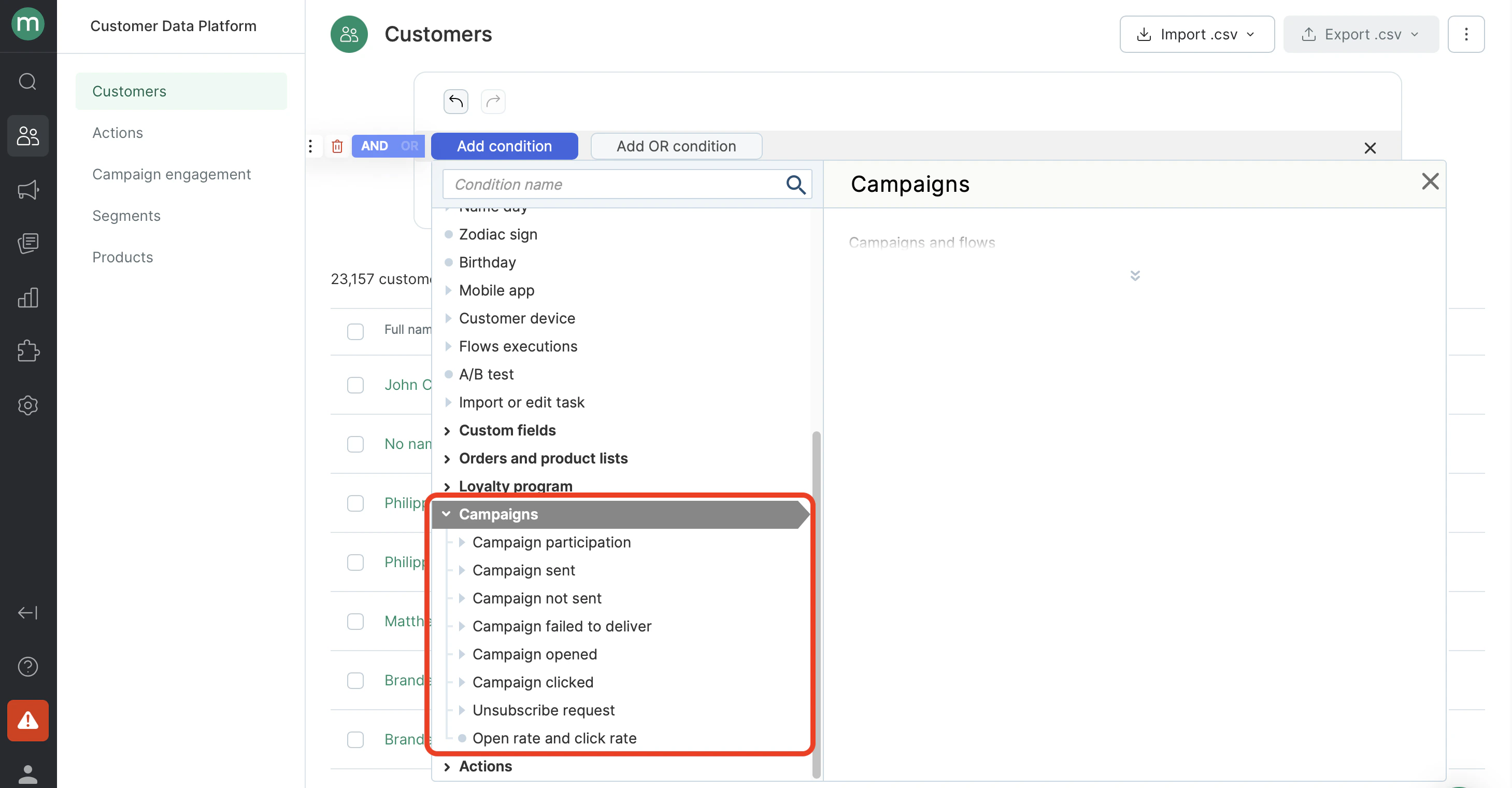 * Find customers who have been sent a campaign at least once.
 * Find customers who have never been sent a campaign.
.png?fit=max&auto=format&n=O0b_zyYQP7Y48mll&q=85&s=d8fc65b90d33f804f53079dec7300330) * Find customers who have at least one campaign send failure.
* Find customers who have at least one campaign send failure.
.png?fit=max&auto=format&n=O0b_zyYQP7Y48mll&q=85&s=6b69d7a1a8925c696a08556b851e061f) * Find customers who have at least one undelivered campaign.
* Find customers who have at least one undelivered campaign.
.png?fit=max&auto=format&n=O0b_zyYQP7Y48mll&q=85&s=bd29eba6db30496ac7e9f4136549ca87) * Find customers who have opened any campaign at least once.
* Find customers who have opened any campaign at least once.
 * Find customers who have never opened the campaigns sent to them. **Note:** Make sure to include **campaign sends** in the filter. Otherwise, the filter will also return customers who were never on any campaign recipient list, since they have no open events.
.png?fit=max&auto=format&n=O0b_zyYQP7Y48mll&q=85&s=dd81201a7e898b538b7cf59e26d88eed) * Find customers who have clicked any link in a campaign at least once.
* Find customers who have clicked any link in a campaign at least once.
.png?fit=max&auto=format&n=O0b_zyYQP7Y48mll&q=85&s=0b3cf9d69feb8634889ee477f01bf7d8) * Find customers who have clicked an unsubscribe link at least once.
* Find customers who have clicked an unsubscribe link at least once.
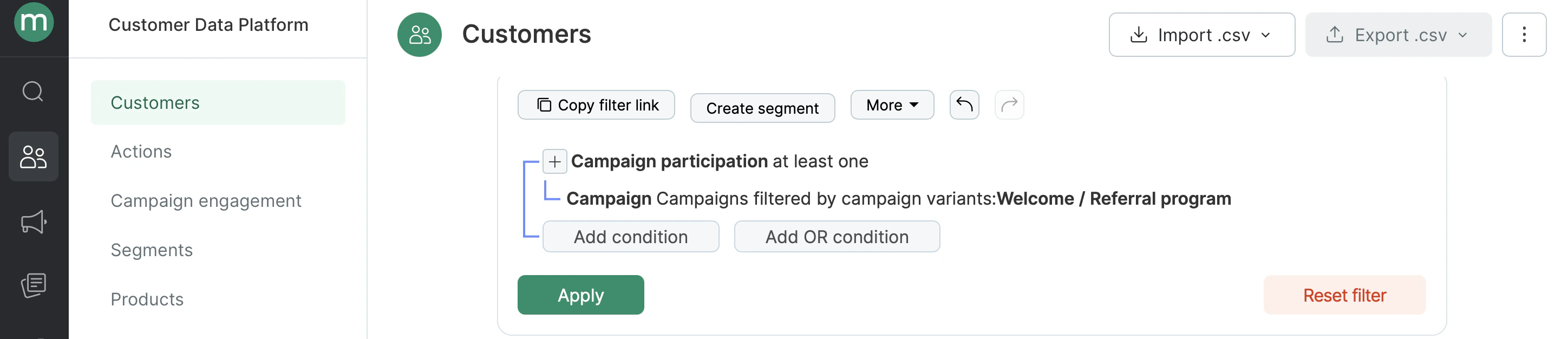
.png?fit=max&auto=format&n=O0b_zyYQP7Y48mll&q=85&s=f2092dada122da22d241a0cf9f11a00d) * Find customers who have participated in a campaign at least once (were on the recipient list).
* Find customers who have participated in a campaign at least once (were on the recipient list).
 ## Searching by campaign group: channel, type, folder, topic, tags
Each **status filter** has a nested **Campaigns** condition, where you can specify which [type of campaigns](/campaigns/types-of-campaigns-available-in-maestra) to search for.
Available filtering options:
* Campaign type (automated, bulk, transactional)
* Topics
* Folders
* Channels (Email, SMS, MobilePush, WebPush, WhatsApp)
* Tags
* Brands
## Searching by campaign group: channel, type, folder, topic, tags
Each **status filter** has a nested **Campaigns** condition, where you can specify which [type of campaigns](/campaigns/types-of-campaigns-available-in-maestra) to search for.
Available filtering options:
* Campaign type (automated, bulk, transactional)
* Topics
* Folders
* Channels (Email, SMS, MobilePush, WebPush, WhatsApp)
* Tags
* Brands
.png?fit=max&auto=format&n=O0b_zyYQP7Y48mll&q=85&s=0d8f121e6286c68c2a2548f32dc327fe) * Find customers have been sent mobile push campaigns.
* Find customers have been sent mobile push campaigns.
.png?fit=max&auto=format&n=O0b_zyYQP7Y48mll&q=85&s=d8666ad5b448f5e623bb1636049852d6) * Find customers who opened automated campaigns.
* Find customers who opened automated campaigns.
.png?fit=max&auto=format&n=O0b_zyYQP7Y48mll&q=85&s=e85d0fb49b611d19bda29281d13a4f77) * Find customers who clicked campaigns from a specific folder.
* Find customers who clicked campaigns from a specific folder.
.png?fit=max&auto=format&n=O0b_zyYQP7Y48mll&q=85&s=eb5a60807ca10e394e870fb6816f4ba3) * Find customers who failed to receive a campaign with a specific tag (send or delivery failed).
* Find customers who failed to receive a campaign with a specific tag (send or delivery failed).
.png?fit=max&auto=format&n=O0b_zyYQP7Y48mll&q=85&s=12cc3e8e03a681286e977c239bcb5441) ## Searching by interaction time
* Find customers who were sent campaigns in the first half of 2024.
## Searching by interaction time
* Find customers who were sent campaigns in the first half of 2024.
.png?fit=max&auto=format&n=O0b_zyYQP7Y48mll&q=85&s=9e9c2883a832518fa7c7abc3da3b5d00) * Find customers who were sent campaigns within the last six months.
* Find customers who were sent campaigns within the last six months.
.png?fit=max&auto=format&n=O0b_zyYQP7Y48mll&q=85&s=d6b1a141e5a6b7cdce51f11b89ef1cf1) * Find customers who have clicked on automated email campaigns within the last hour.
* Find customers who have clicked on automated email campaigns within the last hour.
.png?fit=max&auto=format&n=O0b_zyYQP7Y48mll&q=85&s=2b0c8ff4312cf6481ce7ff7ba64ddac8) ## Searching by number of interactions
* Find customers who were sent four or more web pushes in the last month.
## Searching by number of interactions
* Find customers who were sent four or more web pushes in the last month.
.png?fit=max&auto=format&n=O0b_zyYQP7Y48mll&q=85&s=da05d98a3fd861ae70017f89bb968905) # How to find specific Campaign engagements (e.g. clicked, sent, opened etc.)
Go to **Customer Data Platform → Campaign engagements**.
# How to find specific Campaign engagements (e.g. clicked, sent, opened etc.)
Go to **Customer Data Platform → Campaign engagements**.
.png?fit=max&auto=format&n=O0b_zyYQP7Y48mll&q=85&s=ced6954cd08aee53b195f51d53166eeb) * Find all campaign opens.
* Find all campaign opens.
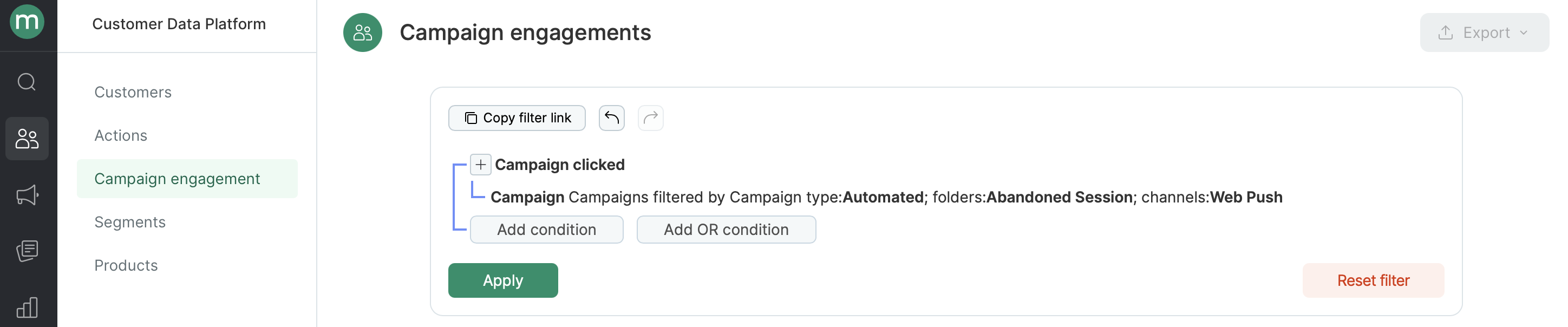
 * Find all clicks on automated web pushes from a folder.
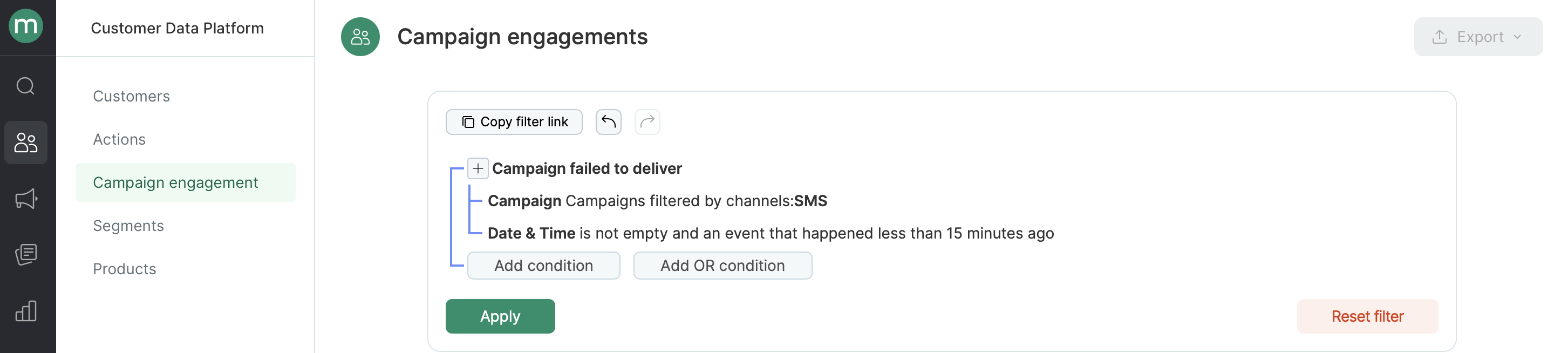
 * Find all undelivered SMS in the last 15 minutes.