> ## Documentation Index
> Fetch the complete documentation index at: https://help.maestra.io/llms.txt
> Use this file to discover all available pages before exploring further.
# How to Find Campaigns Sent for a Specific Order
**Use case:** find campaigns sent for a specific order, such as payment or delivery notifications.
Go to **Customer Data Platform → Campaign engagements** and set up the filter.
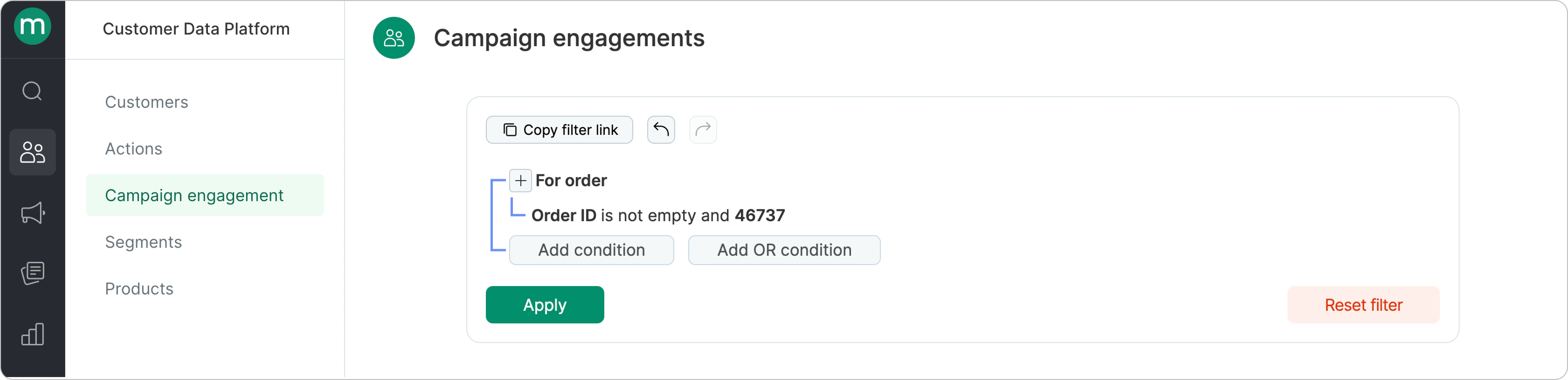 Add a condition to find **sent campaigns only**.
.png?fit=max&auto=format&n=PP-BodS5bFF14NYd&q=85&s=905c68ae1742d213439a6134f7dafd45) ## Which campaigns are included in the filter
For a campaign to appear in the filter, the following conditions must be met:
* The flow that sends the campaign must be triggered by the order event.
## Which campaigns are included in the filter
For a campaign to appear in the filter, the following conditions must be met:
* The flow that sends the campaign must be triggered by the order event.
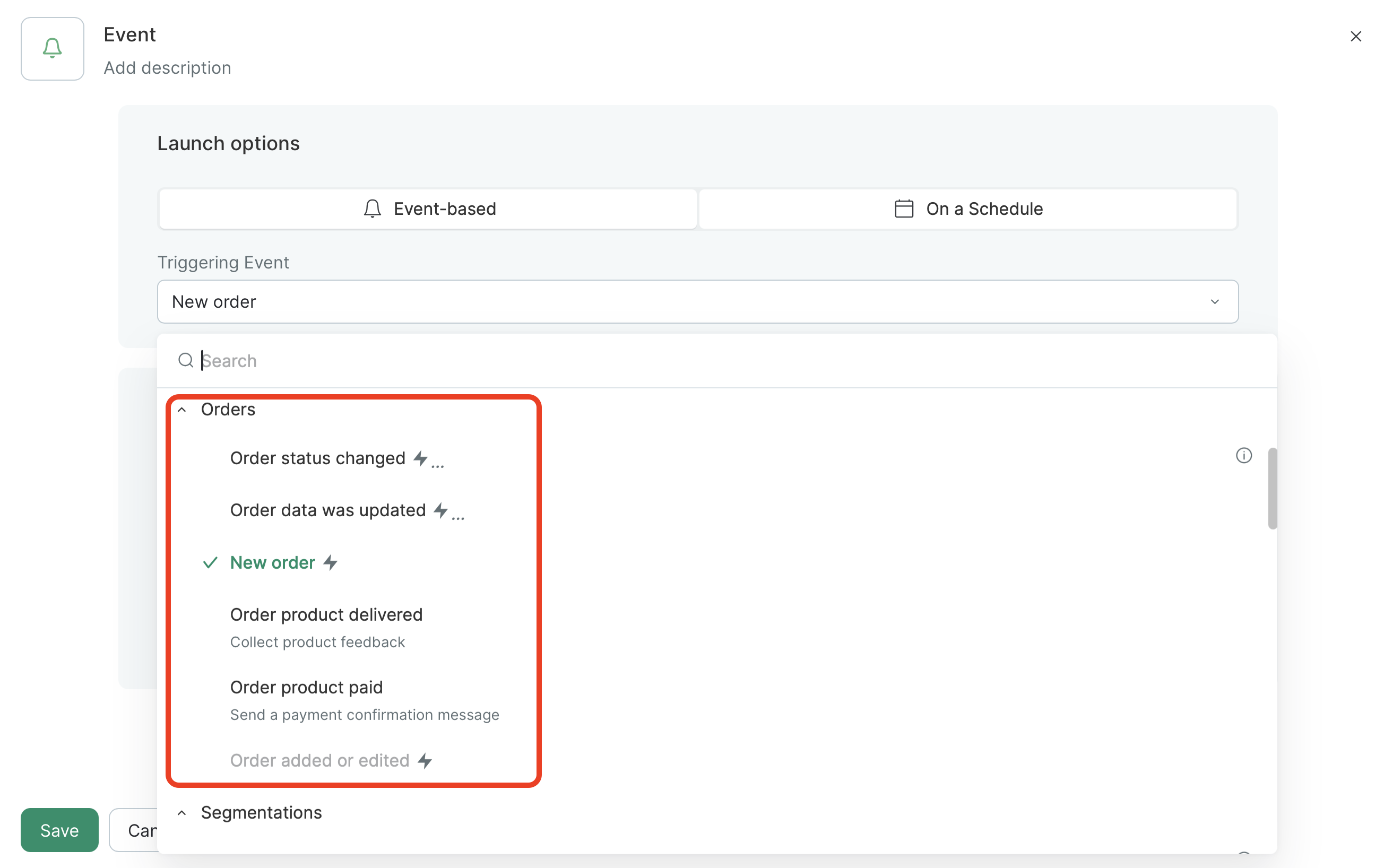 * The method that sends/updates the order must use one of the events shown in the screenshot.
.png?fit=max&auto=format&n=wm8oEjg6bFaQwCHC&q=85&s=49cdf68d2d478f64563b2a66698bae70) All steps are supported except the **Get order list** step.
All steps are supported except the **Get order list** step.