> ## Documentation Index
> Fetch the complete documentation index at: https://help.maestra.io/llms.txt
> Use this file to discover all available pages before exploring further.
# How to find customers with orders
To find customers with orders, go to the **Customer Data Platform → Customers**.
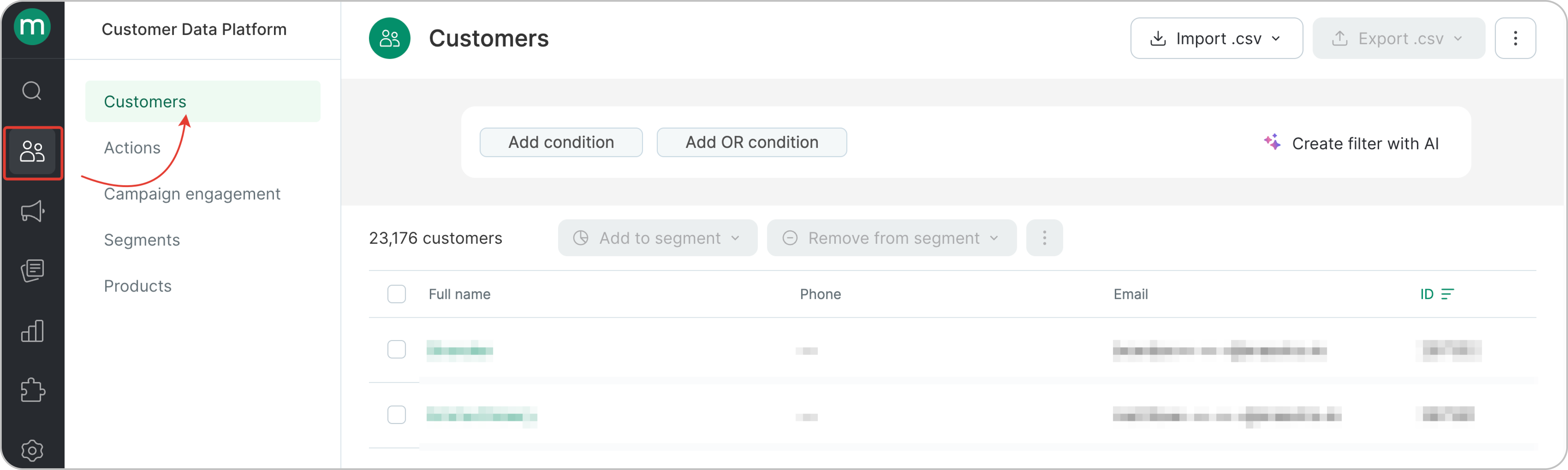 * Find customers with an order in a specific status. In the screenshot, we’re filtering orders with any of the following statuses: Placed / Paid / Delivered. You can apply the same logic or specify a particular status if needed.
.png?fit=max&auto=format&n=05-EV9YqA_RINTJ8&q=85&s=c32c03e6b0cd0dc0fdfae7ab29400b62) Please note that the filter is based on the **order’s latest status**. For example, if an order goes through several statuses — Placed → Paid → Delivered — it will be considered as Delivered in the filter.If an order goes from Placed → Paid → Canceled, it will be considered as Canceled in the filter.
* Find customers who purchased a specific product with the order status Placed, Paid, or Delivered
Please note that the filter is based on the **order’s latest status**. For example, if an order goes through several statuses — Placed → Paid → Delivered — it will be considered as Delivered in the filter.If an order goes from Placed → Paid → Canceled, it will be considered as Canceled in the filter.
* Find customers who purchased a specific product with the order status Placed, Paid, or Delivered
.png?fit=max&auto=format&n=05-EV9YqA_RINTJ8&q=85&s=dd6d3c9dc1c68ec8d31c4ff2cb7c5d8c) * Find customers who placed an order with the order status Placed, Paid, or Delivered in the last 6 months.
* Find customers who placed an order with the order status Placed, Paid, or Delivered in the last 6 months.
.png?fit=max&auto=format&n=05-EV9YqA_RINTJ8&q=85&s=5014ad93e3734899d7c570f786615cd2) * Find customers with two or more orders with the order status Placed, Paid, or Delivered
* Find customers with two or more orders with the order status Placed, Paid, or Delivered
.png?fit=max&auto=format&n=05-EV9YqA_RINTJ8&q=85&s=d5f3f982c95a05611202a19ef1c2e574) * Find customers with order total spend of 200\$ or more.
* Find customers with order total spend of 200\$ or more.
.png?fit=max&auto=format&n=05-EV9YqA_RINTJ8&q=85&s=98eacbc5f23886a1a26c38dcd2173056) There's no need to specify statuses. Cancelled and returned items are not included in the total order value.
* Find customers with orders from a specific touchpoint with the order status Placed, Paid, or Delivered.
There's no need to specify statuses. Cancelled and returned items are not included in the total order value.
* Find customers with orders from a specific touchpoint with the order status Placed, Paid, or Delivered.
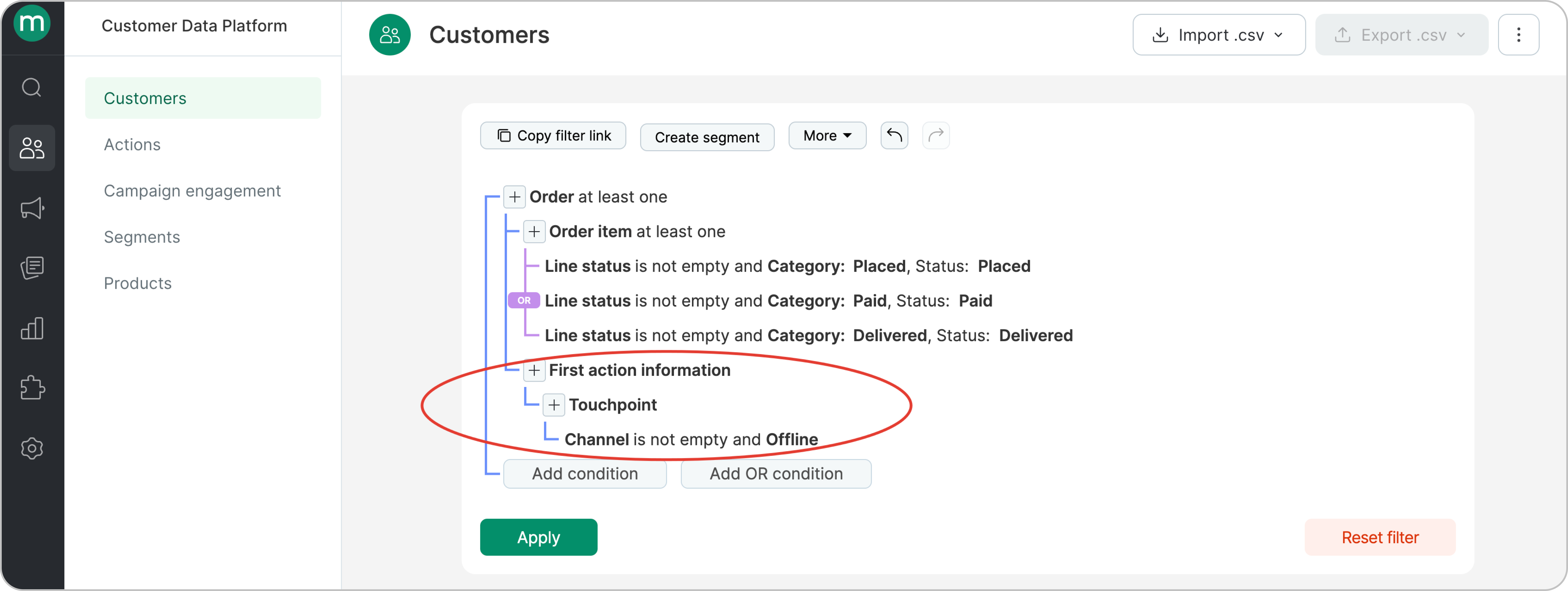 * Find customers with orders from a specific brand with the order status Placed, Paid, or Delivered
.png?fit=max&auto=format&n=05-EV9YqA_RINTJ8&q=85&s=fce83001b1f6f2d9715e158729f070cf)