> ## Documentation Index
> Fetch the complete documentation index at: https://help.maestra.io/llms.txt
> Use this file to discover all available pages before exploring further.
# How to find orders for a specific period
* Go to **Customer Data Platform→ Actions.**
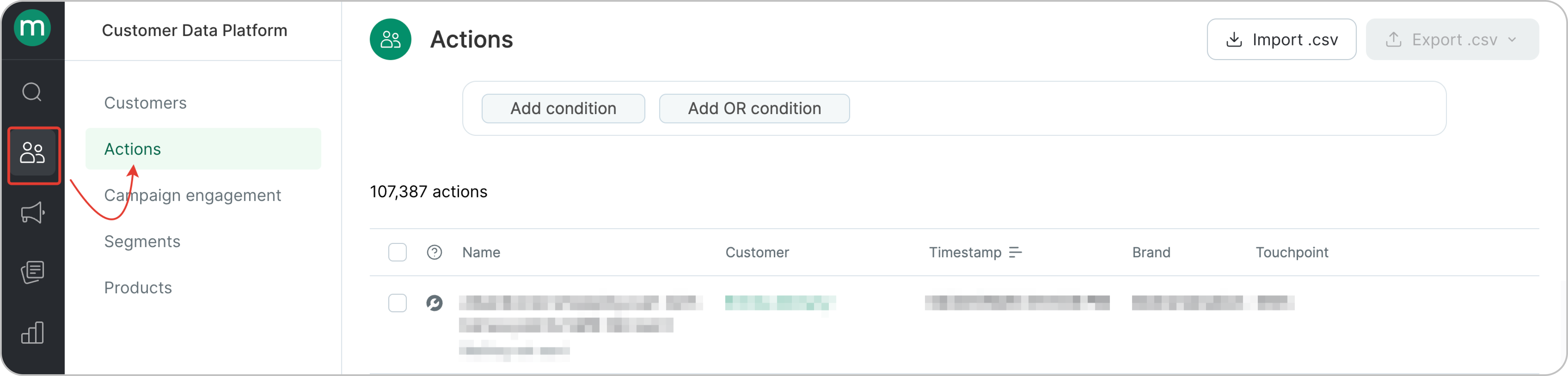 * The **Actions** page shows all actions from all customers. First, let's filter order-related actions only. This filter shows **all** order actions.
.png?fit=max&auto=format&n=O0b_zyYQP7Y48mll&q=85&s=8b988b1a1489b933886a64721cf48367) * To get an accurate order count, make sure you only count each order once. Orders can go through multiple statuses (Placed → Paid → Delivered), but you should filter by the first order action so you’re counting the order itself, not each status update.
* To get an accurate order count, make sure you only count each order once. Orders can go through multiple statuses (Placed → Paid → Delivered), but you should filter by the first order action so you’re counting the order itself, not each status update.
.png?fit=max&auto=format&n=wm8oEjg6bFaQwCHC&q=85&s=158f868d196600a2452816518dfd3cc5) * Select the required order statuses.
* Select the required order statuses.
.png?fit=max&auto=format&n=wm8oEjg6bFaQwCHC&q=85&s=b110087c51dfa84e376c9a78f328cec8) ### Use cases
Let’s take a look at how to find orders placed in January:
### Use cases
Let’s take a look at how to find orders placed in January:
.png?fit=max&auto=format&n=wm8oEjg6bFaQwCHC&q=85&s=621b4555ff11719acad2156932e78019) and find orders that include a specific product:
and find orders that include a specific product:
.png?fit=max&auto=format&n=wm8oEjg6bFaQwCHC&q=85&s=5bd344164ee01affb9f14221c60b3f0e) You can export these orders using the order export.
You can export these orders using the order export.