

Order total price
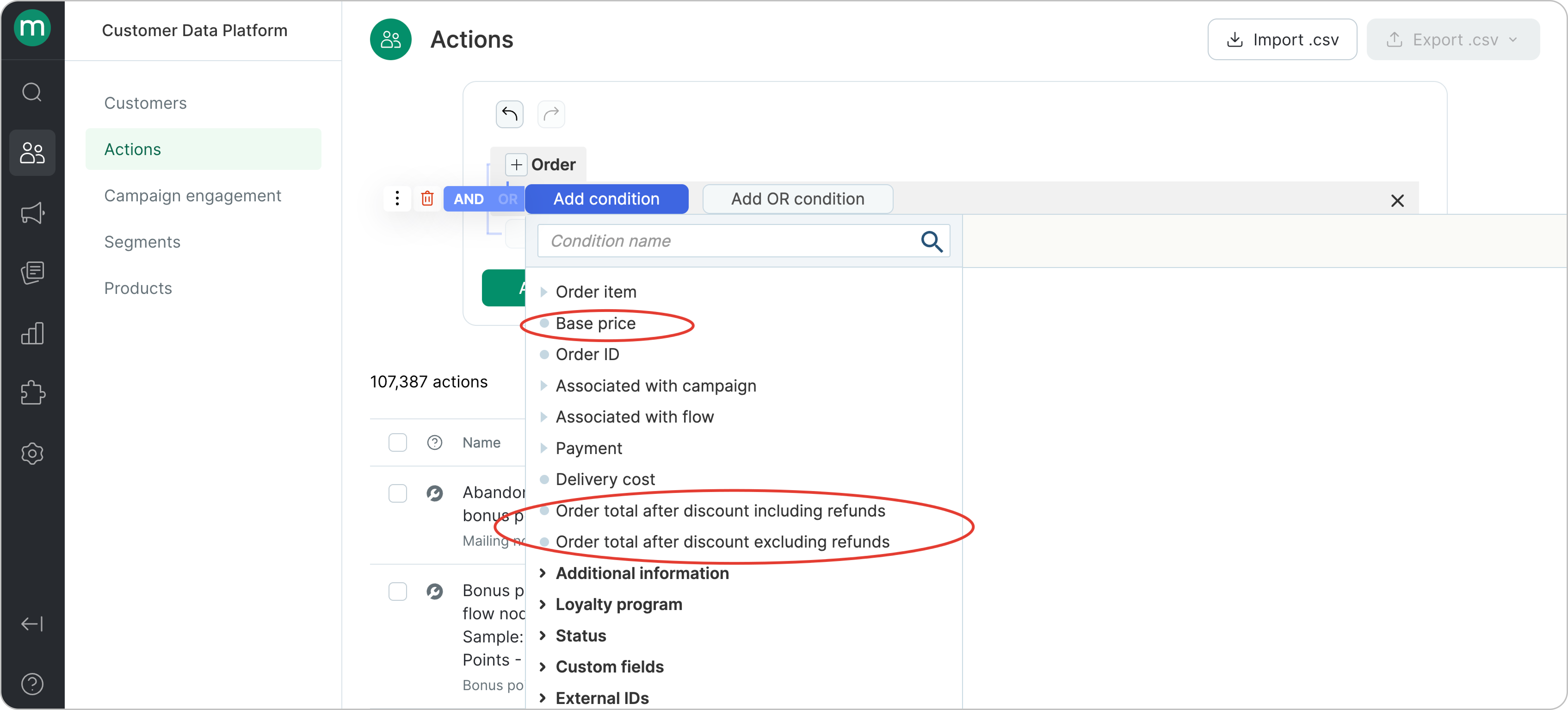
Filters in this category include:- Order — Base price (price before discounts, returns, or cancellations)
- Order — Order total after discount including refunds (and cancellations)
- Order — Order total after discount excluding refunds (and cancellations)
.png?fit=max&auto=format&n=wm8oEjg6bFaQwCHC&q=85&s=77c1d0ce692af8b3a4923511140f0604)
- 49.00 before discount) — paid
- 60.00 before discount) — paid
- 171.00 before discount) — cancelled
- 283.00 before discount) — returned
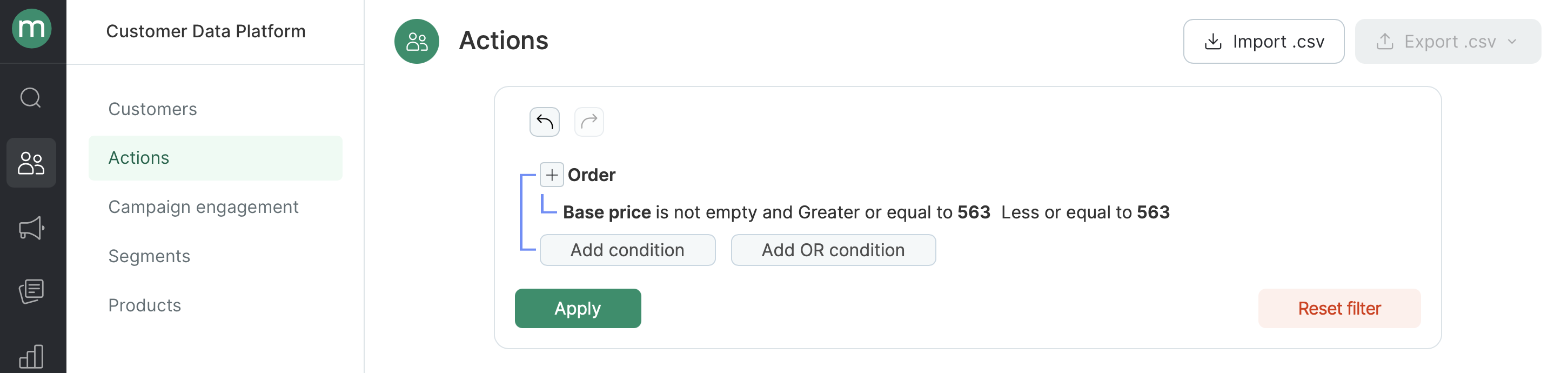
- Base price - before discounts, excluding returns and canceled items: $563
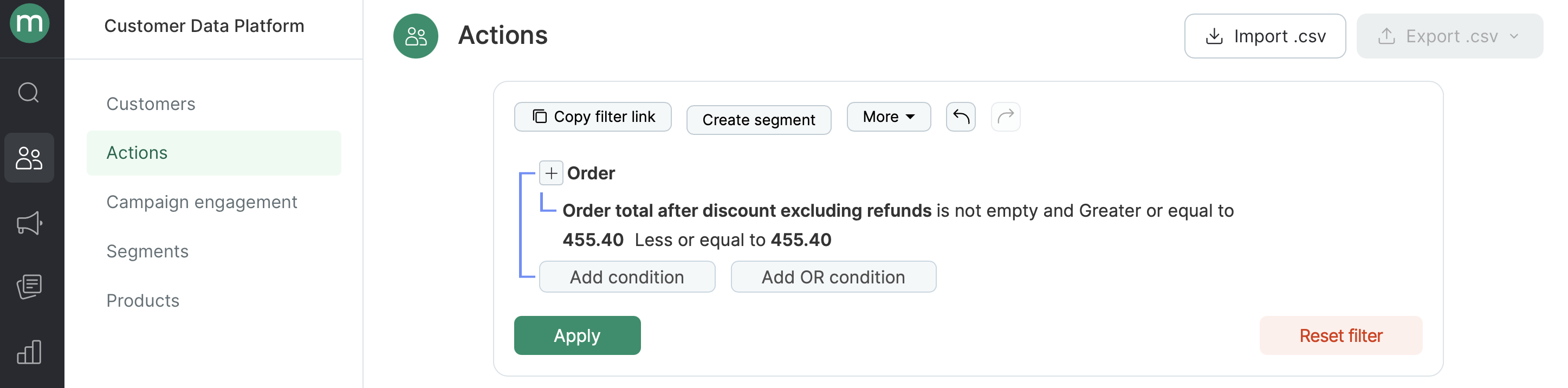
- Order total after discount including refunds (and cancellations): $455.40
- Order total after discount excluding refunds (and cancellations): $56.55
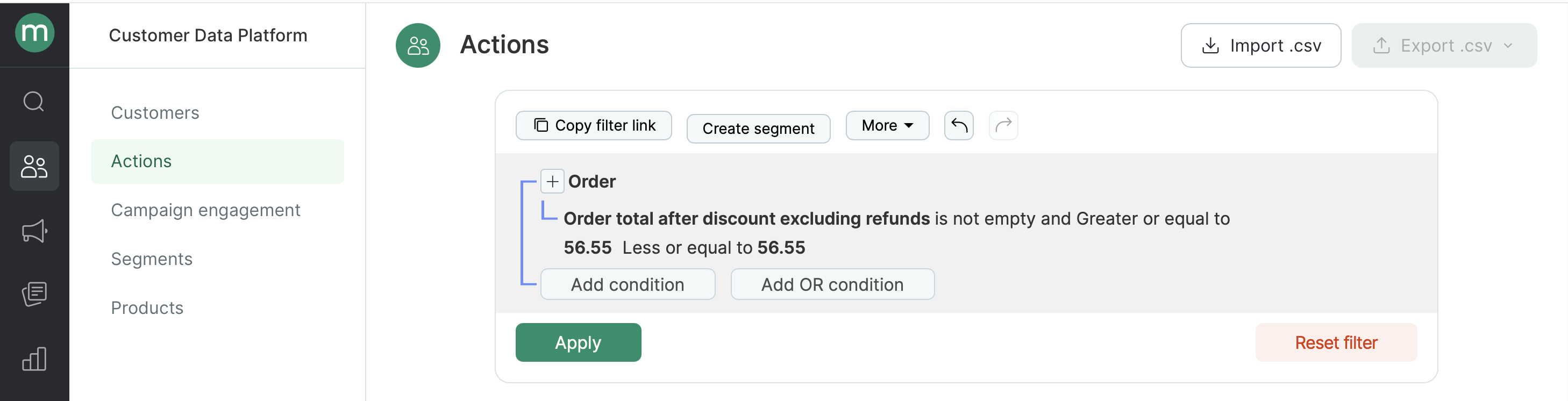
Note: Both value boundaries in filters are inclusive.
.png?fit=max&auto=format&n=wm8oEjg6bFaQwCHC&q=85&s=b9e9d844ce4760b4dbcf930b8f95f885)
Price per item
Filters in this category include: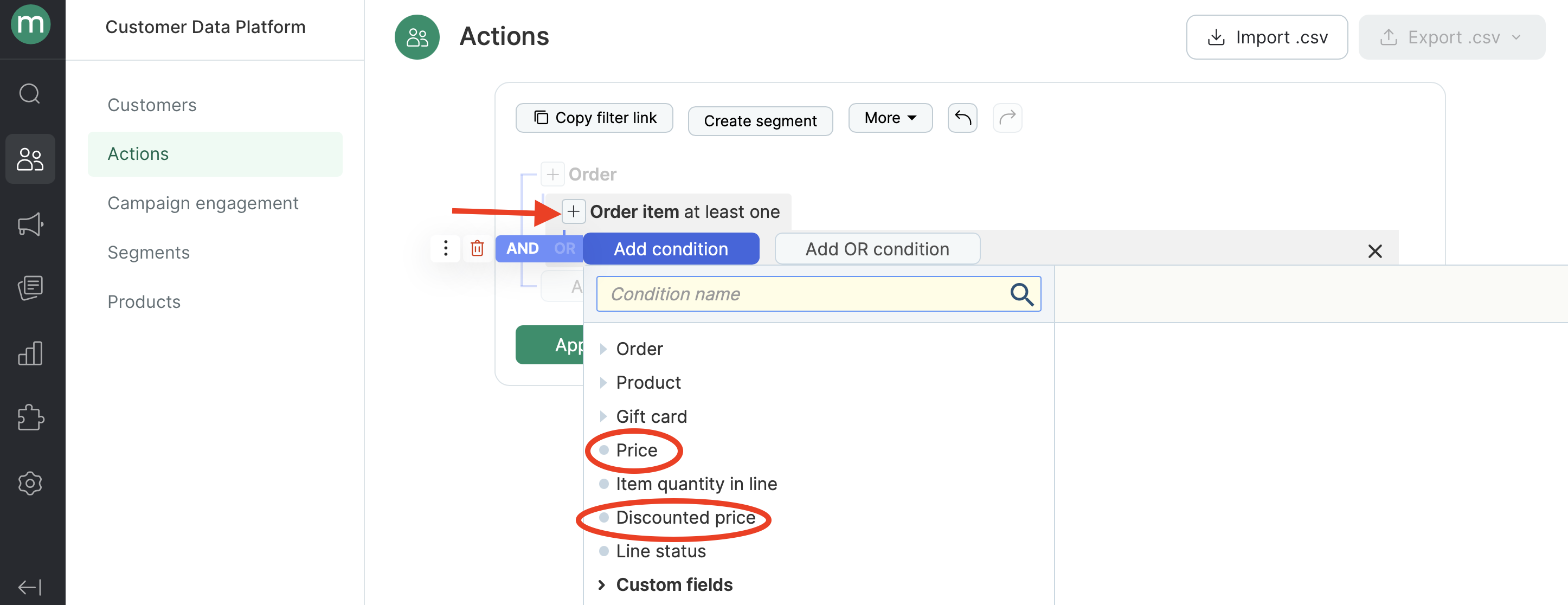
- Order — Order item — Price (price per item as submitted when the order was placed before discounts, including returns or cancellations)
- Order — Order item — Disctounted price (price per item as submitted when the order was placed after discounts, including returns or cancellations)
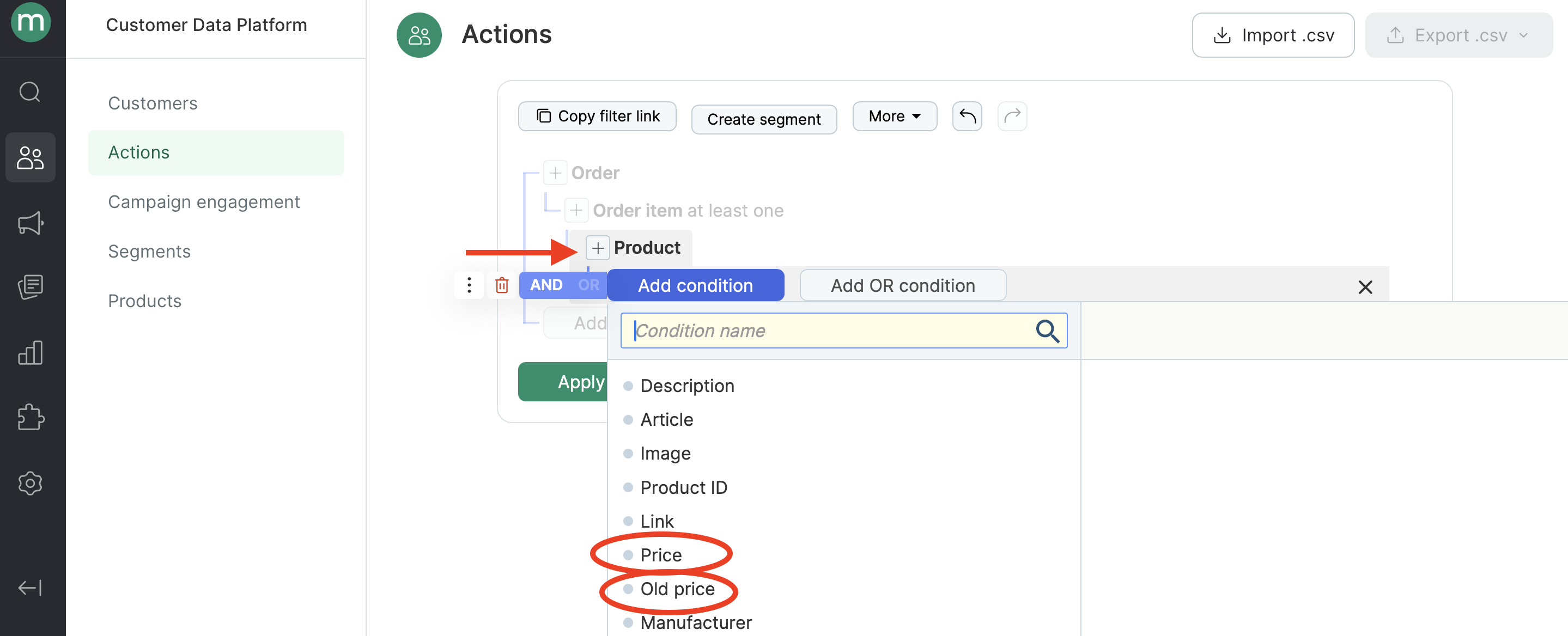
- Order — Order item — Product — Price (current product price from the product feed in Maestra)
- Order — Order item — Product — Old price (previous product price from the product feed in Maestra)
Product vs. order item: What’s the difference
Product vs. order item: What’s the difference
A product is a catalog item. It’s usually uploaded via an XML feed, which keeps pricing and availability up to date. You can find all products in Customer Data Platform → Products.When an item is purchased, the order line includes the product itself, its price at the time of purchase, the discounted price for a specific customer, the quantity, and the status. All of this together forms an order item.In other words, a product is just one part of an order item. That’s why the product price and the order item price can be different.For example, a year ago a customer bought a watch for 2,000. In this case, the order item price is 2,000.
Note: Item price filters always look at the price per item, not the total for the line.
.png?fit=max&auto=format&n=wm8oEjg6bFaQwCHC&q=85&s=44739350a6edd9e1a452a04886b8df28)
.png?fit=max&auto=format&n=wm8oEjg6bFaQwCHC&q=85&s=1ffa50fe2a40ce815c304ec9cf7fc4f0)
- Price per order item before discount: $49.00
.png?fit=max&auto=format&n=wm8oEjg6bFaQwCHC&q=85&s=bfe0aaba4169dbc3fb7de38eab755018)
- Price per order item after discount: $46.55
.png?fit=max&auto=format&n=wm8oEjg6bFaQwCHC&q=85&s=60951311757053eb642d34b48835aaac)
- Current product price (from product feed): $34.99
.png?fit=max&auto=format&n=wm8oEjg6bFaQwCHC&q=85&s=40f0be81acb3a4a56d9aacf727e36ff1)
- Old product price at the moment (from product feed): $49.00
.png?fit=max&auto=format&n=wm8oEjg6bFaQwCHC&q=85&s=d4a482d9d92ecb7d805a252739b72319)
Note: Both value boundaries in filters are inclusive.