Segments are saved filters you can target in campaigns, flows, and reports. Build the filter once in Customers, then save it as a real-time or scheduled segment.

Create a segment from a filter

1

Open the customer list

Go to Customer Data Platform → Customers.
2

Build your filter

Add conditions to narrow the list to the customers you want in the segment, then click Apply.
Use Add condition for AND logic and Add OR condition when a customer should match any of several criteria. Learn more about building filters in How to create filters.
3

Click Create segment

With the filter applied, click Create segment in the top right to open the segment panel.

Configure the segment

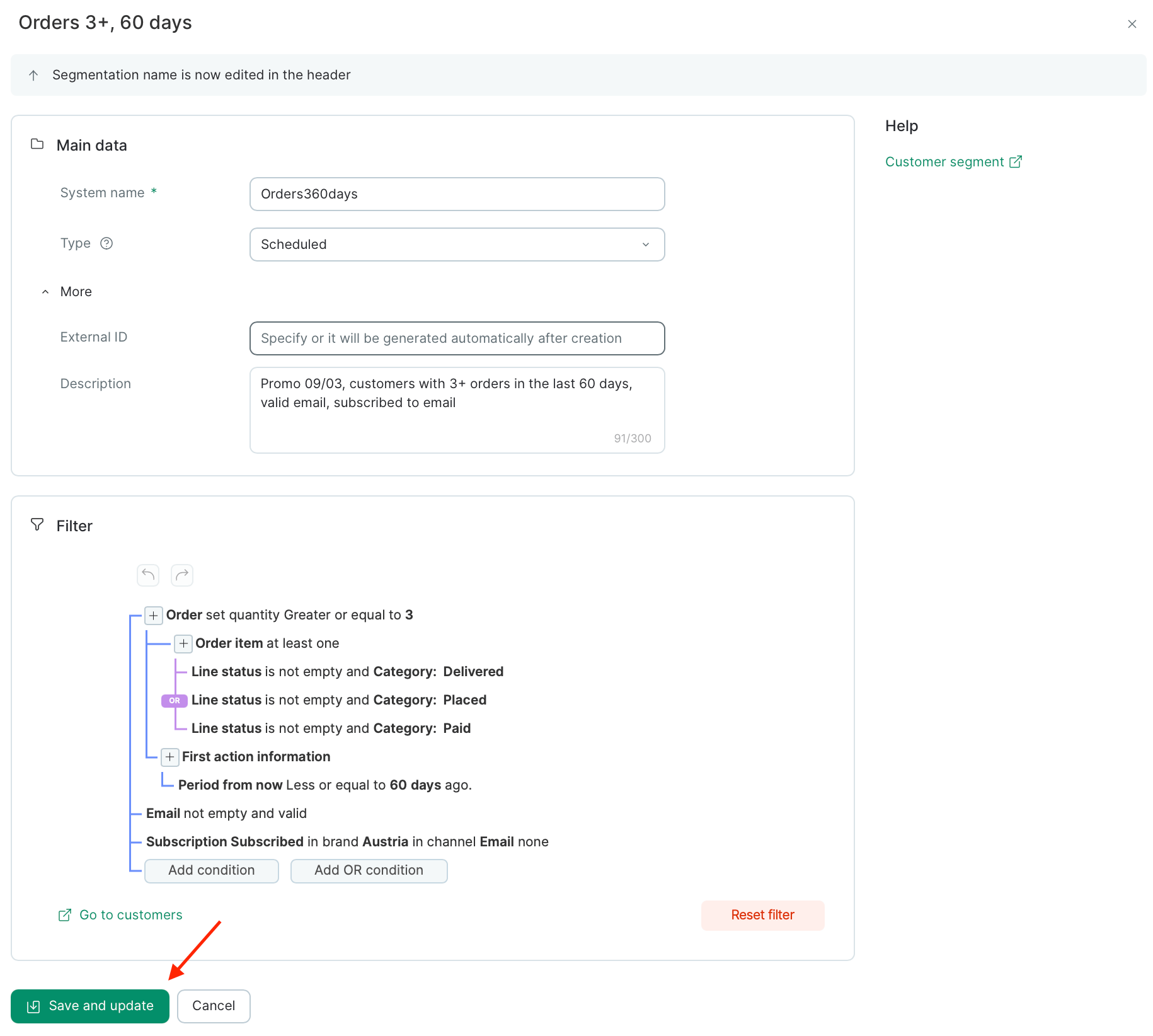
The segment panel opens with everything on one screen. Set the fields below, then click Save and update at the bottom to create the segment and run the first calculation.\
Screenshot 2026 06 09 At 16 42 17

Name and system name

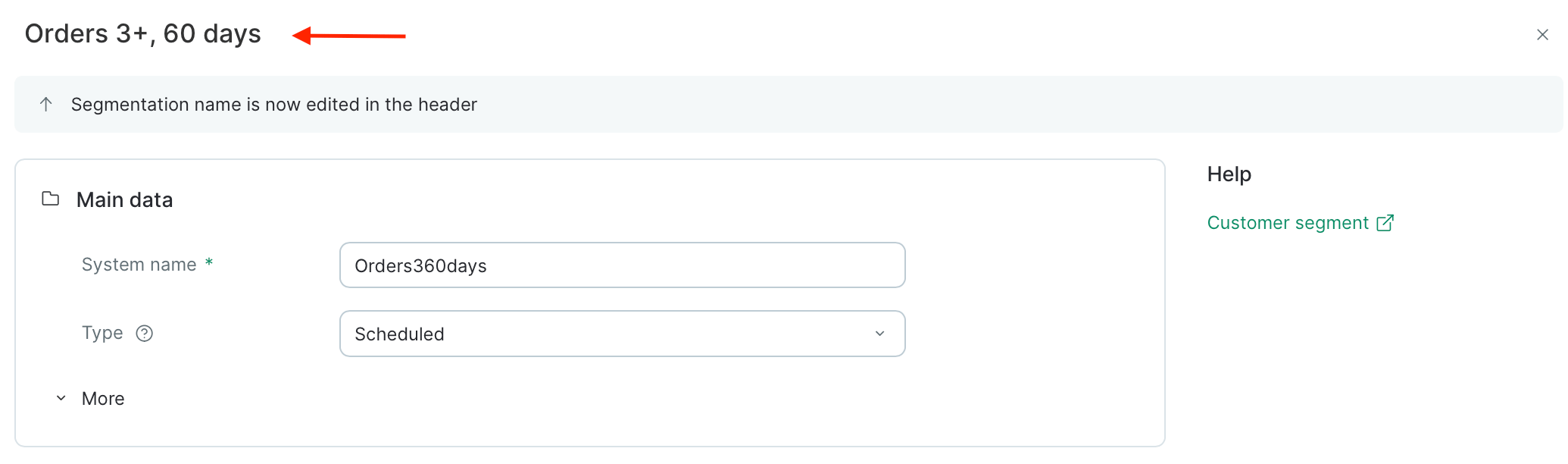
Type the segment name in the header at the top of the panel.
Screenshot 2026 06 09 At 16 44 06
The System name is generated automatically. Leave it as is, or edit it if you need a stable identifier for API calls or integrations.

Type

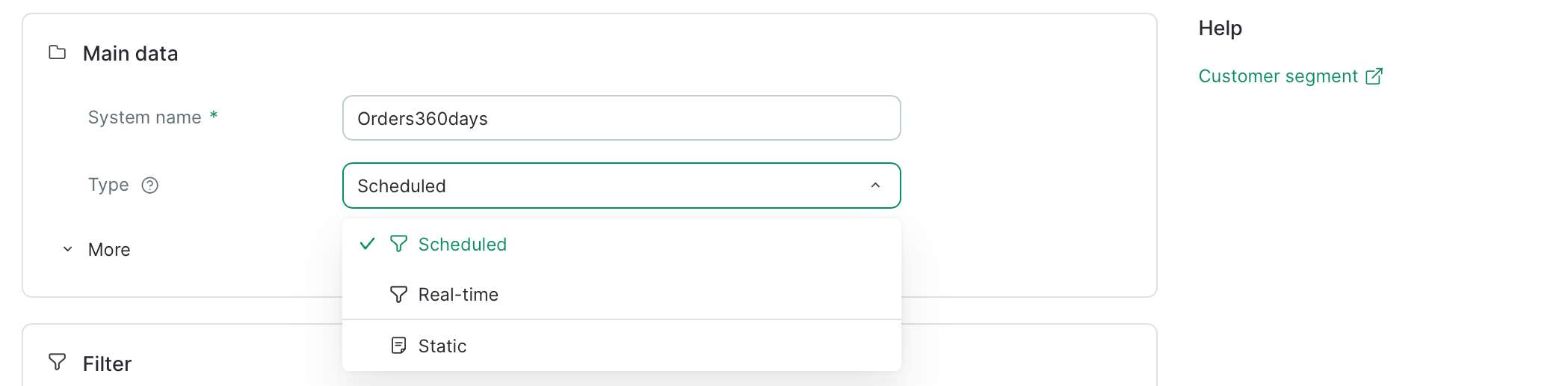
Choose how the segment is built and refreshed.
Screenshot 2026 06 09 At 16 46 28
Saving a filter you just built on the Customers page? Pick Real-time or Scheduled — those are the filter-based types. Static segments don’t use a filter at all and are set up through a separate flow (How to Create a Static Customer Segment).
TypeBased onHow it refreshesBest for
Real-timeFilter conditionsThe moment a customer’s data changesSaving a frequently used filter as a reusable audience
ScheduledFilter conditionsOn a schedule you set, or on events you specifyLarge or complex segments where real-time updates aren’t necessary
StaticManual selection (no filter) or a flowOnly when you add or remove members manually, via import, or from a flowHand-picked lists, one-off campaign audiences, or segments managed entirely by automations
Type cannot be changed after creation. If you need a different type later, create a new segment.
Not sure which to pick? See Types of customer segments for a deeper comparison.

More (External ID and Description)

Expand More under Main data to set two optional fields:
  • External ID — your own identifier for the segment, useful when referencing it from an API or external system. Leave it blank and Maestra Platform will generate one after creation.
  • Description — a short note (up to 300 characters) explaining who’s in the segment and what it’s for. Helpful for teammates picking the segment from a list later.
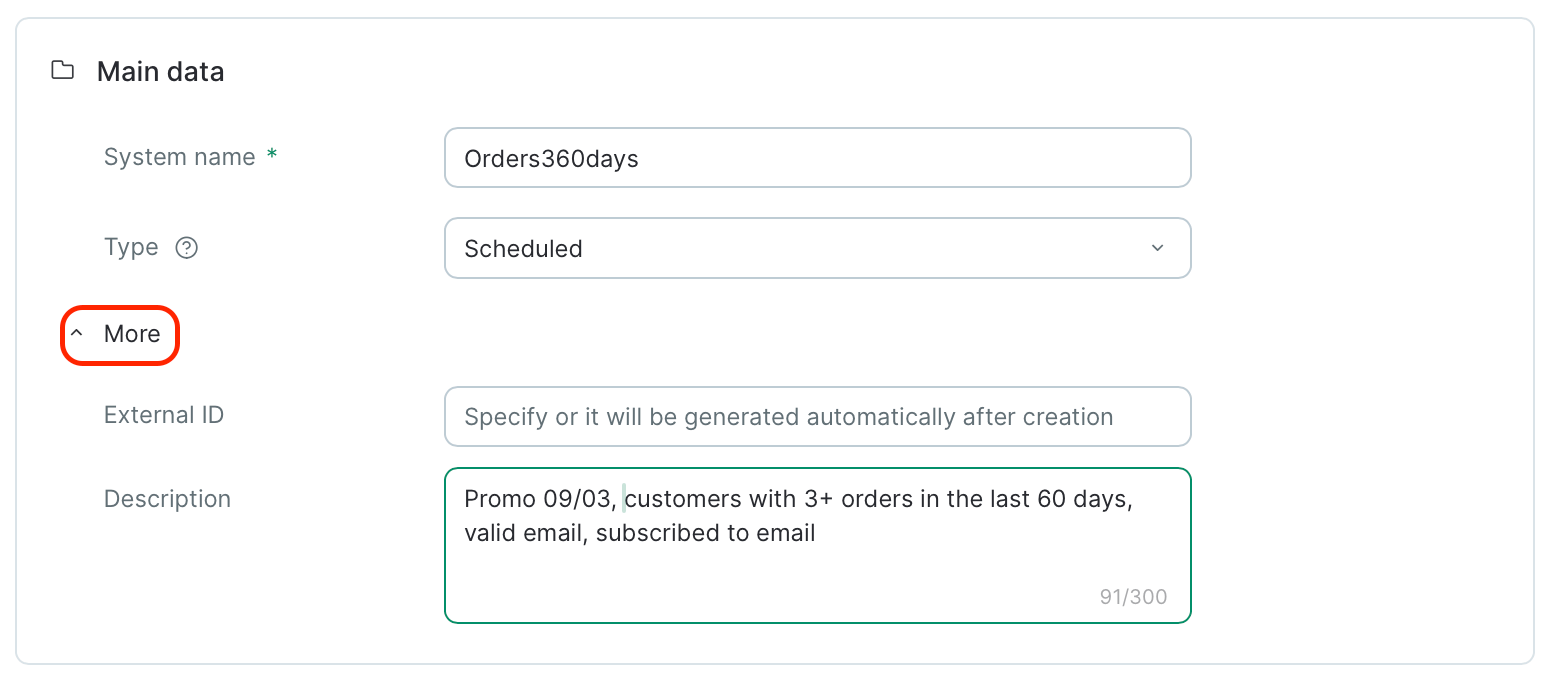
Screenshot 2026 06 09 At 16 51 39

Filter

Review the conditions you brought in from the customer list. You can keep editing them here — your changes are saved with the segment once you click Save and update.
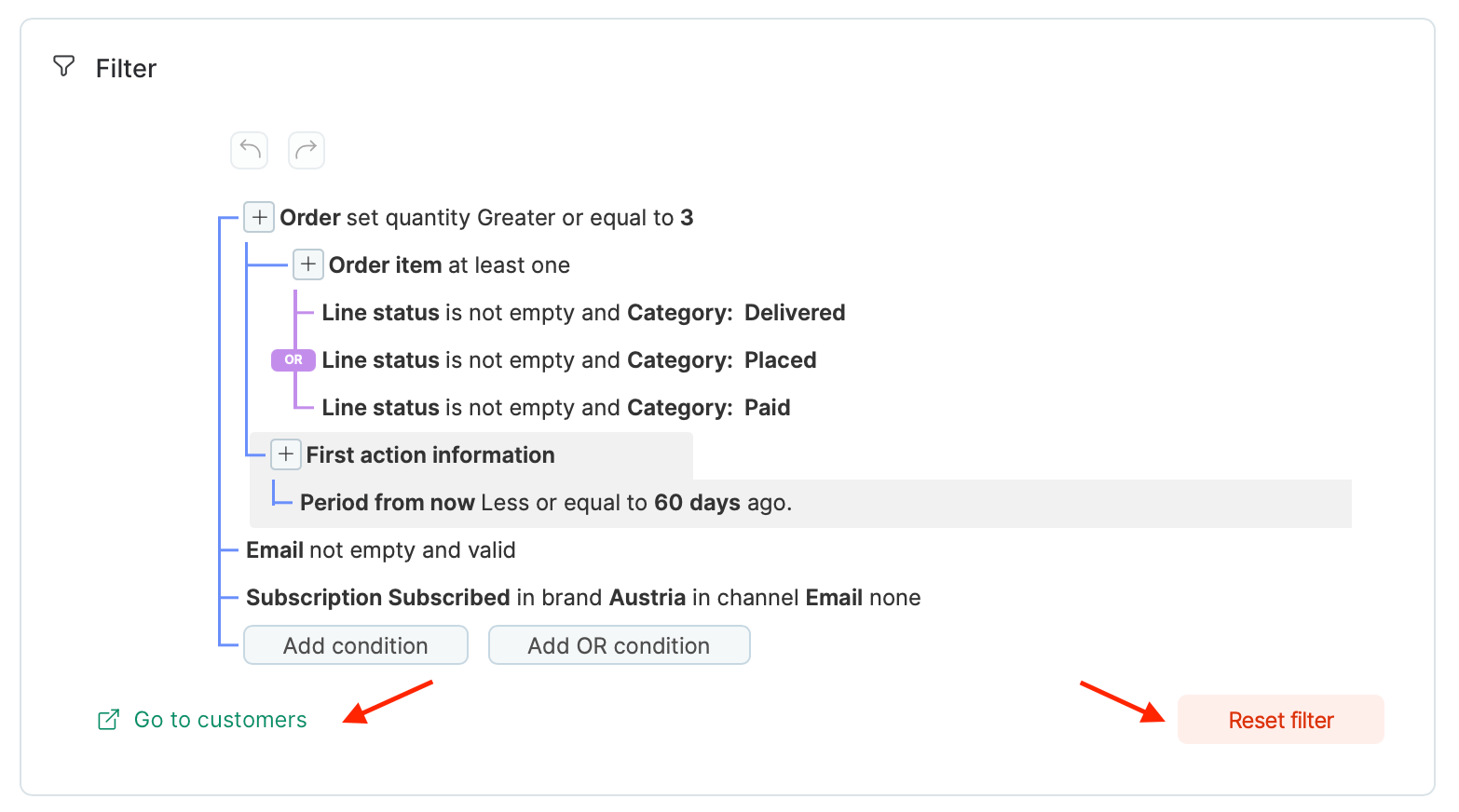
Screenshot 2026 06 09 At 16 54 20
Two buttons sit below the filter conditions:
  • Go to customers — opens the customer list with this filter applied to preview who currently matches.
  • Reset filter — clears all conditions so you can start over.

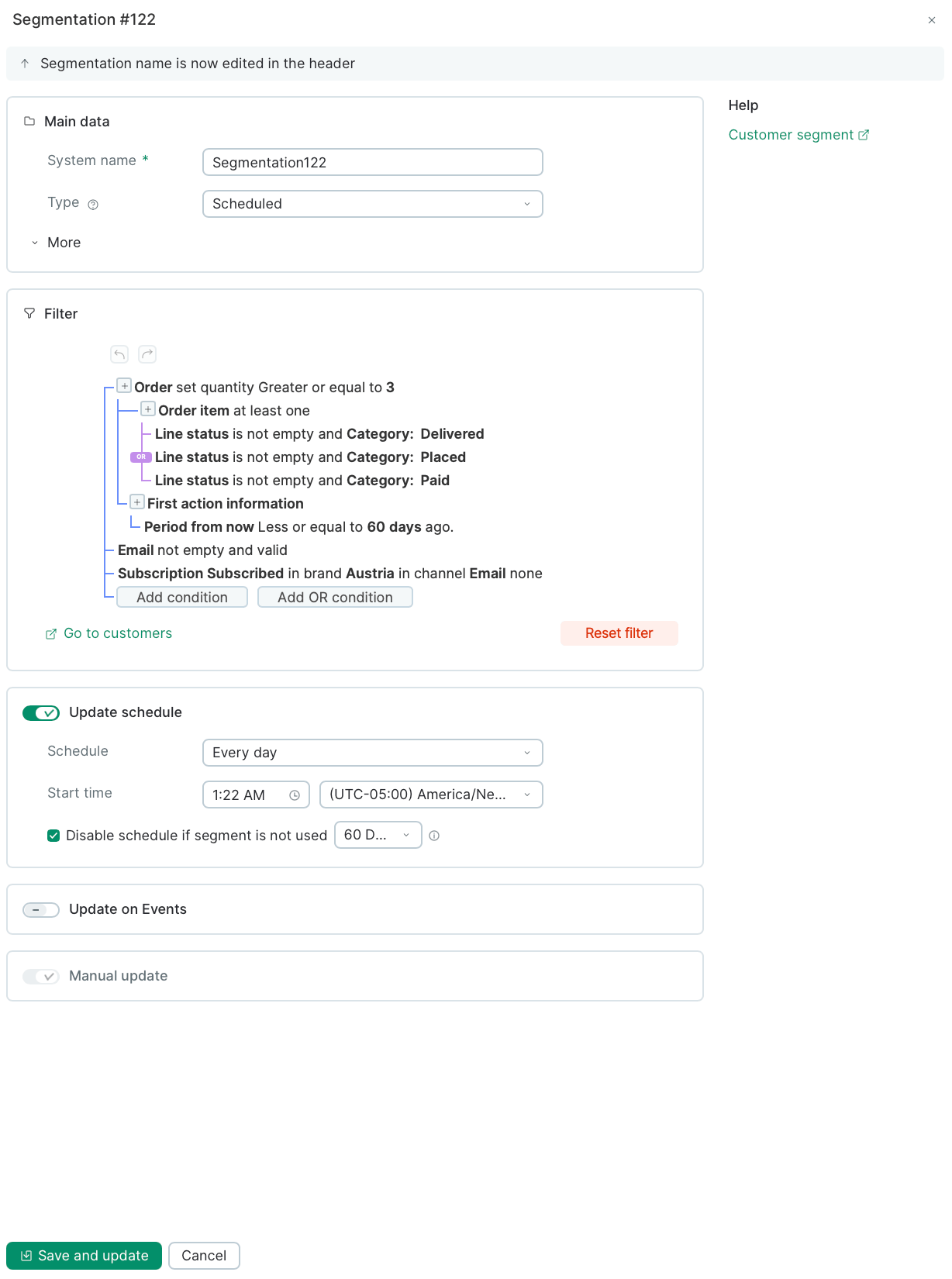
Update schedule (Scheduled segments only)

If you picked Scheduled, configure how and when the segment refreshes.
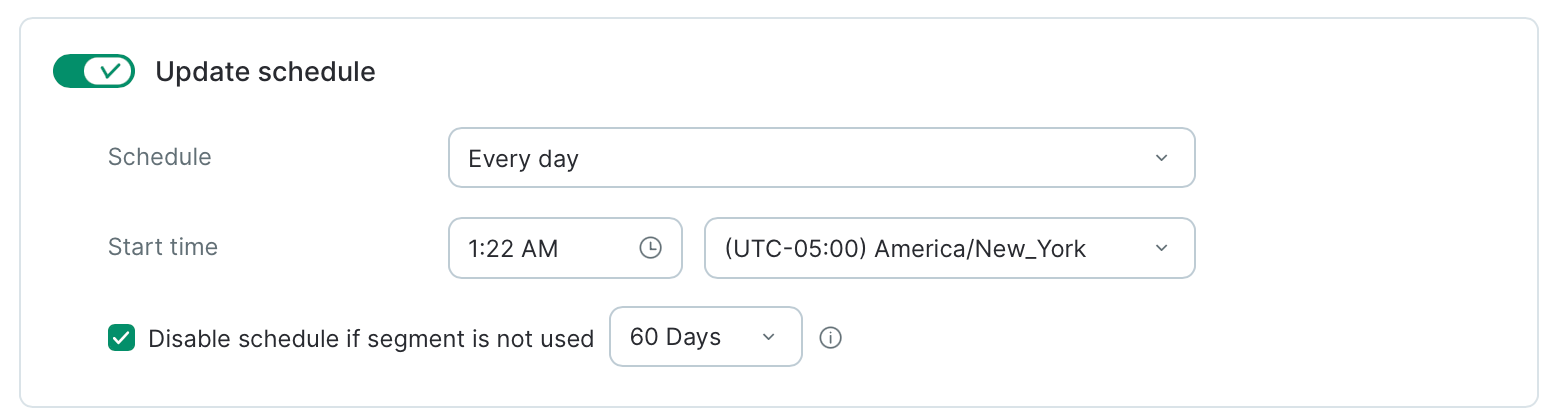
Screenshot 2026 06 09 At 16 58 04
Schedule Cadence of the refresh:
  • Every day — once a day at the time you choose.
  • By days of week — one or more weekdays at the hour you choose.
  • By days of month — a specific day of the month at the hour you choose.
Start time The time of day the refresh kicks off, in the time zone you select.
Schedule recalculations at night, when database load is lower.
Disable schedule if segment is not used This checkbox is enabled by default. If the segment sits unused for the number of days you set (60 by default), Maestra Platform automatically switches it to manual recalculation. Too many segments recalculating at once can slow each other down and add load across your project — auto-stop helps you avoid spending resources on segments no one is actively using. You can uncheck it if you need the schedule to keep running no matter what, but we don’t recommend it.

Update on Events (Scheduled segments only)

Turn on Update on Events to recalculate the segment whenever specific customer events occur — on top of the scheduled refresh. Useful when you need the segment to react to key actions (a purchase, a subscription change, a custom event) without waiting for the next scheduled run.
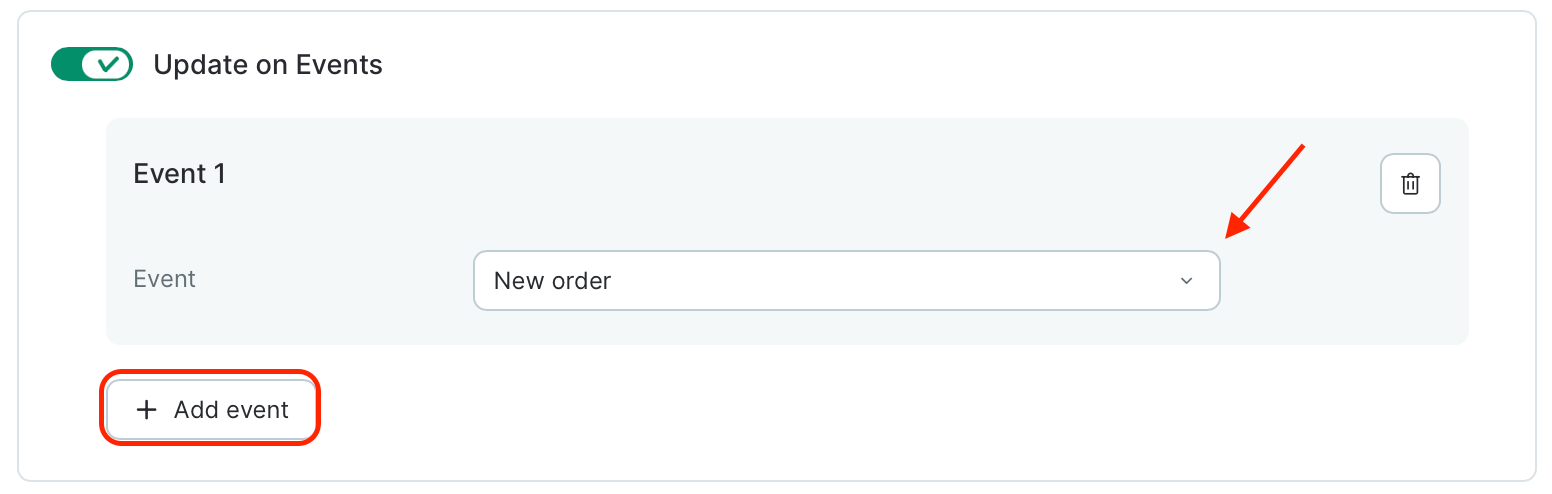
Screenshot 2026 06 09 At 16 59 45
How to set it up:
  1. Toggle Update on Events on. An empty Event 1 card appears.
  2. Open the Event dropdown and pick the event that should trigger a refresh.
  3. Click + Add event to add more triggers. Each one is listed as its own card.
  4. To remove a trigger, click the trash icon on the event card.
Only add events when your use case truly calls for them. The more events a segment listens to, the more recalculations it triggers — and the more load it puts on your database.

Manual update (Scheduled segments only)

Always available for scheduled segments.

Save

Click Save and update.
Screenshot 2026 06 09 At 17 04 10
You can open the segments list straight from the success popup (your new segment shows up at the top), or find it later under Customer Data Platform → Segments.
Screenshot 2026 06 09 At 17 05 25
Real-time segments are ready to target right away. Scheduled segments need to finish their first recalculation first — you can watch the status on the segment page.