What an action template is
An action template is the name of an event that happens to a customer. For example: visiting the website, opening an email, being imported into the database, being tagged for a campaign. You need an action template when you want to:- Tag customers at import, so you can tell them apart in filters later.
- Record an action that results from an operation on your site — a product view, for example.
- Set up a flow.
How to create an action template
1
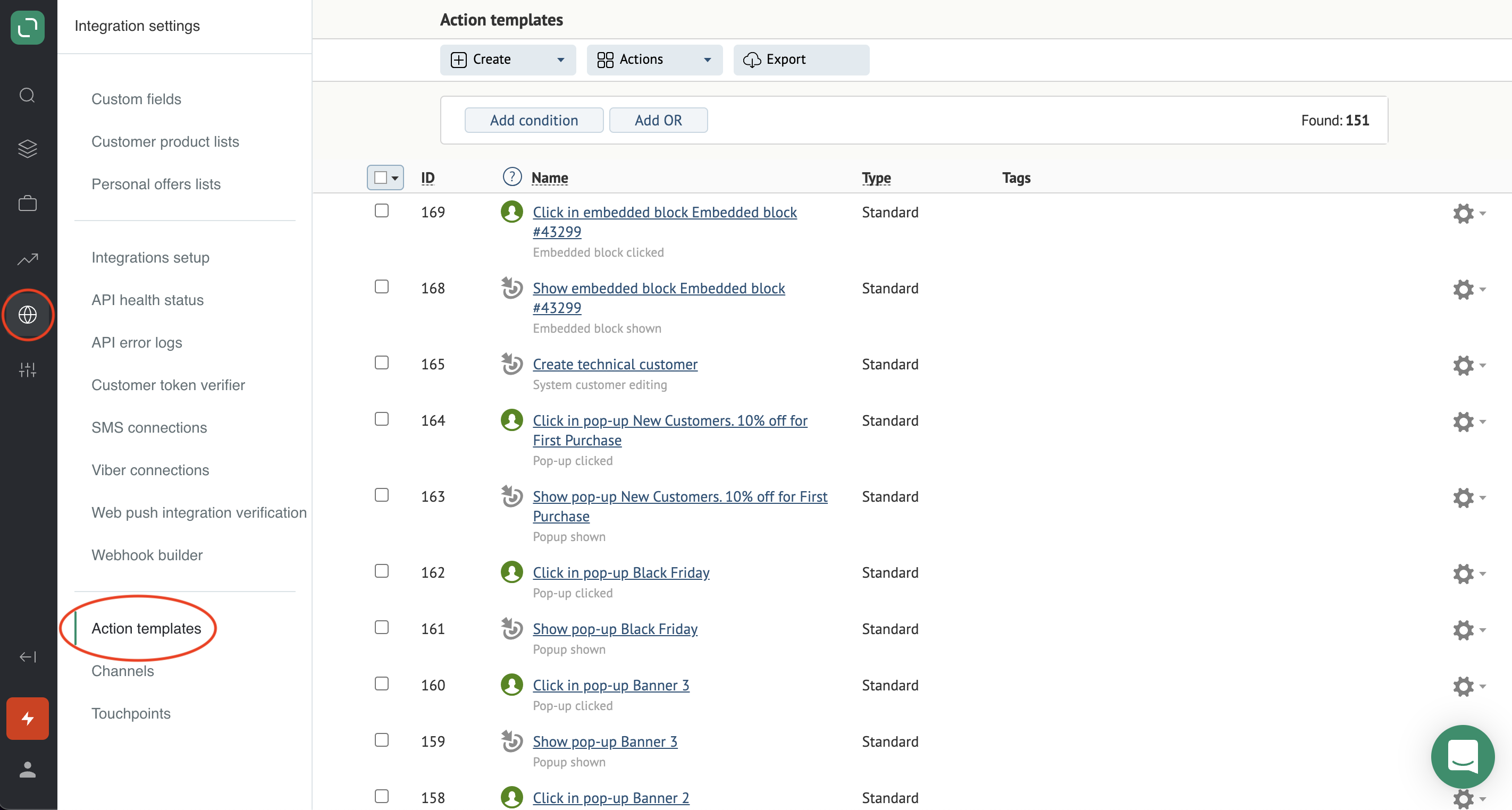
Go to Settings → Customers and actions → Action templates
2
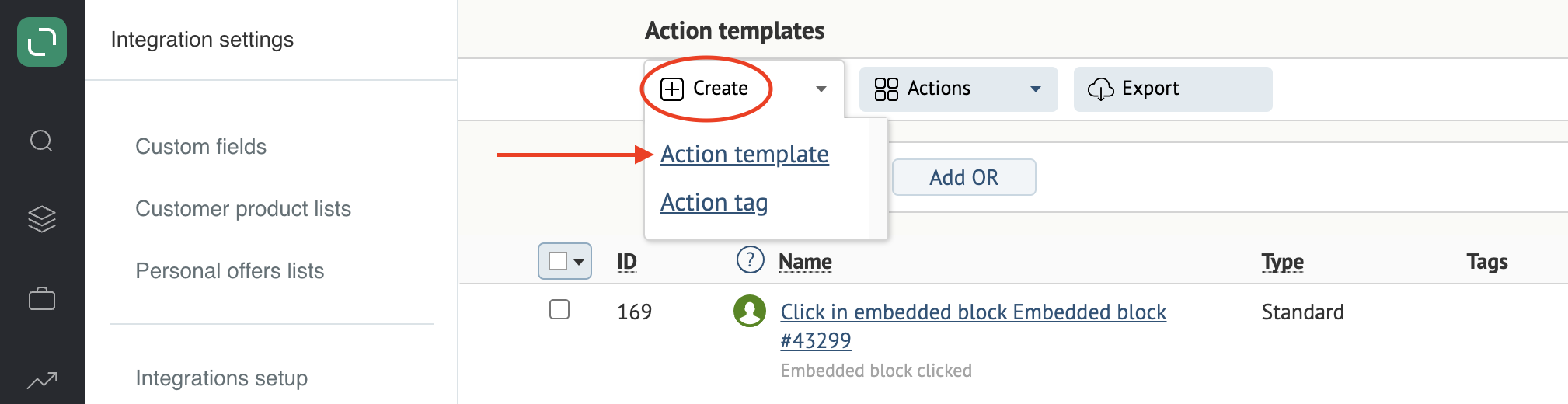
Click Add → Action template
3
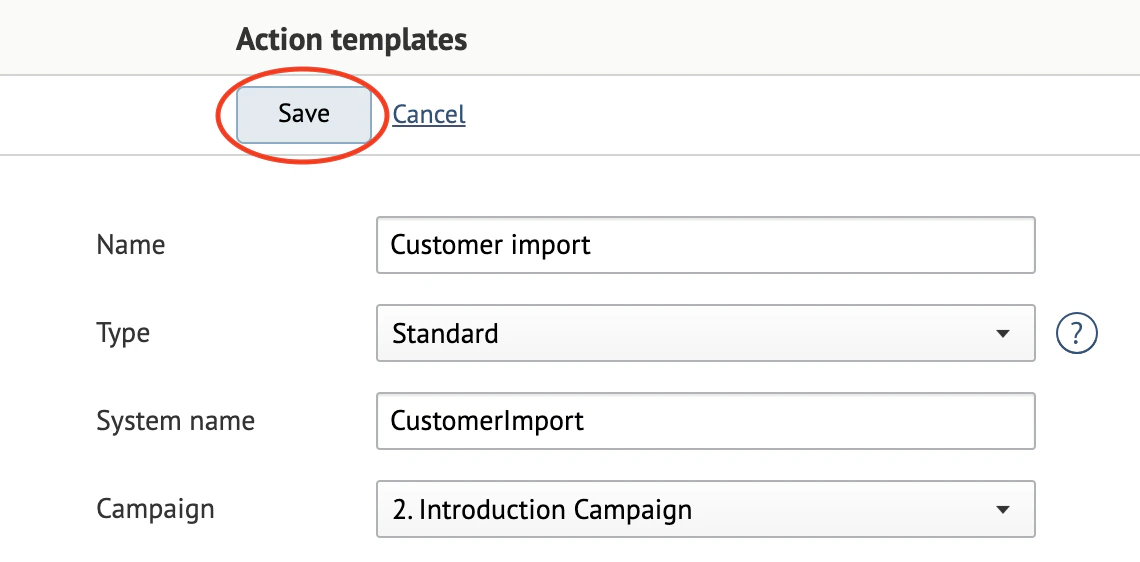
Fill in the fields
- Name — the action’s name. This is what gets recorded on customers in the system.
- Type — the action type. Standard covers most cases.
- System name — the name the template is stored under in our database. Used in integrations. Filled in automatically.
- Campaign — the campaign the action will be used in.
- Applied to brands — the brand this template can be issued under, if your account has brands.
- Customer’s personal actions — actions the customer took themselves
- System actions — actions you initiate
4
Save the template