

Where you can use recommendations
You can deploy recommendations in three primary contexts:- Email campaigns and newsletters — embed personalized product blocks in any email.
- Recommendation widgets on your website — show dynamic product collections directly on storefront pages.
- API operations — pull recommendation output through the API for further processing in any channel.
How to create a recommendation algorithm
Setting up a new algorithm takes four steps:1
Open the recommendations section
Go to Content → Product Recommendations → Create recommendations preset.

2
Select an algorithm
Choose the algorithm type that matches your objective (bestsellers, similar products, related products, and so on).
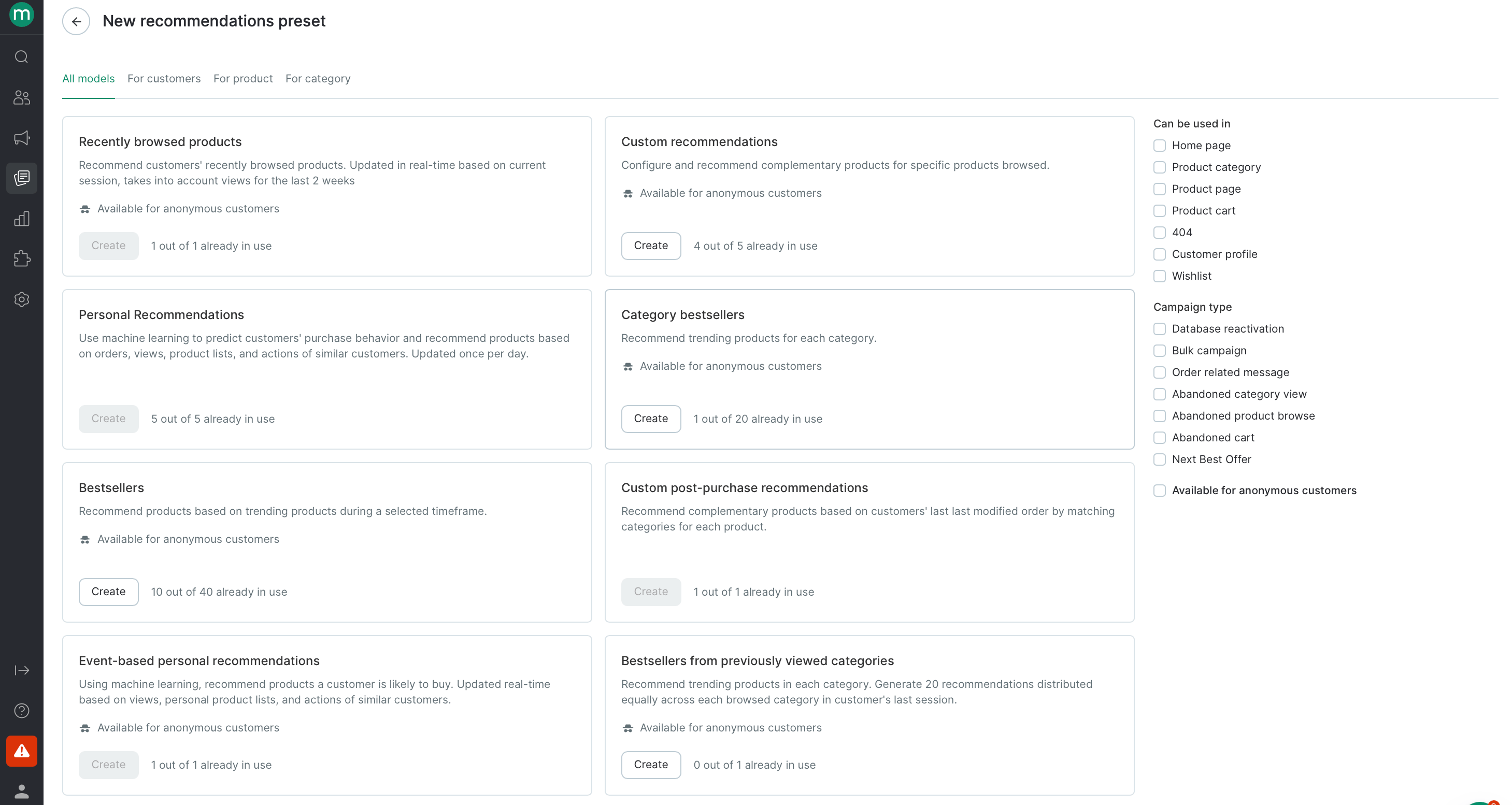
3
Configure the settings
Fill in the settings specific to the algorithm type you selected. The screenshot below uses Custom recommendations settings as an example.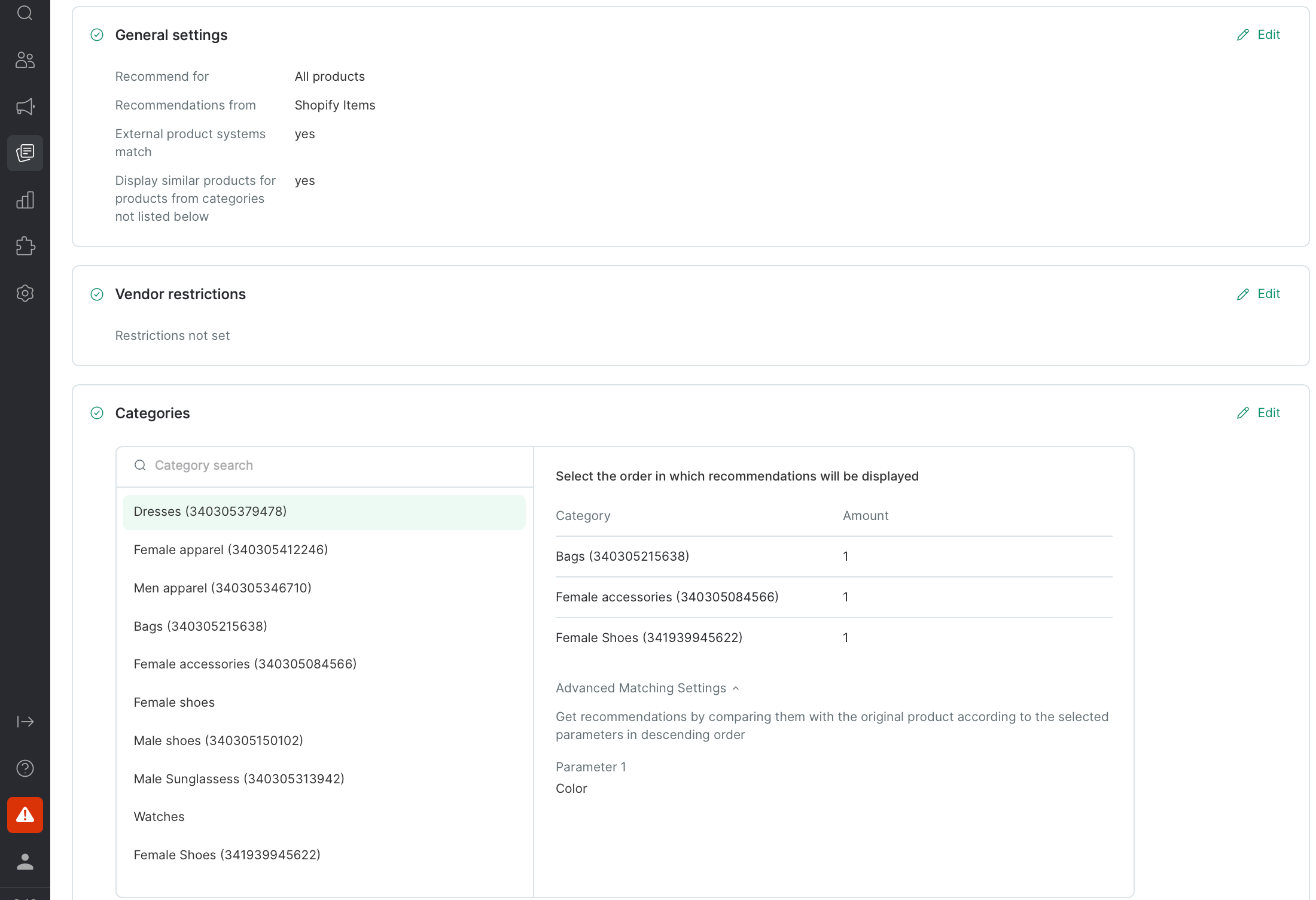
4
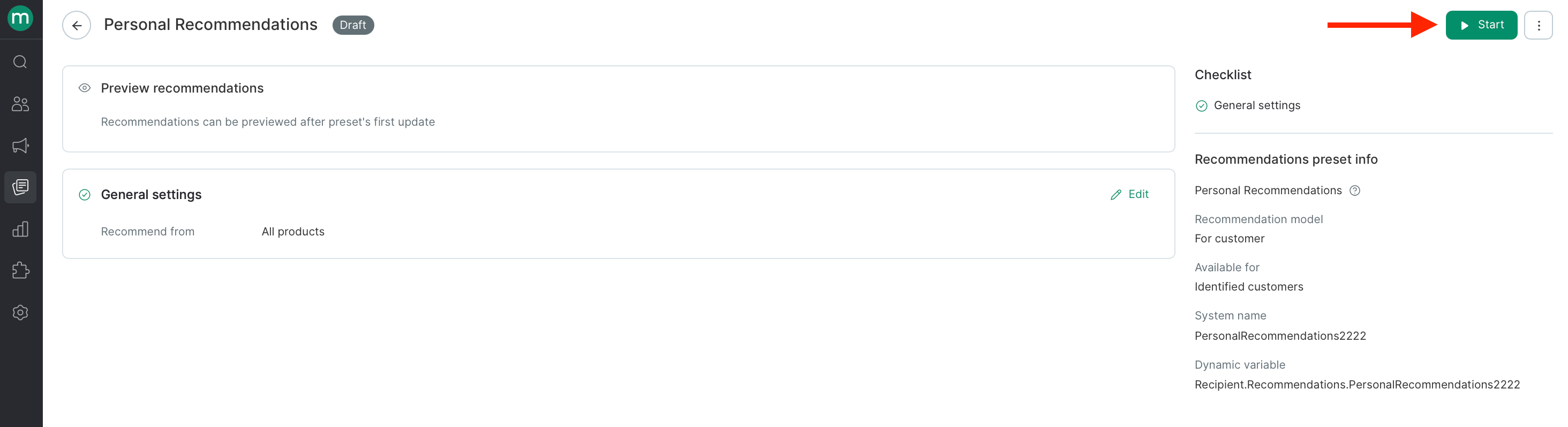
Launch and wait for recalculation
Start the algorithm and wait for its first recalculation to finish.
How recommendations work in multi-brand projects
In multi-brand projects, recommendation algorithms are available across all brands. However, when recommendations are generated for a campaign, only products from the brand where the recommendation preset was created are taken into account. Cross-brand recommendations are not allowed. The brand used for recommendation output depends on the channel:How regional data is handled
If your catalog includes regional data, recommendations are generated in two steps:- During recalculation — regional availability and pricing are considered. All other regional attributes fall back to the master feed values.
- At output time — regional product data matching the customer’s zone is inserted into the final recommendation.
ExampleThe Products similar to recently browsed products algorithm is running. In the similarity settings, the custom product field Company is selected — and its value can differ from zone to zone. Similarity is calculated from the master feed value, while the email displays the value from the customer’s zone.
- The customer views Product 1. In the master feed, its company is A; in the customer’s zone, it’s B.
- The algorithm looks for similar products using the master feed value, so it selects products where the company is A.
- Product 2 makes it into the selection: its master feed company is also A, but in the customer’s zone it’s C.
- In the campaign, Product 2 appears with the value from the customer’s zone — company C.
Recommendations and product groups
Use product groups to combine variants of the same product. If you sell one shirt in five colors, group those five items together — otherwise recommendations can show the same shirt five times in a row. During calculation, grouped products are treated as a single unit and their interactions are summed. At output, the algorithm displays the most popular product from that group, so customers never see two near-identical items side by side.ExampleA group contains two products:
- Sneakers in size 8 — 5 views, 2 orders.
- Sneakers in size 9 — 1 view, 1 order.
Real-time algorithms
Some algorithms update dynamically within seconds based on customer behavior on your site.Types of real-time recommendations:
1. Based on a product list- Often Purchased With Items in Product List
- Similar products to product list recommendations
- Bestsellers from previously viewed categories
- Products similar to recently browsed products
- Custom post-purchase recommendations
- Post-purchase cross-sell