Every order needs an external ID, stored in a custom field of type External ID on the Order entity. Your Maestra manager usually sets it up during integration.Maestra Platform also automatically generates a Maestra Order ID for every order.
1
The order is created
The first action of this order is Order creation: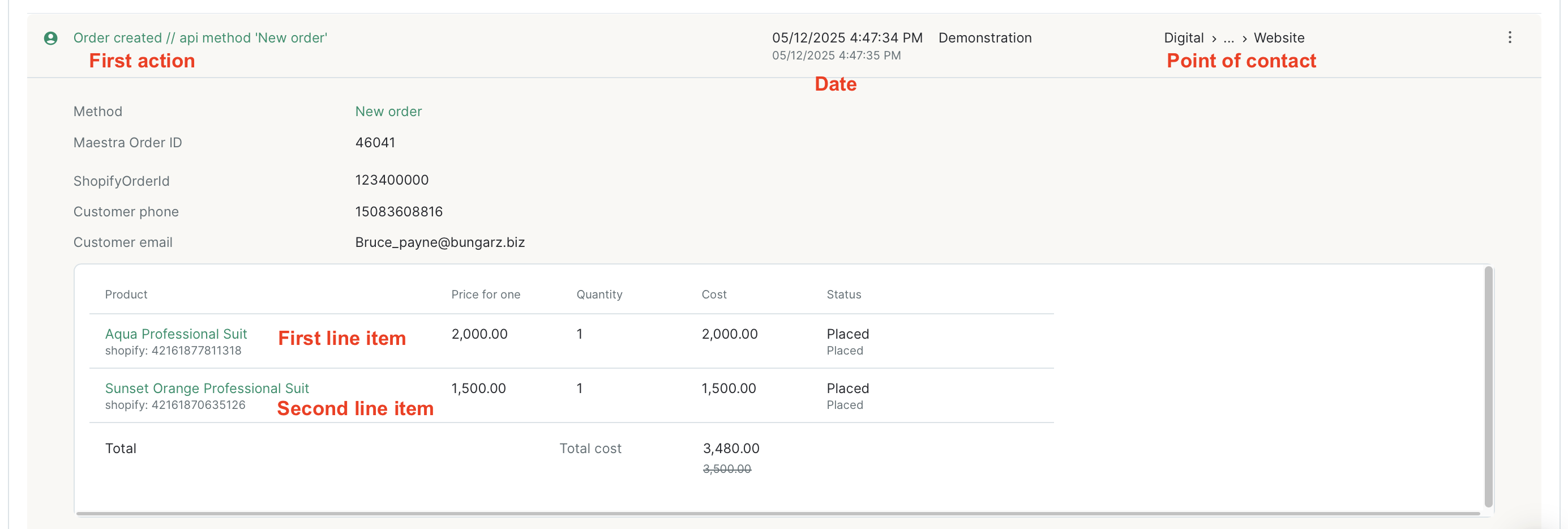
- Aqua Professional Suit with the Placed status at $2,000;
- Sunset Orange Professional Suit with the Placed status at $1,500.
2
The line items are delivered
Once the line items are paid for, their status changes to Delivered: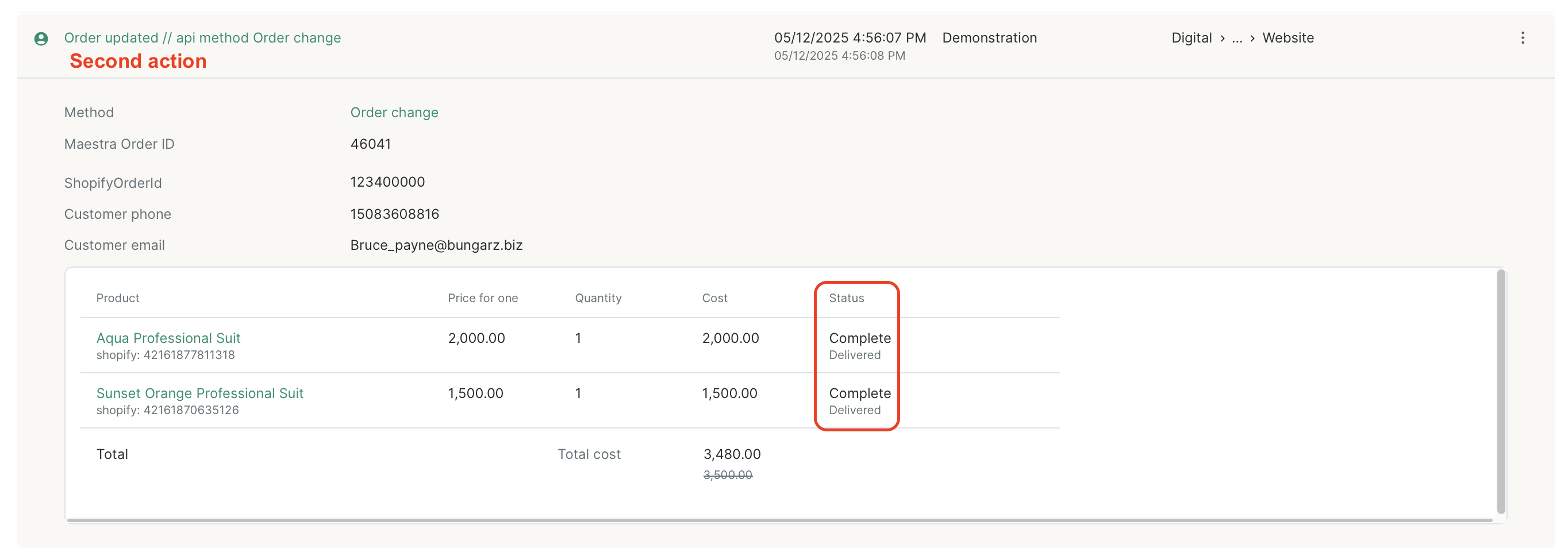
How to see an order’s full history
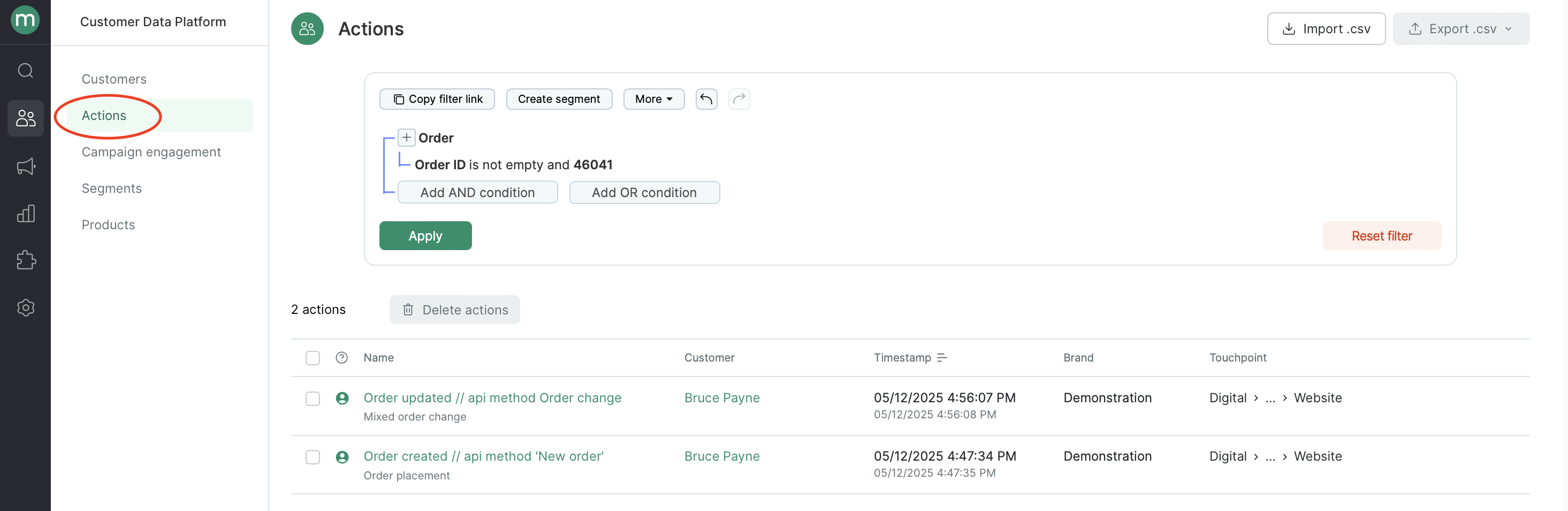
Want to see every status an order has gone through? Go to Customer Data Platform → Actions and filter by the order ID: