How to find customers
Go to Customer Data Platform→ Customers..png?fit=max&auto=format&n=O0b_zyYQP7Y48mll&q=85&s=796bf5f5418af07d8618f208e7e303ad)
Searching by campaign status
In the Campaigns filter group, select the status you need.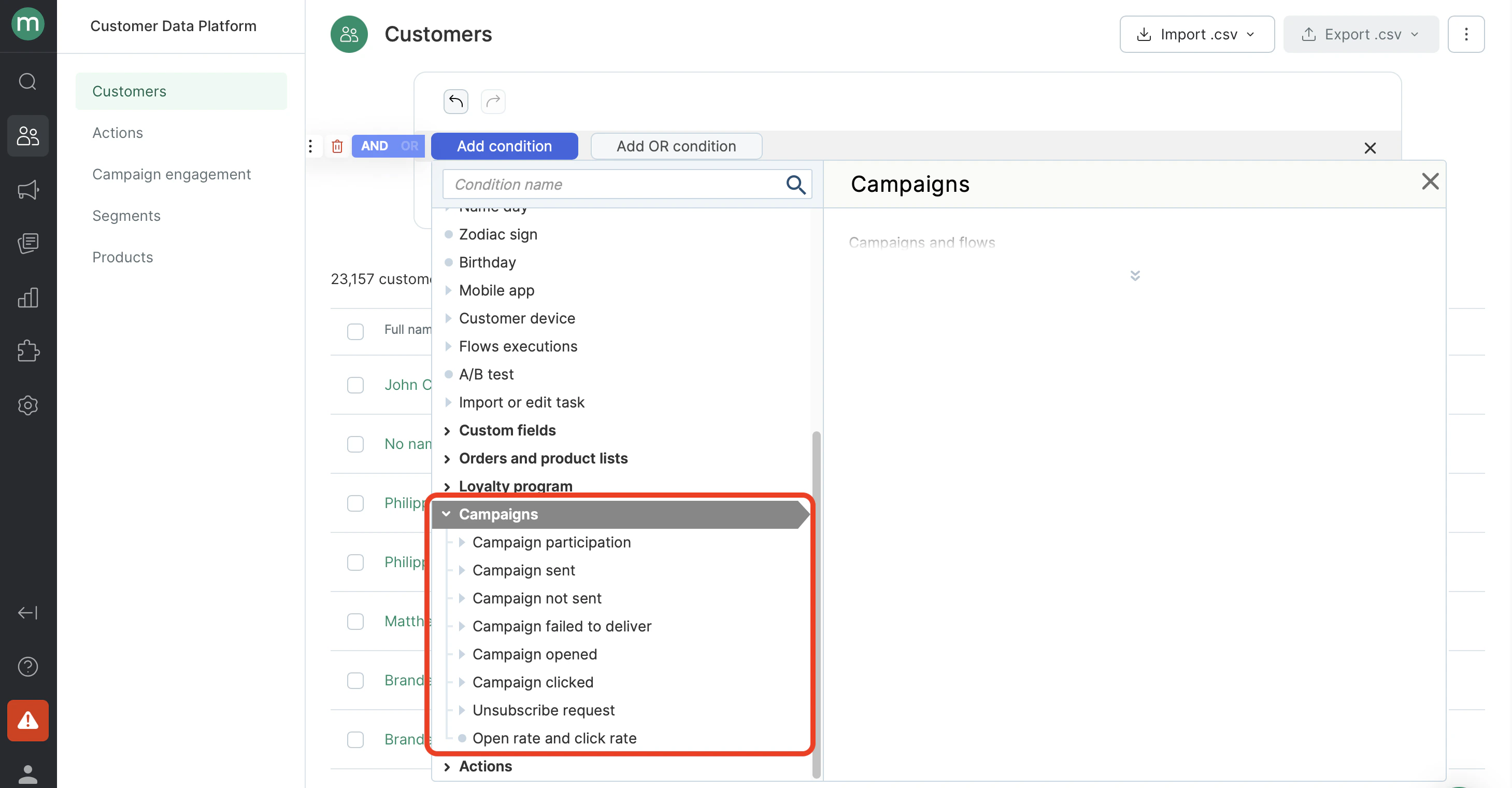
- Find customers who have been sent a campaign at least once.

- Find customers who have never been sent a campaign.
.png?fit=max&auto=format&n=O0b_zyYQP7Y48mll&q=85&s=d8fc65b90d33f804f53079dec7300330)
- Find customers who have at least one campaign send failure.
.png?fit=max&auto=format&n=O0b_zyYQP7Y48mll&q=85&s=6b69d7a1a8925c696a08556b851e061f)
- Find customers who have at least one undelivered campaign.
.png?fit=max&auto=format&n=O0b_zyYQP7Y48mll&q=85&s=bd29eba6db30496ac7e9f4136549ca87)
- Find customers who have opened any campaign at least once.

- Find customers who have never opened the campaigns sent to them. Note: Make sure to include campaign sends in the filter. Otherwise, the filter will also return customers who were never on any campaign recipient list, since they have no open events.
.png?fit=max&auto=format&n=O0b_zyYQP7Y48mll&q=85&s=dd81201a7e898b538b7cf59e26d88eed)
- Find customers who have clicked any link in a campaign at least once.
.png?fit=max&auto=format&n=O0b_zyYQP7Y48mll&q=85&s=0b3cf9d69feb8634889ee477f01bf7d8)
- Find customers who have clicked an unsubscribe link at least once.
.png?fit=max&auto=format&n=O0b_zyYQP7Y48mll&q=85&s=f2092dada122da22d241a0cf9f11a00d)
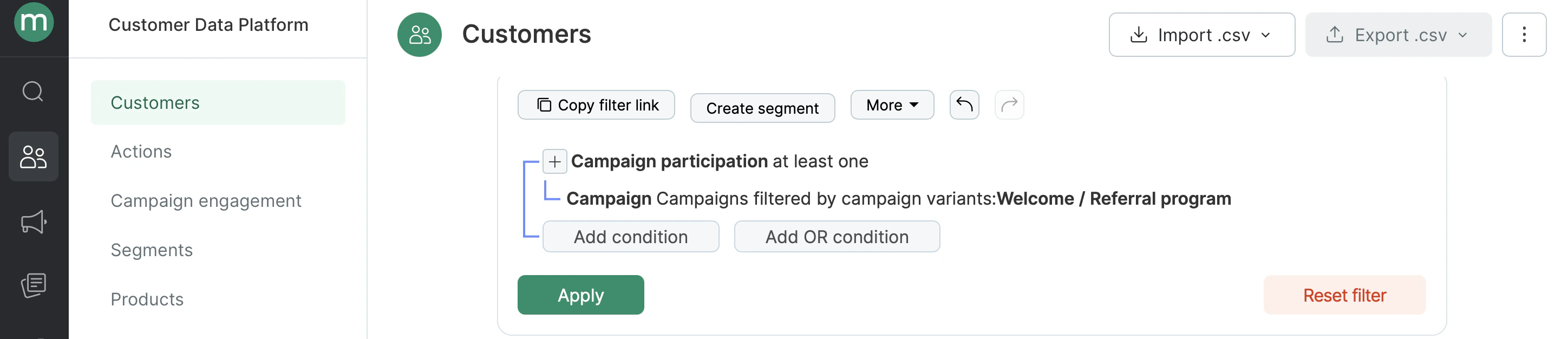
- Find customers who have participated in a campaign at least once (were on the recipient list).
Searching by campaign group: channel, type, folder, topic, tags
Each status filter has a nested Campaigns condition, where you can specify which type of campaigns to search for. Available filtering options:- Campaign type (automated, bulk, transactional)
- Topics
- Folders
- Channels (Email, SMS, MobilePush, WebPush, WhatsApp)
- Tags
- Brands
.png?fit=max&auto=format&n=O0b_zyYQP7Y48mll&q=85&s=0d8f121e6286c68c2a2548f32dc327fe)
- Find customers have been sent mobile push campaigns.
.png?fit=max&auto=format&n=O0b_zyYQP7Y48mll&q=85&s=d8666ad5b448f5e623bb1636049852d6)
- Find customers who opened automated campaigns.
.png?fit=max&auto=format&n=O0b_zyYQP7Y48mll&q=85&s=e85d0fb49b611d19bda29281d13a4f77)
- Find customers who clicked campaigns from a specific folder.
.png?fit=max&auto=format&n=O0b_zyYQP7Y48mll&q=85&s=eb5a60807ca10e394e870fb6816f4ba3)
- Find customers who failed to receive a campaign with a specific tag (send or delivery failed).
.png?fit=max&auto=format&n=O0b_zyYQP7Y48mll&q=85&s=12cc3e8e03a681286e977c239bcb5441)
Searching by interaction time
- Find customers who were sent campaigns in the first half of 2024.
.png?fit=max&auto=format&n=O0b_zyYQP7Y48mll&q=85&s=9e9c2883a832518fa7c7abc3da3b5d00)
- Find customers who were sent campaigns within the last six months.
.png?fit=max&auto=format&n=O0b_zyYQP7Y48mll&q=85&s=d6b1a141e5a6b7cdce51f11b89ef1cf1)
- Find customers who have clicked on automated email campaigns within the last hour.
.png?fit=max&auto=format&n=O0b_zyYQP7Y48mll&q=85&s=2b0c8ff4312cf6481ce7ff7ba64ddac8)
Searching by number of interactions
- Find customers who were sent four or more web pushes in the last month.
.png?fit=max&auto=format&n=O0b_zyYQP7Y48mll&q=85&s=da05d98a3fd861ae70017f89bb968905)
How to find specific Campaign engagements (e.g. clicked, sent, opened etc.)
Go to Customer Data Platform → Campaign engagements..png?fit=max&auto=format&n=O0b_zyYQP7Y48mll&q=85&s=ced6954cd08aee53b195f51d53166eeb)
- Find all campaign opens.

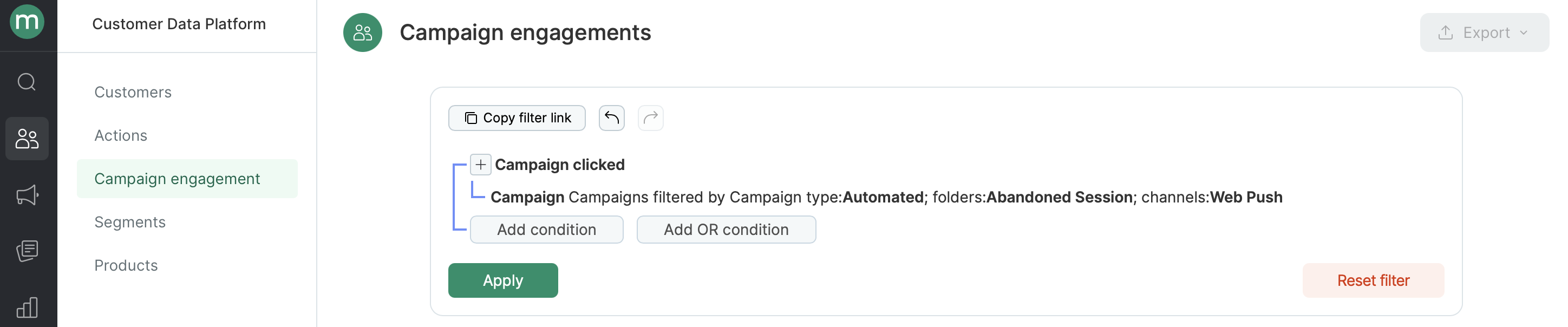
- Find all clicks on automated web pushes from a folder.
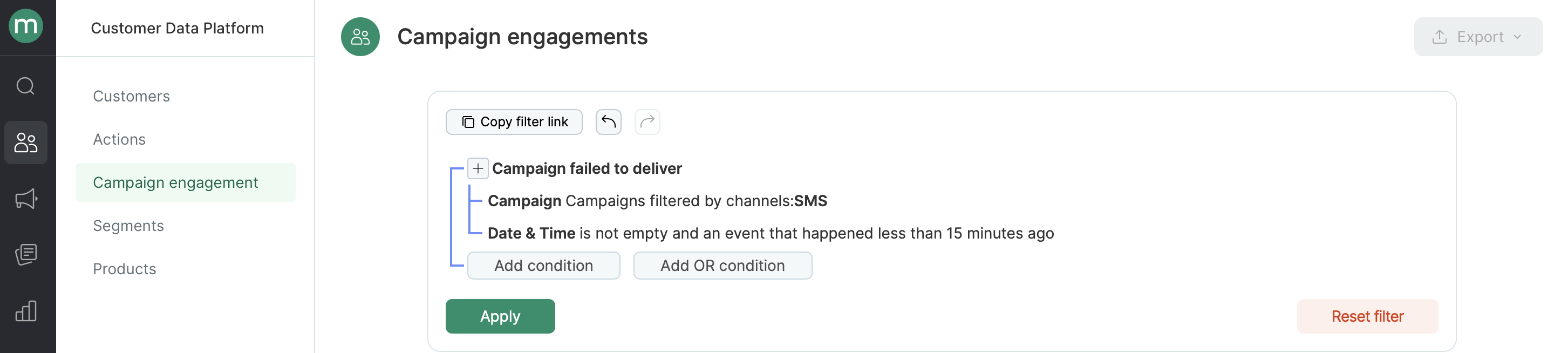
- Find all undelivered SMS in the last 15 minutes.