

Bestsellers
Site-wide top sellers across your full catalog.
Category bestsellers
Top sellers calculated separately for each category.
Bestsellers from previously viewed categories
Top sellers from the categories a customer browsed in their last session.
How to set it up
1
Open Product Recommendations
Go to Content → Product Recommendations → Create recommendations preset.

2
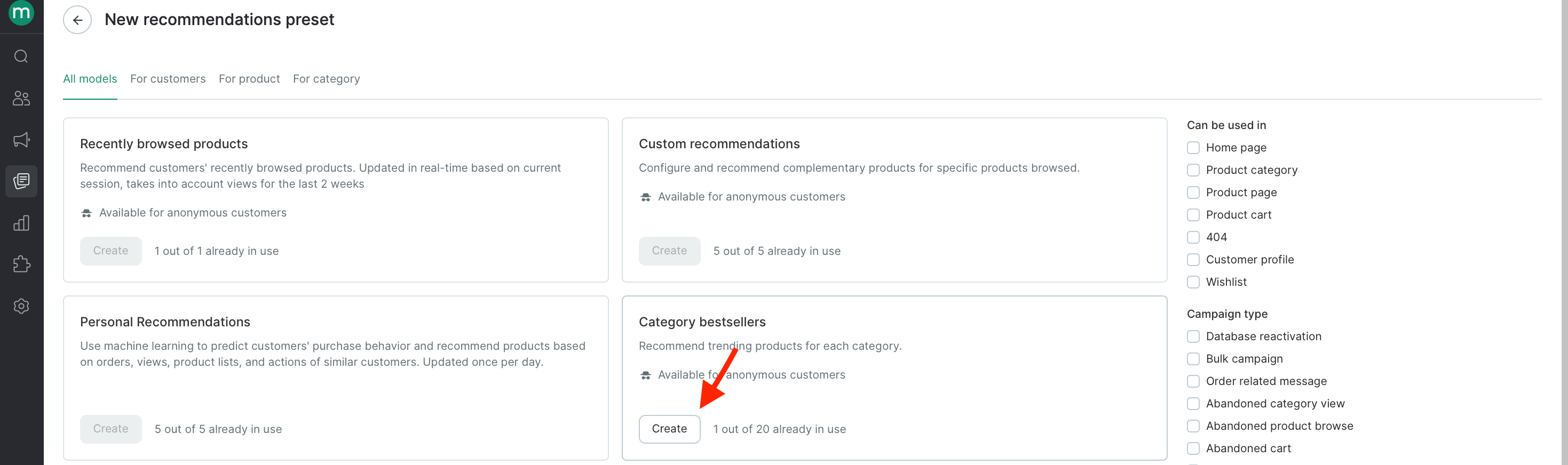
Choose the preset and Click Create
Pick Bestsellers, Category bestsellers, or Bestsellers from previously viewed categories depending on where you’ll show recommendations.
3
Name the preset and Click Create
Give it a descriptive name (for example,
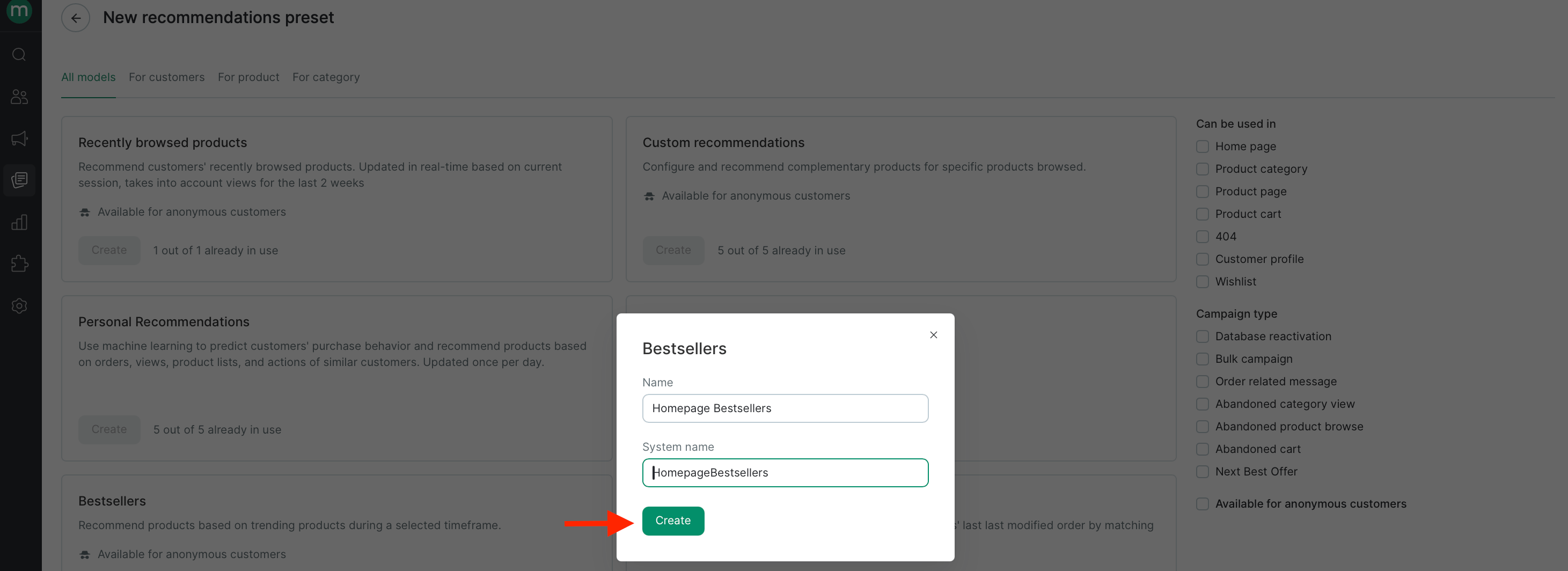
Homepage bestsellers) so you can find it later, then continue.4
Configure settings for your chosen preset
Settings vary slightly by preset.Bestsellers
Recommend from — optionally restrict the source pool to a product segment. Leave empty to draw from your full catalog.
- Recommend from — optionally restrict the source pool to a product segment. Leave empty to draw from your full catalog.
- Consider product actions for the past — the time window used to score popularity, between 1 and 180 days. Shorter windows react to current trends; longer windows produce more stable results.
- Recommend from — optionally restrict the source pool to a product segment.
Product.Categories.Take(<number of collection items>).Recommendations as a collection.Bestsellers from previously viewed categoriesRecommend from — optionally restrict the source pool to a product segment. Leave empty to draw from your full catalog.
- Recommend from — optionally restrict the source pool to a product segment. Leave empty to draw from your full catalog.
- **Consider product actions for the past **— the time window used to score popularity, between 1 and 180 days. Shorter windows react to current trends; longer windows produce more stable results.
5
Start the preset
Click Start. The preset appears in your list with its current status and the timestamp of its last update.
