

This only works when you can reach the IT team that manages the receiving mail server. Either you work at that organization, or someone who does can pass the IP list on to their IT team. You can’t change spam filters on mail servers you have no access to, such as Gmail or Outlook.
How to find the current IP list
1
Go to MxToolbox
Open mxtoolbox.com.
2
Choose SPF Record Lookup
Select the SPF Record Lookup mode.
3
Look up Maestra's SPF record
Enter 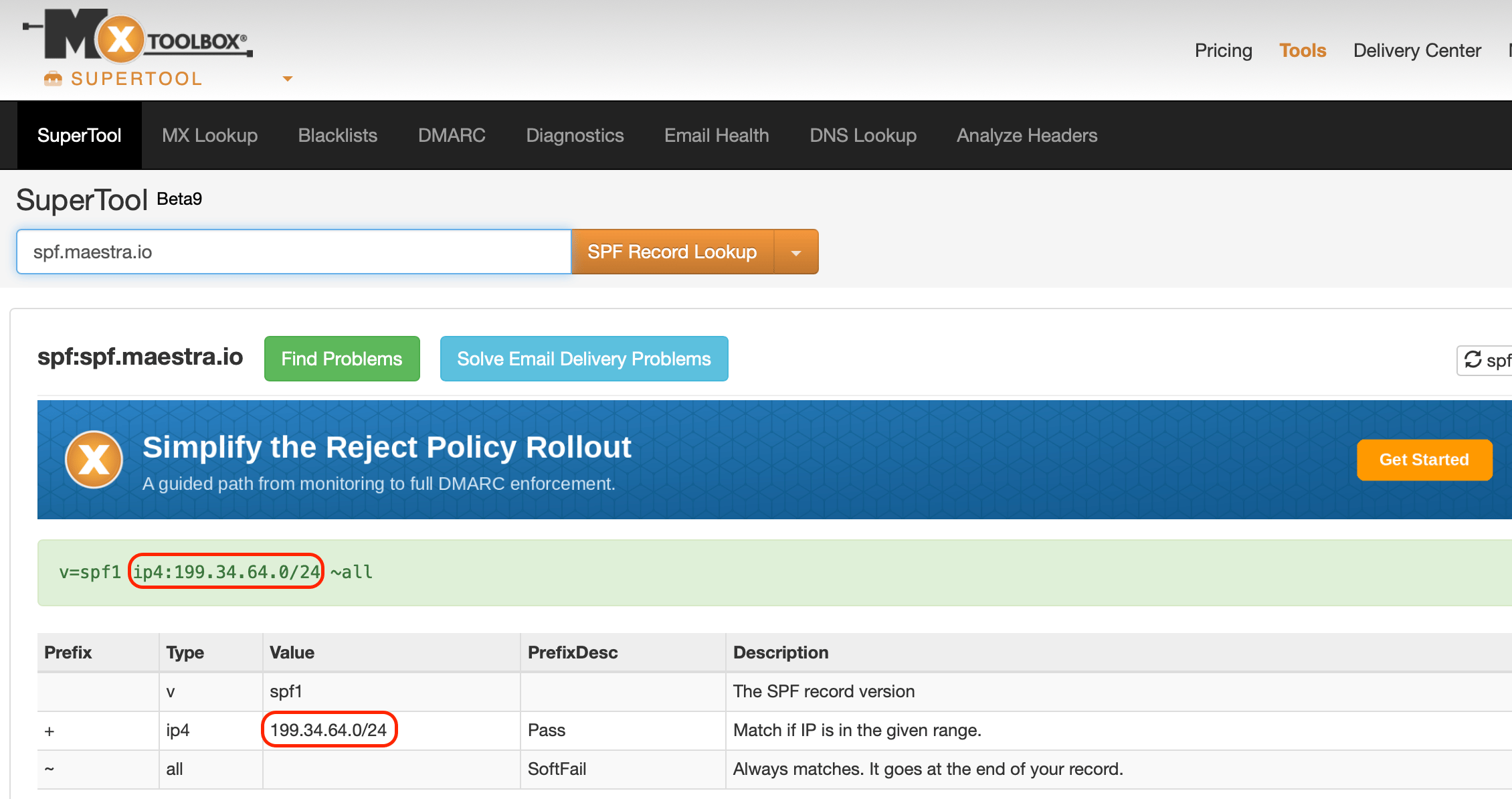
spf.maestra.io in the input field and press Enter.4
Send the IP list to your IT team
Share the IP addresses with your IT team and ask them to add them to the mail server’s list of allowed IPs.