https://mst.io/xxxxxxxx. Set up your own short-link domain, and customers will see your brand name in every link instead.
Why set up your own domain
- The link looks like part of your website. Recipients trust it more, and it’s less likely to be mistaken for spam or phishing.
- You keep everything the link shortener gives you: click stats and fewer characters per SMS.
- If your account has several brands, each one can get its own domain.
What you’ll need
- The
View custom domainsandEdit custom domainspermissions. - A short domain or a free subdomain that you control.
- Access to the DNS settings at your registrar or hosting provider, so you can add NS records for that domain.
If you don’t see Short link domain in the menu, contact your Maestra Forward Deployed Marketer or reach out to support.
How to choose a domain
You delegate the whole domain to Maestra Platform, and from then on Maestra Platform manages all of its DNS records. That means the domain can’t run anything except short links. Good choices:- A separate short domain, for example
brnd.com. The shorter the domain, the fewer characters each link takes in an SMS. - A free subdomain of your main domain, for example
s.brand.com— as long as it isn’t used for your website, return path, or any other service.
- Your main website domain, for example
brand.com. Once it’s delegated, Maestra Platform serves all of its DNS records, and your website, email, and other services on that domain stop working. - A domain or subdomain that already runs something — a website, return path, your branded click tracking domain, or any other service. The domain has to be used for short links only.
Link lengthAn SMS short link is your domain name,
/, and an 8-character key. On brnd.com, for example, a link takes 17 characters: brnd.com/6jOi25ml.In Notifications and messengers campaigns, the protocol is added to the link: https://brnd.com/6jOi25ml.Step 1. Add the domain in Maestra Platform
1
Open Short link domain
Go to Settings → Communication → Short link domain.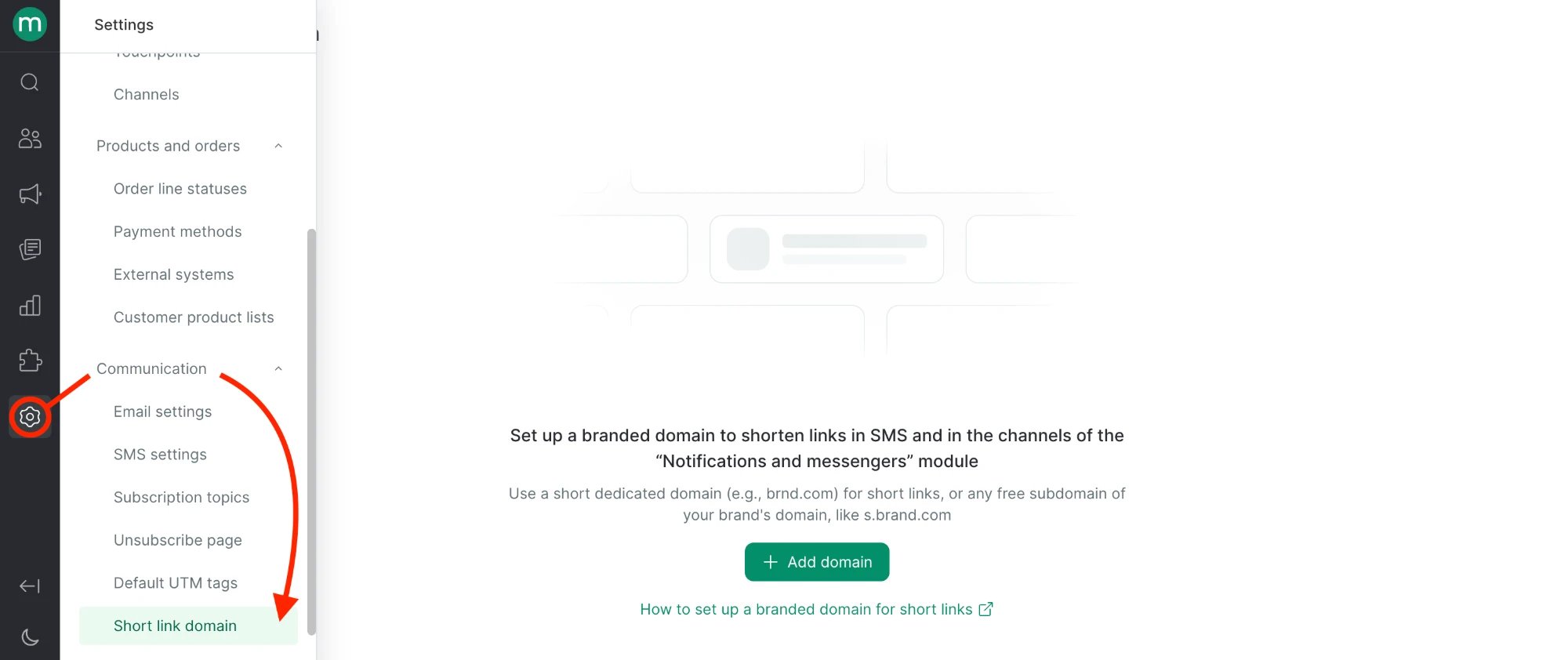
2
Click Add domain
3
Fill in the fields and click Save
- Brand (for multi-brand accounts) — the brand the domain is for.
- Domain name — the domain or subdomain for short links, for example
s.brand.com. - Reserve URL (optional) — where customers land once a short link has expired. A short link works for 5 years after it’s sent. Most brands use their home page.
4
Review the DNS records
Maestra Platform shows the DNS records you need to add. Click Open instructions to get a page with the setup steps — it opens without logging in, so you can send it straight to whoever manages your DNS.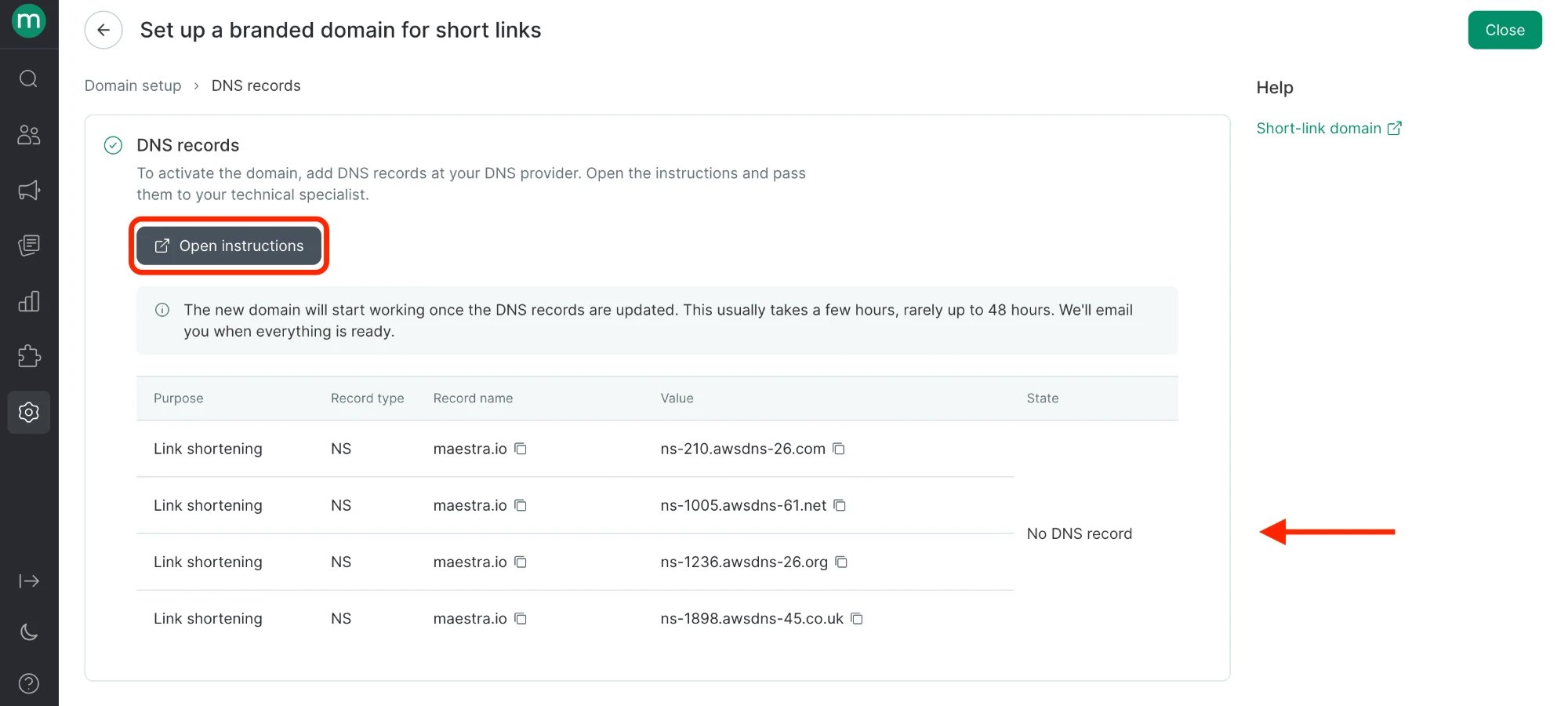
Step 2. Add the DNS records
- Copy every NS record Maestra Platform shows you.
- Add them in your domain’s DNS settings at your registrar or hosting provider.
- Wait for Maestra Platform to check the records and update the domain status.
Step 3. Check the domain status
You’ll see the domain status on the Short link domain page.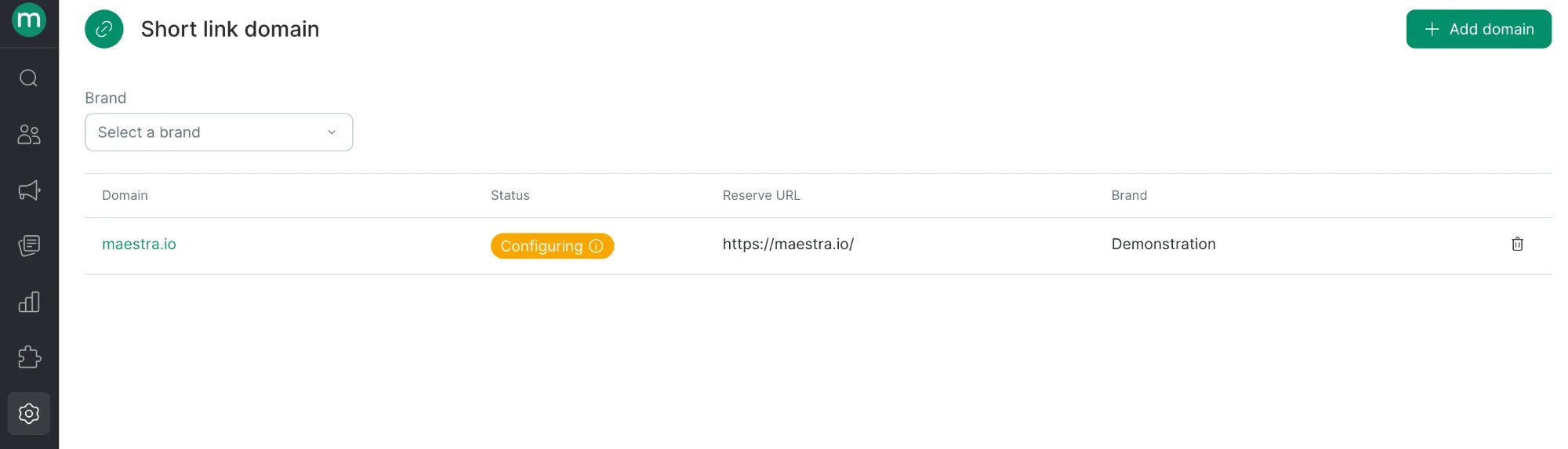
Once the status changes to Confirmed, Maestra Platform shortens links on your domain in every SMS and Notifications and messengers campaign for that brand, except FastTrack channels.
If your account has several brands
Set up a short-link domain for each brand separately — each brand gets its own domain and reserve URL. That way, links in one brand’s campaigns never point to another brand’s domain.If the NS records are removed
If the domain is no longer delegated to Maestra Platform — the NS records were deleted or overwritten:- Links you’ve already sent on your domain stop working, because the domain no longer points to Maestra Platform.
- New campaigns keep going out, with links shortened on the shared Maestra domain.
- Maestra Platform flags an issue in your account saying the domain has stopped working.
- Once you add the records back, Maestra Platform switches back to your domain, and links you sent earlier work again.
How to delete a short-link domain
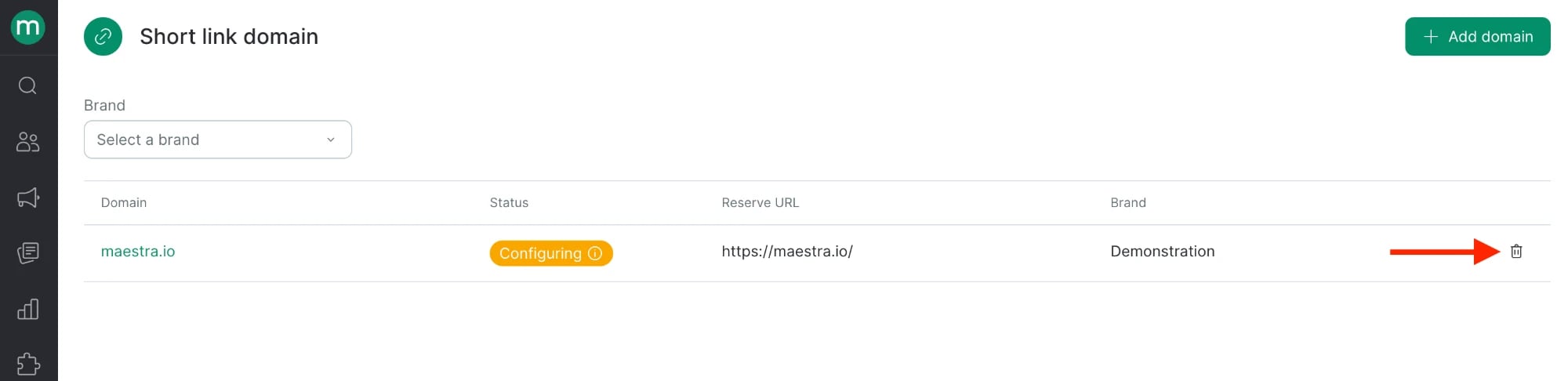
Open the domain on the Short link domain page and click Delete. From then on, short links are created on the shared Maestra domain. Remember to remove the NS records at your DNS provider too.