

Why shorten links?
- Reduce SMS costs Shorter URLs lower the total character count, which means fewer billable SMS segments and a cleaner, more readable message.
- Track clicks and performance
Maestra link shortener
Benefits
- Links are shortened to 16 characters for SMS and up to 24 characters for channels in the Notifications and Messengers module.
- You don’t need to integrate a tracking pixel on your website — all setup is handled directly in Maestra.
- You can shorten links to external websites, such as a survey built with Google Forms.
Where you can use it
- SMS
- Any channel in the Notifications and Messengers module Except for channels configured via FastTrack — analytics for those channels is provided by the messaging provider.
How to enable it
- For new projects, the Maestra link shortener is enabled automatically.
- If your project uses the legacy link shortener, contact your Maestra Forward Deployed Marketer or reach out to support.
What happens when a user clicks the link
When a customer clicks a shortened link, the following variables are added:- Authentication ticket.
UniversalAuthenticationCustomizableTimeTicketis added to identify the customer. The ticket has a maximum lifetime of three months.
After three months, the ticket will no longer work for authentication, but the link will continue to track clicks until it reaches its own expiration date.
- A m-message-click-id variable is added to attribute the click to the customer.The link from the example above will look like this:
How to Shorten a Link in a Campaign
- Create a campaign in the desired channel (SMS or another channel of Notifications and messengers module).
- Add the desired link to your SMS message. Example:
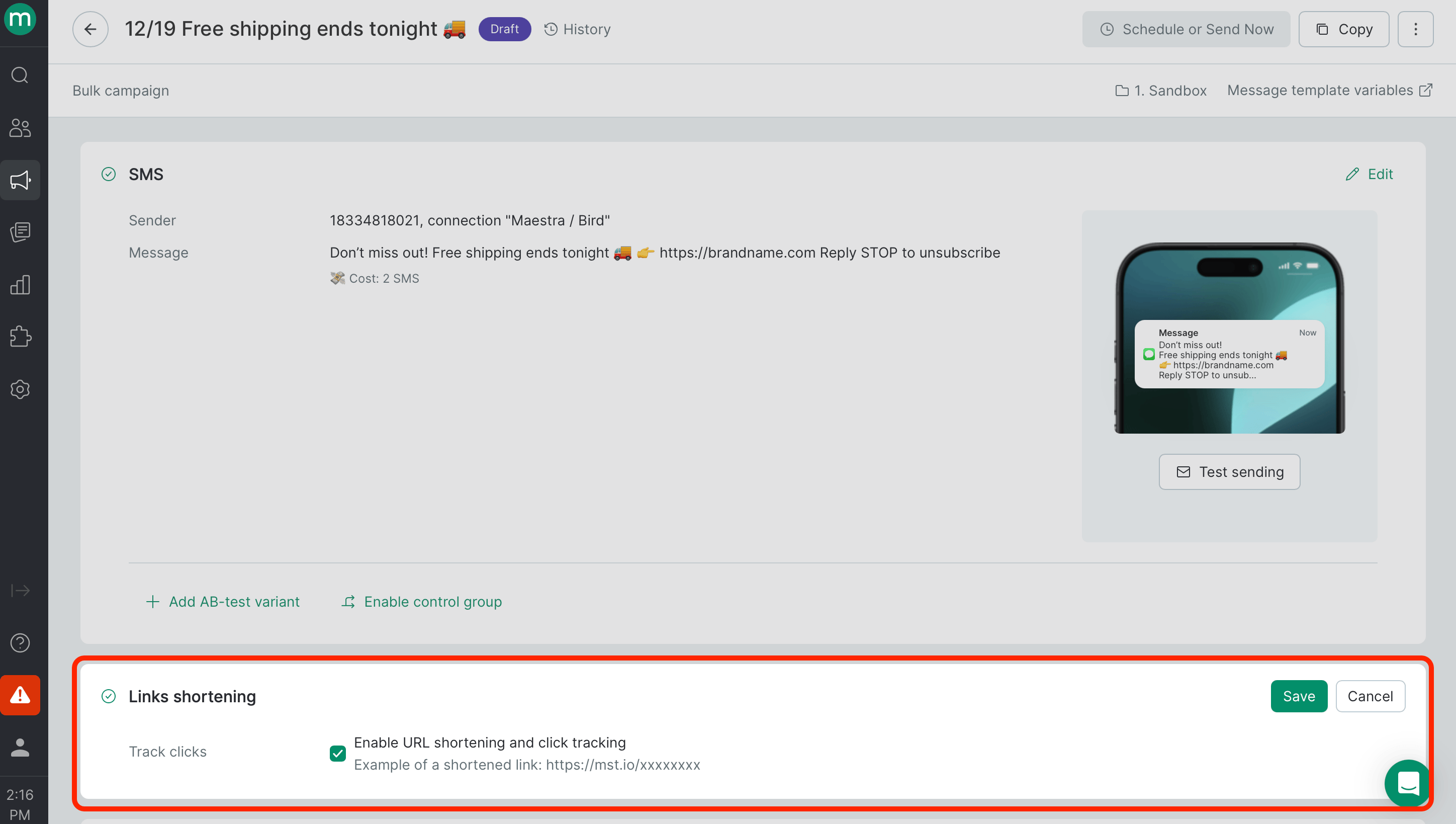
- In the campaign settings, enable the Shorten URL and track clicks checkbox in the Link Shortening section.
How to Test
Use Preview to see how the message will appear to the recipient with the shortened link applied. 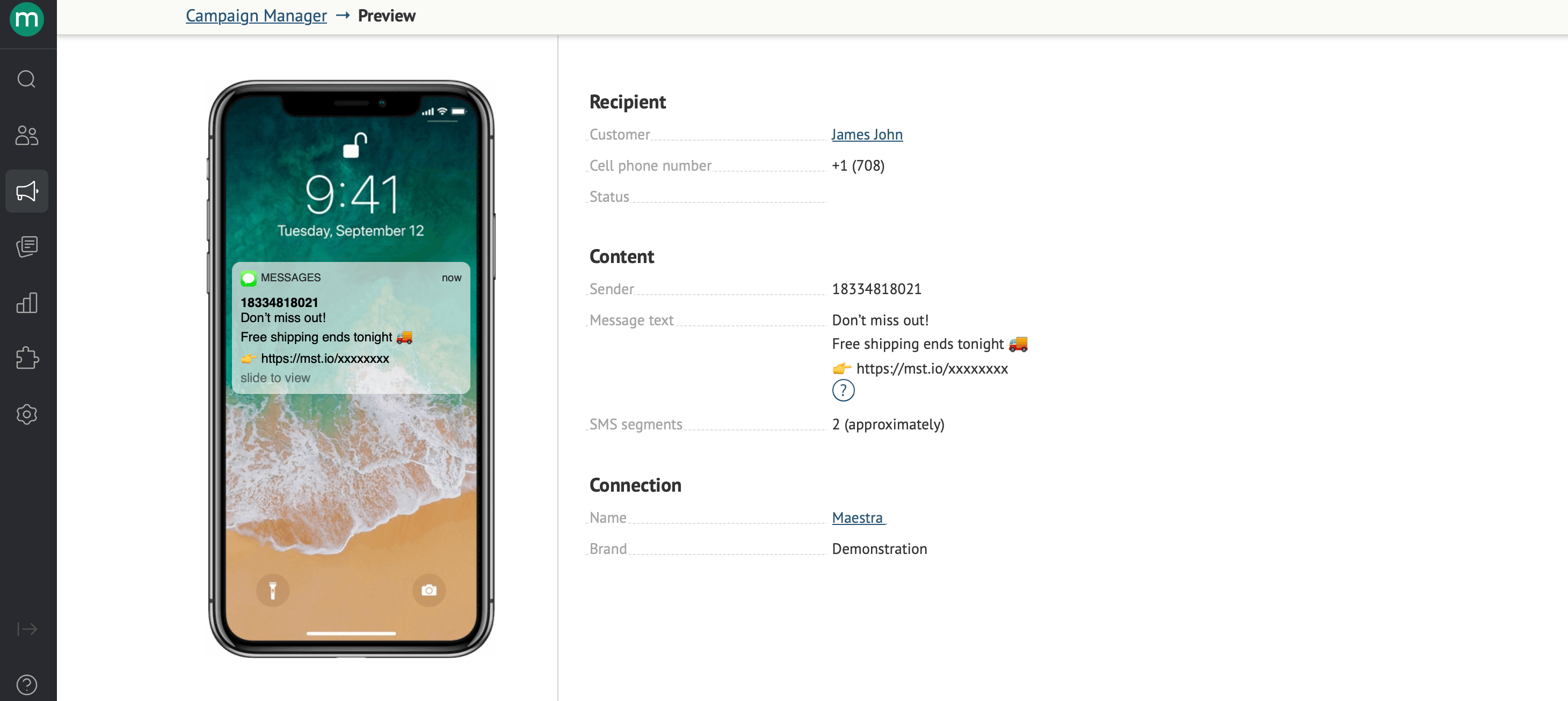
Personalized Links with Variables
You can personalize links using variables (Message Template Engine). For example, you can insert a customer’s order tracking number into the link:Authentication Tickets
An authentication ticket is automatically appended to every shortened link to identify the customer. The Maestra link shortener usesUniversalAuthenticationCustomizableTimeTicket. The legacy link shortener uses PermanentAuthenticationTicket.
You can also use other authentication tickets listed on the Dynamic Parameters page: https://projectname.maestra.io/mailing-parameters-help/Ticket (replace projectname with your project name). If you manually specify a ticket, UniversalAuthenticationCustomizableTimeTicket and PermanentAuthenticationTicket **** will not be added automatically.
Example: