Documentation Index

Fetch the complete documentation index at: https://help.maestra.io/llms.txt

Use this file to discover all available pages before exploring further.

This feature may not be enabled on your account. Check with your customer success manager or contact support.
Built-in groups (Marketers, Analysts, Owners, etc.) cover most teams, but if you need a different bundle of permissions — say, “Email Specialist” who can build and send emails but not touch SMS — create a custom permission group.

Create a permission group

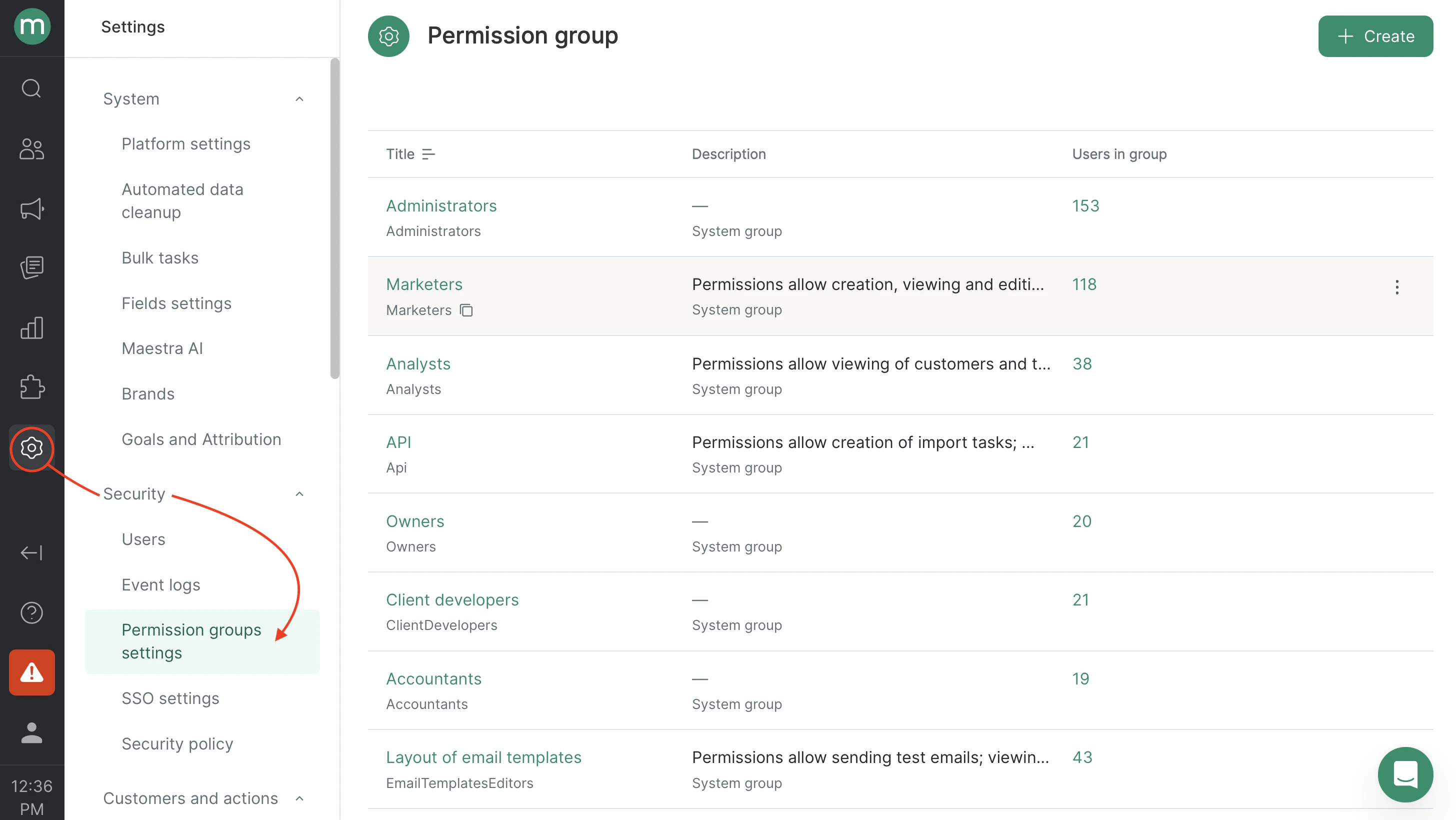
  1. Go to SettingsSecurityPermission groups settings.
2026 05 19 12 36 25
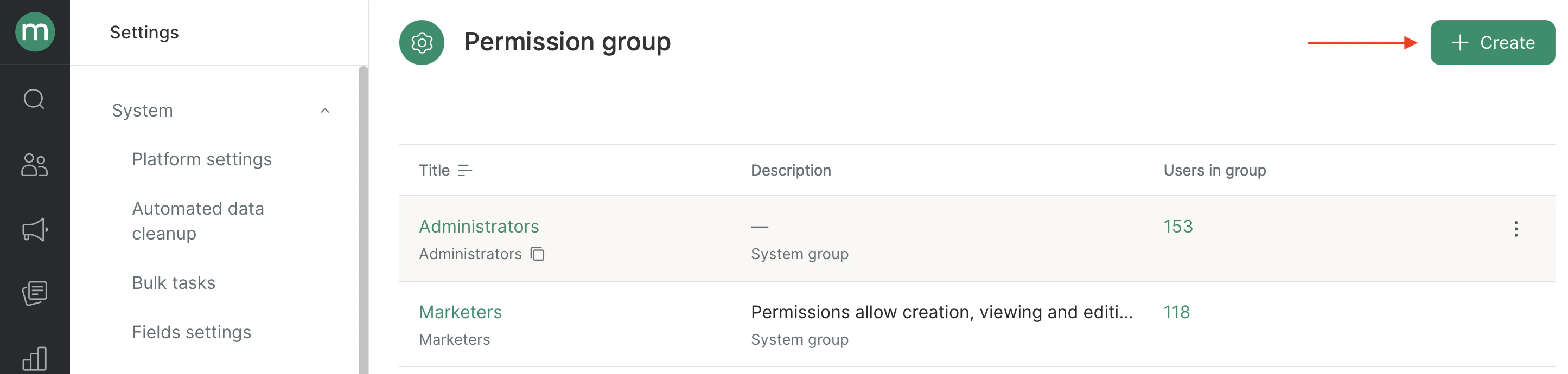
  1. Click Create.
2026 05 19 12 41 39
  1. Fill in the fields:
  • Name — what shows up in the group list.
  • System name — used when you assign this group via bulk staff import.
  • Description — what role this group is for.
  • Permissions — pick the permissions the group grants.
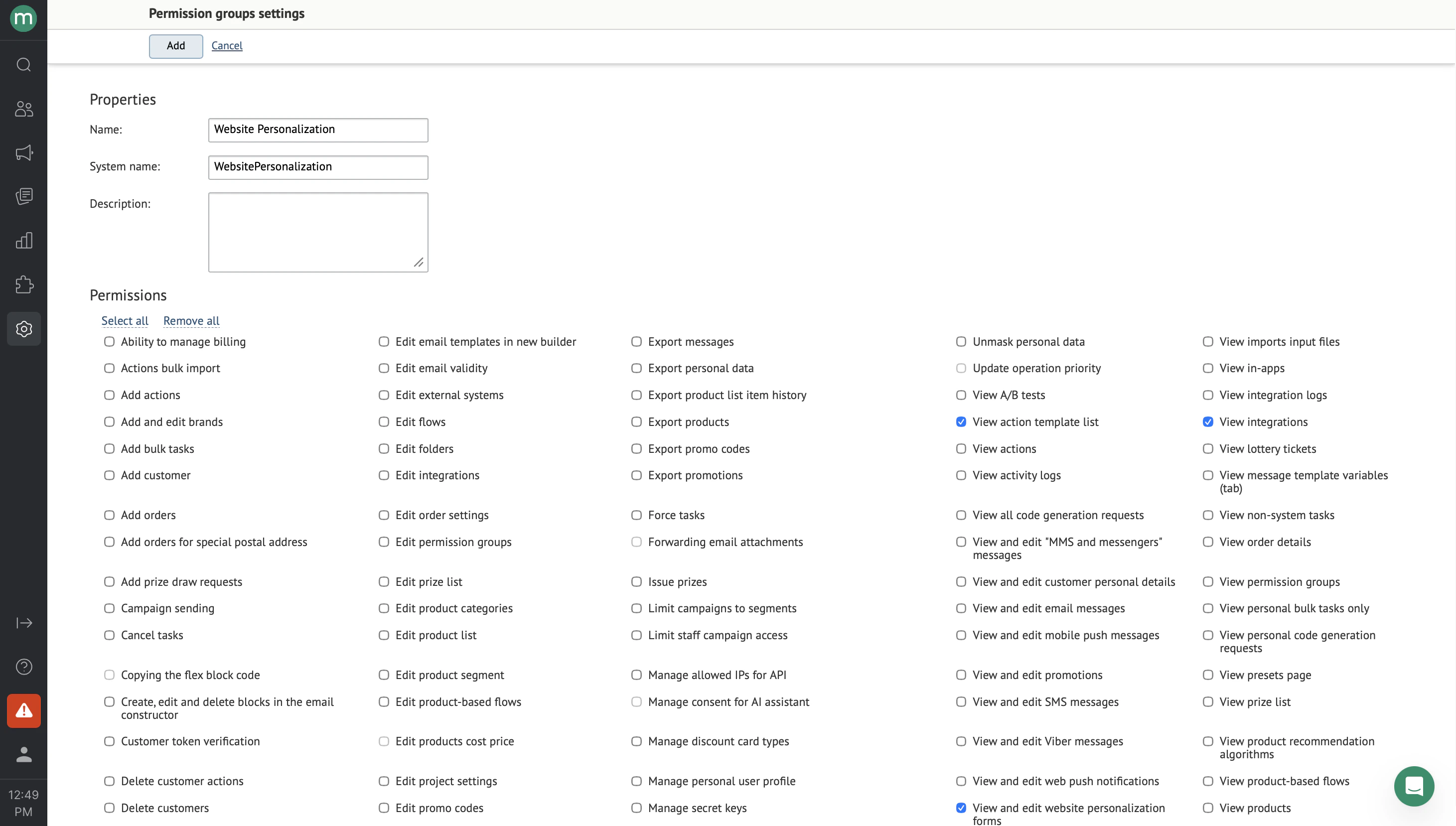
2026 05 19 12 49 25
  1. Click Add.
2026 05 19 12 57 11